



Question

WMS Raster cell values not exposed?

  • January 20, 2026
  • 2 replies
  • 71 views

agmalenczak
Contributor
Forum|alt.badge.img+2

Hi all,

I am attempting to create an FME script that looks at the FWI information provided as a WMS by NRCAN to perform some risk analysis based on the WFI cell values. When I load the WMS into ArcGIS Pro and examine a cell, I can see a discrete WFI value:
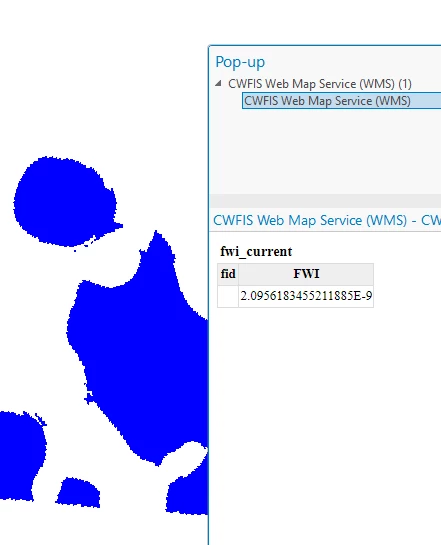


(It is hard to tell from the picture, but this display is showing up when I click to examine a single cell. As I click around in the polygon, the WFI value changes.)

When I load the data into FME, I cannot seem to get that FWI value to be exposed. When I click a cell in the investigator, this is what is returned:
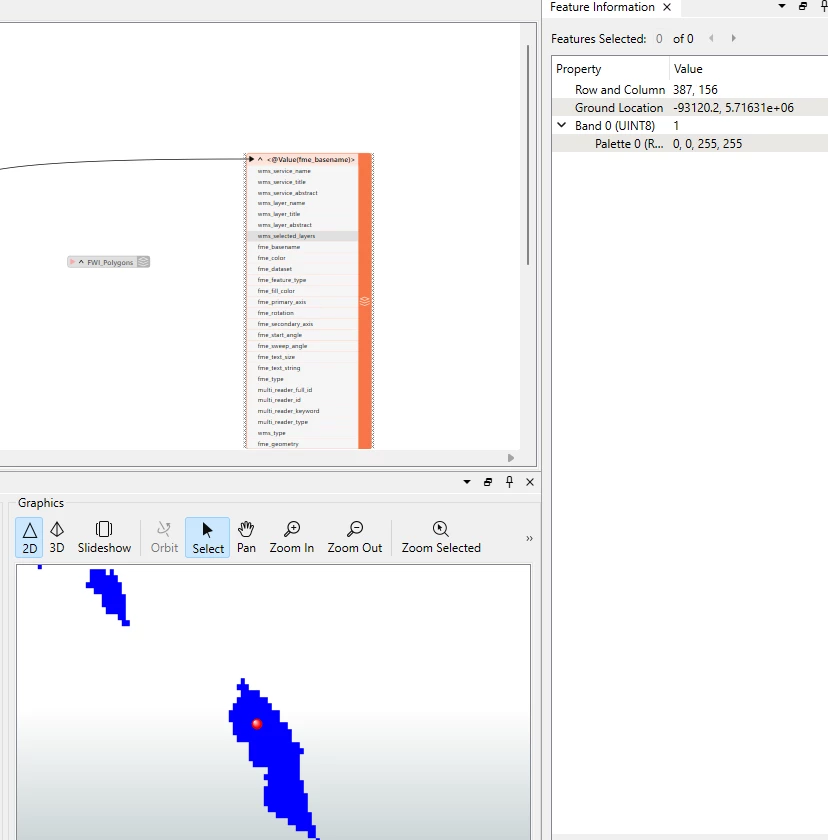
The only values I am getting (other than Row/Column) is the Pallette value, which just corresponds to the aggregated class value symbolization:
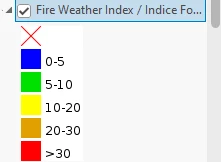


I’ve played around with several of the Raster transformers but they have been unable to get this cell value exposed. Is there a different approach I should be taking to be able to read this FWI value on a cell-by-cell basis? Thank you for your time.​​​​​​​

2 replies

donalmateer
Safer
Forum|alt.badge.img+10
  • Safer
  • January 23, 2026

Hi ​@agmalenczak
Thanks for the detailed post!

I’ve taken a look at the NRCan WMS you’re referencing, but at the moment I’m having trouble confirming which specific layer you’re loading into ArcGIS Pro and FME.

From what I can see:

  • The WMS contains multiple layers, and it’s not immediately clear which one corresponds to the FWI values you’re inspecting in ArcGIS Pro.

  • There is a fwi_current.tif dataset available that appears to match the values and symbology shown in your screenshot, but I can’t find a clearly equivalent layer exposed through the WMS that maps directly to that dataset.

  • I initially suspected the public:activefires_current layer, but that doesn’t appear to match the behaviour or values you’re seeing when selecting cells in ArcGIS Pro.

If you could confirm the exact WMS layer name you are using in ArcGIS Pro (as shown in the layer properties or GetCapabilities), that would help a lot.

Once we’ve confirmed the target layer, we should be able to give a definitive answer on whether cell-by-cell FWI values can be accessed directly, or whether a different service would be required for that type of analysis.


agmalenczak
Contributor
Forum|alt.badge.img+2
  • Author
  • Contributor
  • February 5, 2026

Hi ​@agmalenczak
Thanks for the detailed post!

I’ve taken a look at the NRCan WMS you’re referencing, but at the moment I’m having trouble confirming which specific layer you’re loading into ArcGIS Pro and FME.

From what I can see:

  • The WMS contains multiple layers, and it’s not immediately clear which one corresponds to the FWI values you’re inspecting in ArcGIS Pro.

  • There is a fwi_current.tif dataset available that appears to match the values and symbology shown in your screenshot, but I can’t find a clearly equivalent layer exposed through the WMS that maps directly to that dataset.

  • I initially suspected the public:activefires_current layer, but that doesn’t appear to match the behaviour or values you’re seeing when selecting cells in ArcGIS Pro.

If you could confirm the exact WMS layer name you are using in ArcGIS Pro (as shown in the layer properties or GetCapabilities), that would help a lot.

Once we’ve confirmed the target layer, we should be able to give a definitive answer on whether cell-by-cell FWI values can be accessed directly, or whether a different service would be required for that type of analysis.


Hi,

Thanks for the reply. It was the WFI layer within that WMS (the one you identified the raster alternative for). I ended up just writing the workbench to scrape and process the raster.