Solved

What would cause Esri ArcGIS Pro interpreters not to show as available in the drop-down list?

  • November 2, 2020
  • 1 reply
  • 16 views

fneal
Contributor
Forum|alt.badge.img+4

I am unable to see any ArcGIS Pro python interpreters available in Options>Translation. I have Pro 2.6.0 installed and FME Desktop 2019.2.3.2.
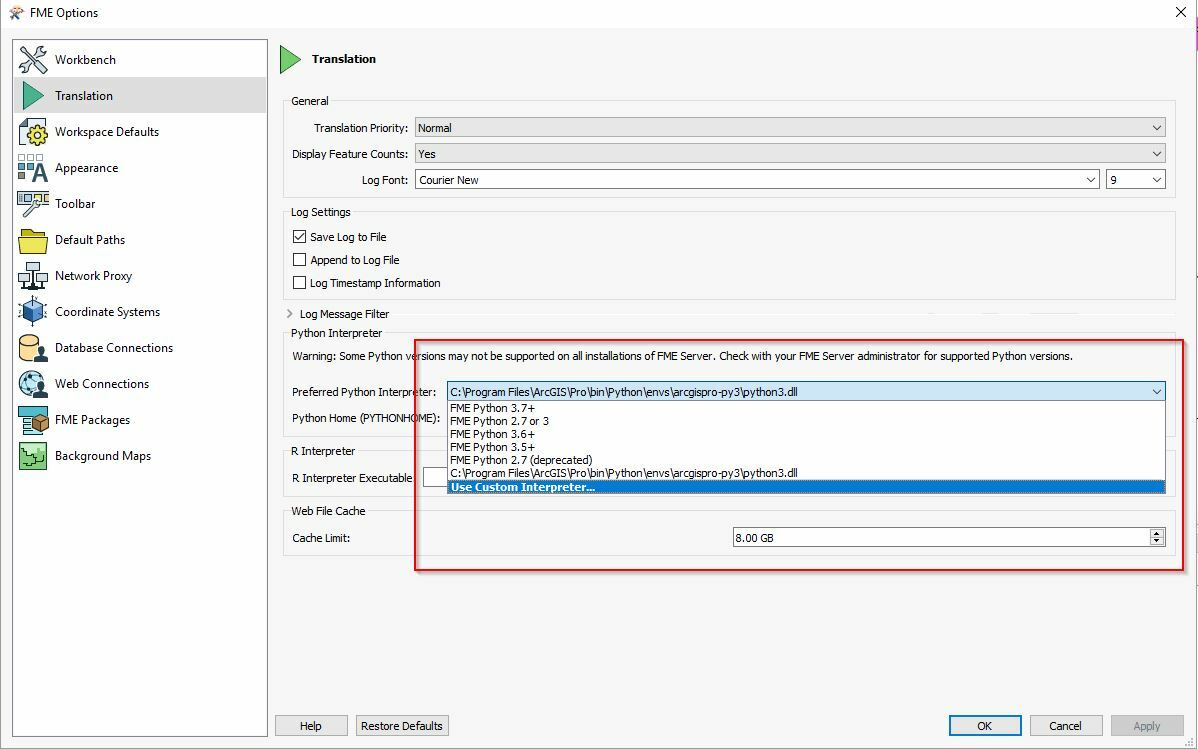

PyhtonInterpreters

Best answer by david_r

Accord to this article you'll need FME 2020.1.2 or higher (64 bit only) for compatibility with ArcGIS Pro 2.6 and up: https://community.safe.com/s/article/notes-on-fme-and-esri-versions-and-compatibility


This post is closed to further activity.
It may be an old question, an answered question, an implemented idea, or a notification-only post.
Please check post dates before relying on any information in a question or answer.
For follow-up or related questions, please post a new question or idea.
If there is a genuine update to be made, please contact us and request that the post is reopened.

1 reply

david_r
Celebrity
  • Best Answer
  • November 2, 2020

Accord to this article you'll need FME 2020.1.2 or higher (64 bit only) for compatibility with ArcGIS Pro 2.6 and up: https://community.safe.com/s/article/notes-on-fme-and-esri-versions-and-compatibility