

Question

Texturing LOD2 CitgyGML with 3DMesh file

  • June 20, 2019
  • 1 reply
  • 100 views

vignesh

Greetings,

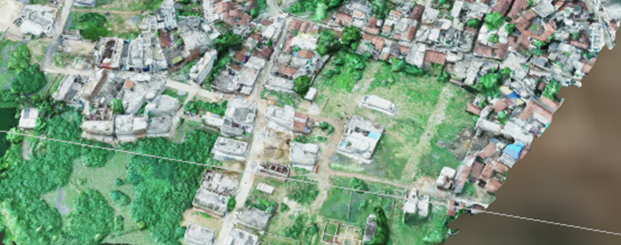
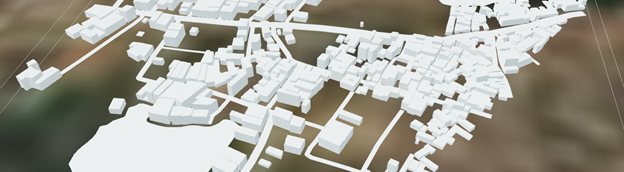
I have built LOD2 CityGML from Shapefile and Point cloud XYZ data. Also the point cloud is converted into a 3D Mesh file. Available mesh data format of the mesh are *.obj, *3ds, *collada, *glTf.

Is it possible to texturize the extruded buildings using the Mesh?

Appreciate your time and suggestion.

Mesh:
 

LOD2 CityGML
This post is closed to further activity.
It may be an old question, an answered question, an implemented idea, or a notification-only post.
Please check post dates before relying on any information in a question or answer.
For follow-up or related questions, please post a new question or idea.
If there is a genuine update to be made, please contact us and request that the post is reopened.

1 reply

jovitaatsafe
Safer
Forum|alt.badge.img+11

Hi @vignesh,

Are you still looking for an answer to this question? I'm not 100% sure as I'm more accustomed to working with image textures, but have you tried using an AppearanceExtractor on the Mesh and applying the appearance with the AppearanceSetter before writing out to CityGML?


There's an article Creating a Textured CityGML Model that might be helpful to take a look at perhaps. It includes a downloadable workspace template that you can explore. And Extract Layers from Traits and Swap Appearances may be another helpful example to see the AppearanceExtractor and setter in a workflow. Hope that helps!


