

Question

Hull Accumulator produce the following error “Cannot write a non-area feature to an area feature class”

  • September 4, 2019
  • 7 replies
  • 90 views

Forum|alt.badge.img

Hi,

I created a workbench to convert an excel files records to point feature class and I need to create a polygon surrounding the point depend on a field in the attribute table, So I used the Hill Accumulator to do this but each time I choose a field in a the group by option I got an error as you can see below.
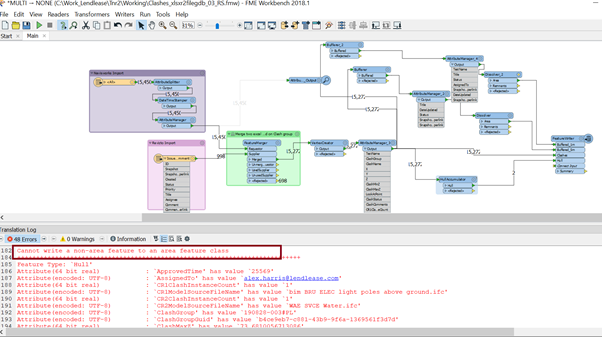
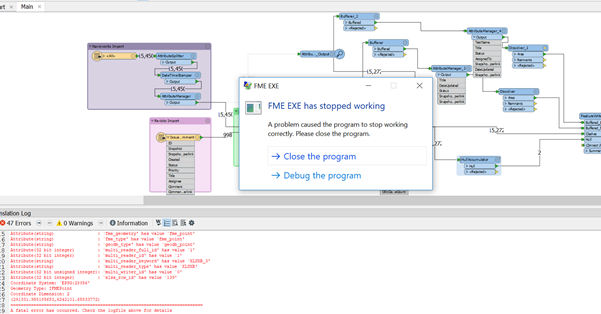
Please note that when I cleared the group by option the workbench is working fine and I got one polygon, so what did I miss in my workbench. Any Ideas to solve this?
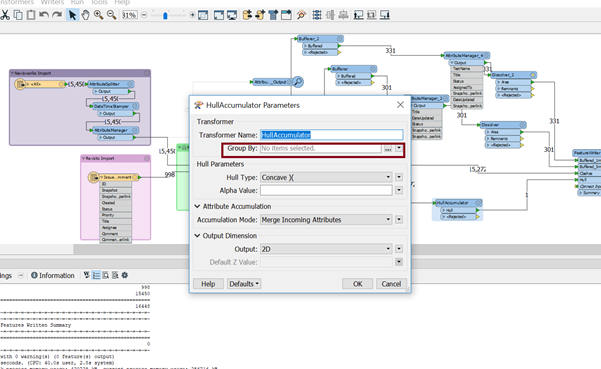
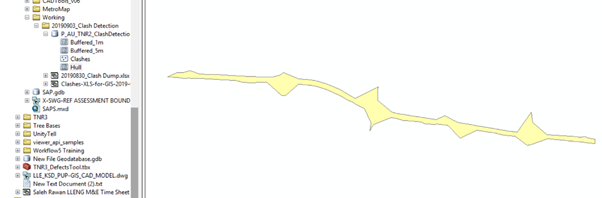
Cheers,

Rawan

This post is closed to further activity.
It may be an old question, an answered question, an implemented idea, or a notification-only post.
Please check post dates before relying on any information in a question or answer.
For follow-up or related questions, please post a new question or idea.
If there is a genuine update to be made, please contact us and request that the post is reopened.

7 replies

itay
Supporter
Forum|alt.badge.img+18
  • Supporter
  • September 4, 2019

Hi @rawansaleh,

Apparently the result of the HullAccumulator produces other types of geometries expected by the feature class.

You can use a GeometryFilter after the HullAccumulator and view the results before trying to write.

Itay


ebygomm
Influencer
Forum|alt.badge.img+46
  • Influencer
  • September 4, 2019

If there is only one feature in your group by option, then this will remain as a point, it won't be replaced by a polygon, it will then cause an error when you try and write this point to a writer that only accepts areas.


Forum|alt.badge.img
  • Author
  • September 4, 2019

Hi @rawansaleh,

Apparently the result of the HullAccumulator produces other types of geometries expected by the feature class.

You can use a GeometryFilter after the HullAccumulator and view the results before trying to write.

Itay

Than you for your answer, yes that solve my problem

Forum|alt.badge.img
  • Author
  • September 4, 2019

If there is only one feature in your group by option, then this will remain as a point, it won't be replaced by a polygon, it will then cause an error when you try and write this point to a writer that only accepts areas.

Thank you for your answer, so do you know how I could filter those points who have only one record the create a buffer on them?


ebygomm
Influencer
Forum|alt.badge.img+46
  • Influencer
  • September 4, 2019

Thank you for your answer, so do you know how I could filter those points who have only one record the create a buffer on them?

I would use a geometry filter to get those features that remain as points after the hullaccumulator and then send them to a bufferer to convert to polygons


Forum|alt.badge.img
  • Author
  • September 4, 2019

I would use a geometry filter to get those features that remain as points after the hullaccumulator and then send them to a bufferer to convert to polygons

Thanks that help!


itay
Supporter
Forum|alt.badge.img+18
  • Supporter
  • September 4, 2019
Than you for your answer, yes that solve my problem

You are welcome, glad I could help.






