


Question

How to see the history of a Writer over versions of FME Form?

  • May 15, 2026
  • 1 reply
  • 9 views

nicholas
Contributor
Forum|alt.badge.img+14

For a specific Writer (for example Precisely MapInfo Extended TAB)

Is there a way to see a history of changes and improvements from version to version of FME Form?

I have v2022.1 installed, and I am researching if the Writer has changed or improved in v2025.


I am aware that a Transformer has a version number specific to that Transformer, but a Writer’s version number is locked to the version number of FME Flow, so it is hard to quickly determine if the Writer has changed between versions of FME Form.


1 reply

j.botterill
Influencer
Forum|alt.badge.img+58
  • Influencer
  • May 15, 2026

Safe do not publish changes to reader/writer formats

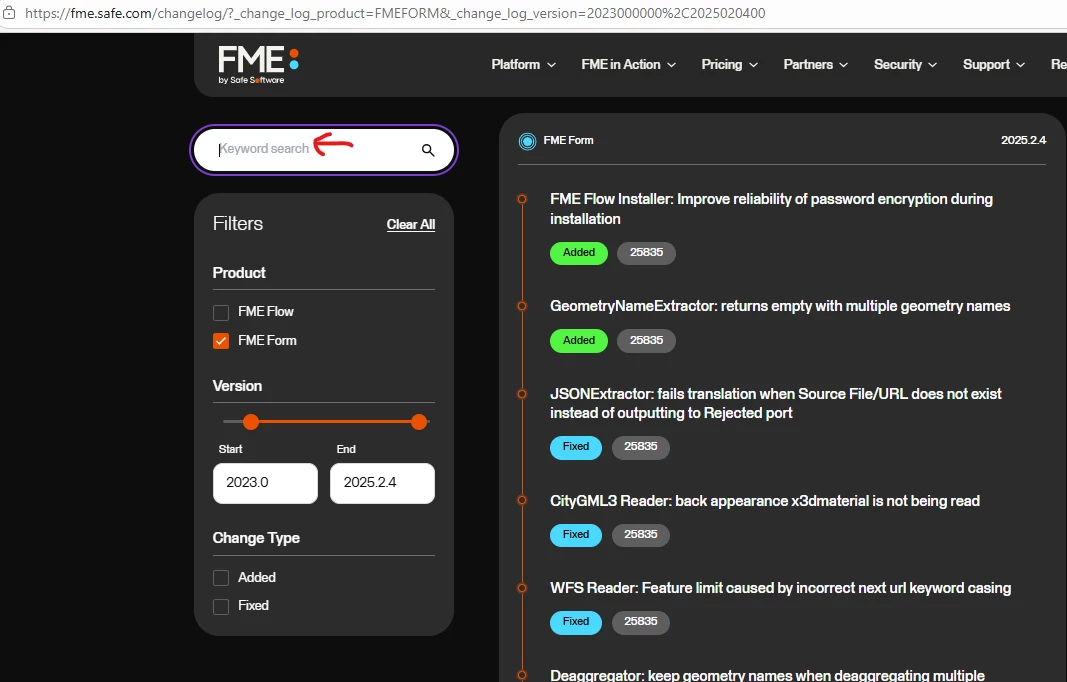
You can use the Change Log for the version you are after and filter for the format in the keyword search 

In FME Form, readers and writers are versioned at the time you add them to a workspace. When you upgrade FME (for example from 2023.x → 2026.x), existing workspaces do not automatically pick up newer reader/writer versions.

  1. Open the workbench in the newest version
  2. Hover over a reader or writer in the Navigator to see which FME version the reader was last updated at.
  3. You must explicitly “Update Reader” or “Update Writer” in the Navigator pan.
  4. A summary is written in the transaction log with the build number.

That’s all the info given. Perhaps use the build numbers to request more info from the Support