


Question

How to delete Photos from folder

  • June 24, 2026
  • 1 reply
  • 25 views

mildred
Participant
Forum|alt.badge.img

I have a excel file with photo link to Fulcrum (a different app). I have to create a template with photo link from my shared resources and id from the excel. I have created the FME process successful. But there are some extra photos that are not mapped to the ID which I need to delete. Which transformer shall i apply.
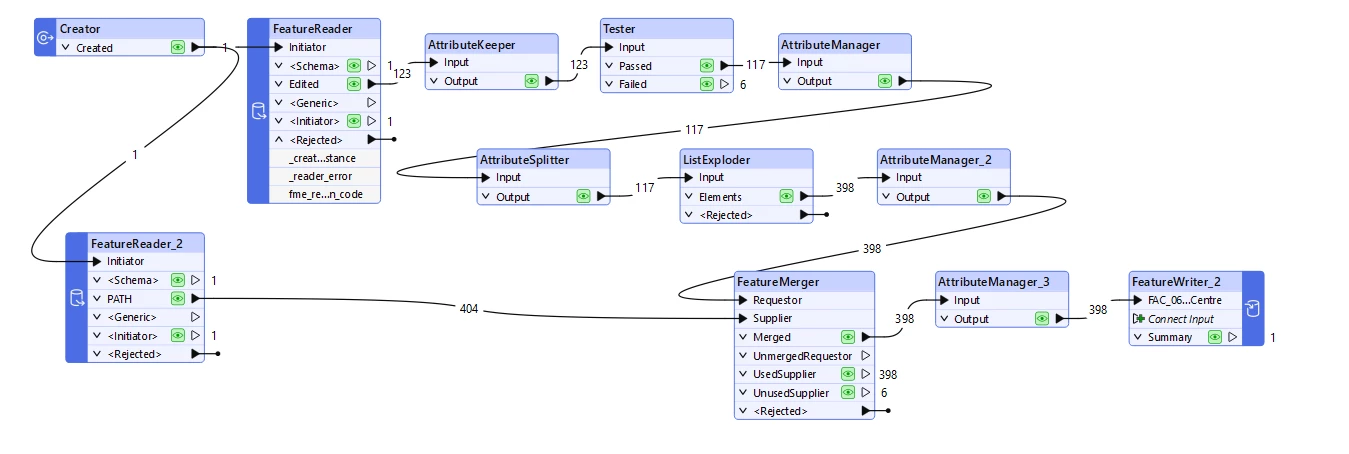
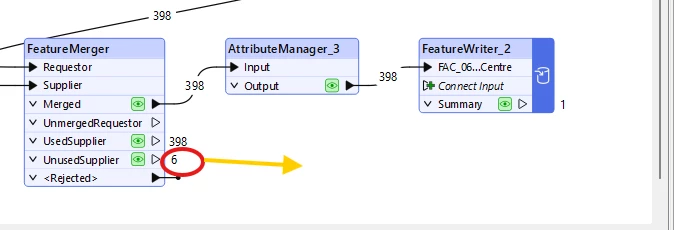
Image above shows my FME process, I want to delete the 6 photos from unused supplier from my original folder. Which transformer shall i apply. and can it access my folder and Delete the photos.

1 reply

j.botterill
Influencer
Forum|alt.badge.img+58
  • Influencer
  • June 25, 2026

You can use a Writer = File Copy and set it with Delete Mode

  1. Add a writer/feature writer File Copy fromat.
  2. Set File Operation = Delete.
  3. Prior to the writer, add attribute creator to populate the format
    • create   filecopy_source_dataset   
    • set     @Value(your attribute / path_windows)
    • e.g. path_windows  =  C:\Temp\TestFile.png
Attribute Value
filecopy_source_dataset C:\Temp\TestFile.png