Question

How can I create a review list of all fme workspaces ?

  • May 22, 2026
  • 8 replies
  • 125 views

gogopotter90
Contributor
Forum|alt.badge.img+14

Hello ,

I would like to create a complete review list of all FME workspaces and processes in our environment.

The first requirement is to generate a list of all FME names available in FME Server, including:

  • Which users have access to export them

  • Whether they are automated

  • If automated, on which day and at what time they run 

  • Where is the FME output stored?

  • If they are manually exported, which users have permission or access to perform the export

The second requirement is to create a list of all FME workspaces built and stored on local Windows environments.

I would also like to export all names and related information into Excel files.

What would be the best solution or approach to manage both requirements and create a complete review list of all active and working FME .


Thanks in advance 

8 replies

j.botterill
Influencer
Forum|alt.badge.img+58
  • Influencer
  • May 25, 2026

Workspace reader

If you have access to the FME Flow Repositories from FME Form

  • in an express flow deployment this is under C:\ProgramData\Safe Software\FMEFlow\repositories

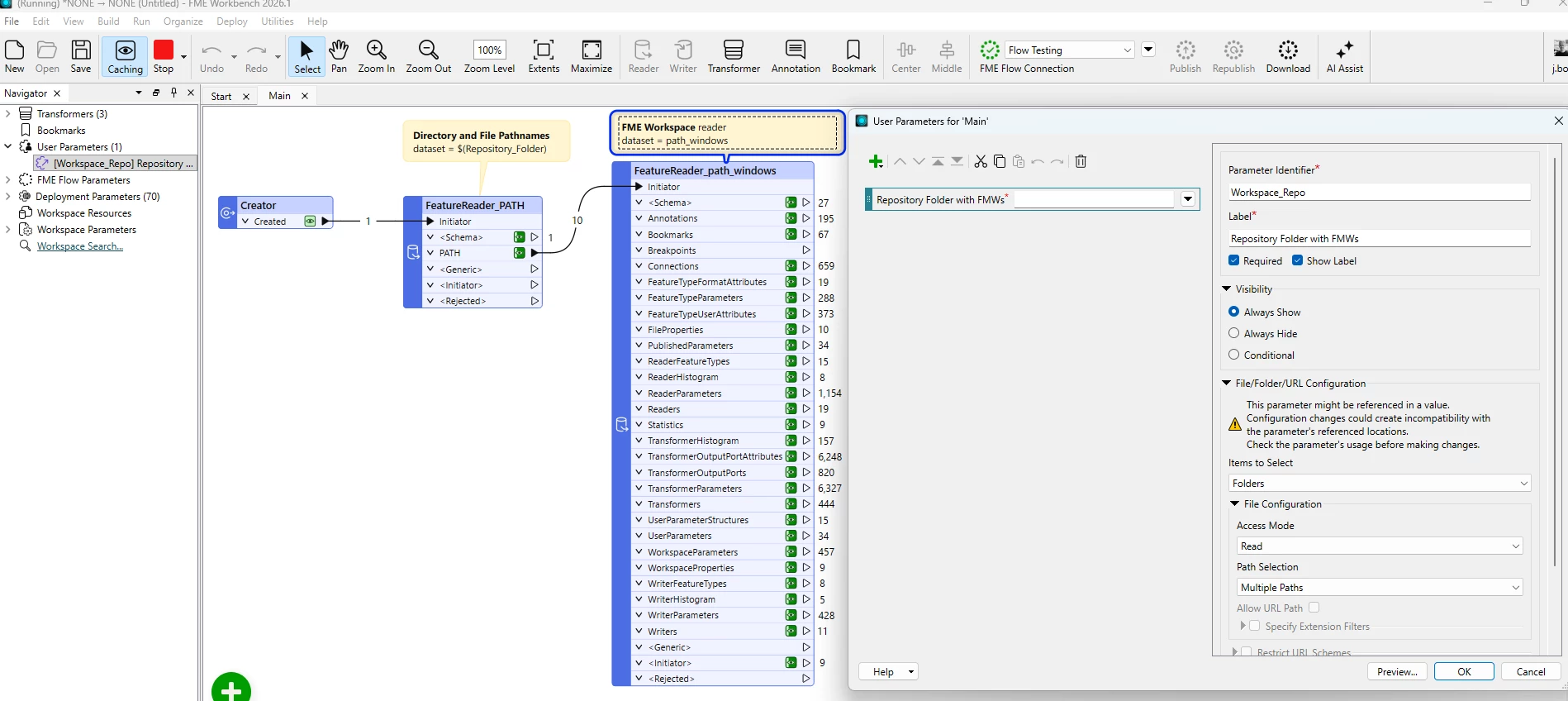
Simply build an FMW with two Feature Readers:

  1. Directory and File Path format with a filter for *.fmw, recurse into folders = yes and pass the path_windows attribute into a second reader
  2. FME Workspace format which has many output ports you can use
  • Workspace name
  • Readers
  • Writers

I would set the reader dataset as a User Parameter to provide flexibility to read other paths, e.g. network stored workspaces vs FME Flow paths

From here you place a Writer - specify the format (excel or csv) and where the output dataset is to be written

Publish to Flow, you can utilise the user paramater to re-use the workspace, pointing it to different repository directories


HttpCaller

Getting Started with the FME Flow REST API – FME Support Center

Another option is to use the FMEREST apiv4 in FME Form with HTTPCaller transformer

GET /fmerest/v4/repositories/{repo}/items

This gives:

  • Workspace name
  • Repository (folder)
  • Metadata

Similarily you can get more info out of the user access

GET /fmerest/v4/security/users

and their are endpoints for automations GET https://<yourserver>/fmerest/v4/automations etc

  • JSONFragmenter ($.items[*])
  • JSONExtractor

You can build a workspace to join all these results and output to excel/csv


gogopotter90
Contributor
Forum|alt.badge.img+14
  • Author
  • Contributor
  • May 25, 2026

Thank you for your reply.

I have a couple of additional questions regarding FME Server:


will I get the following info from  

  • JSONFragmenter ($.items[*])?
  1.  (For each FME workspace (FME), how can we identify:
    • Which user created it?
    • When it was created?
    • Whether it is scheduled to run daily, weekly, or on specific dates/times?
  2. Is it possible to identify which user exported an output  from the FME Server?
    • For example, if a user manually exports/downloads output files from  FME based on certain parameters or requirements ?


j.botterill
Influencer
Forum|alt.badge.img+58
  • Influencer
  • May 25, 2026

in FME, you build workspaces in Form, test and confirm they give you the outputs you want… using the methods I suggested. Then publish the workspace to Flow (Server) and automate/schedule etc on a event such as a frequency.

For what you’re asking, there is unlikely to be an existing workspace that does all you are asking for. That functionality doesn’t (yet) come ‘out of the box’. 

I suggest completing the FME Academy units self-paced learning for Basics and Authoring.


david_r
Celebrity
  • May 26, 2026

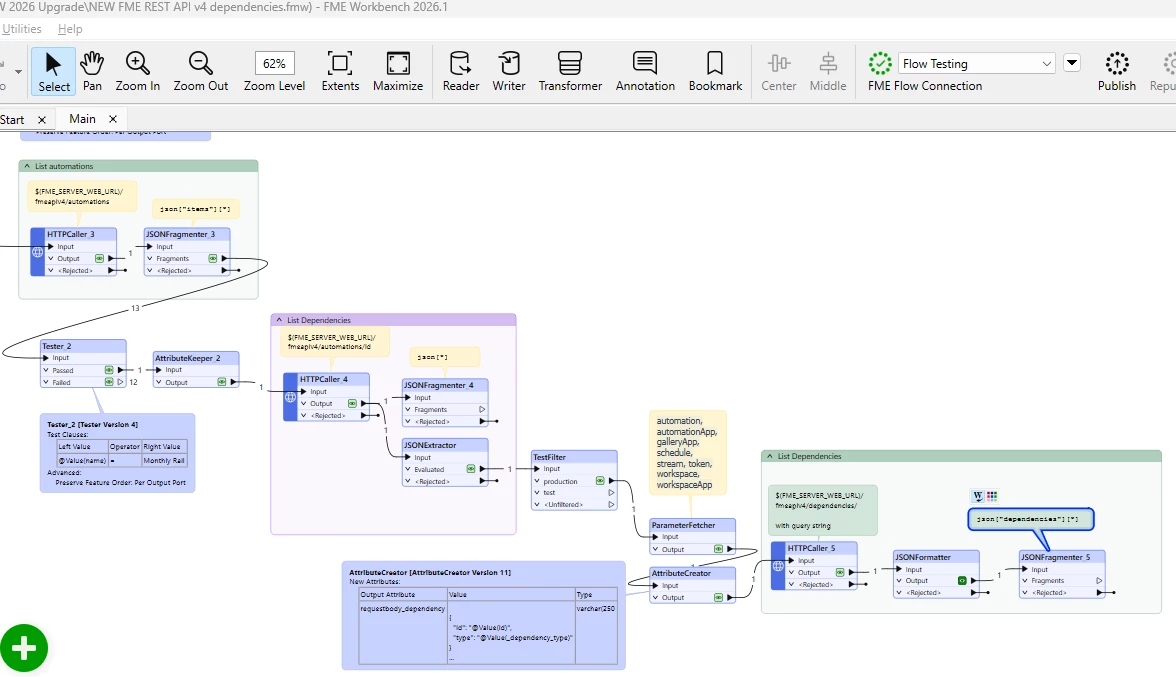
I would simply use the FME Flow REST API for this. It’s very simply to use e.g. in a workspace with a few HTTPCallers and JSONFragmenters et al. in them.

https://docs.safe.com/fme/html/fmeapiv4/docs/index.html

If you iterate over the automations and schedules, you can use the /dependencies endpoint to locate which workspaces are referenced.


j.botterill
Influencer
Forum|alt.badge.img+58
  • Influencer
  • May 27, 2026

thanks david_r, I managed to get the V4 dependencies endpoint working… below is just a scratch example and needs reordering...

Have you tried this yourself?

There are many type choices: automation, automationApp, galleryApp, schedule, stream, token, workspace, workspaceApp

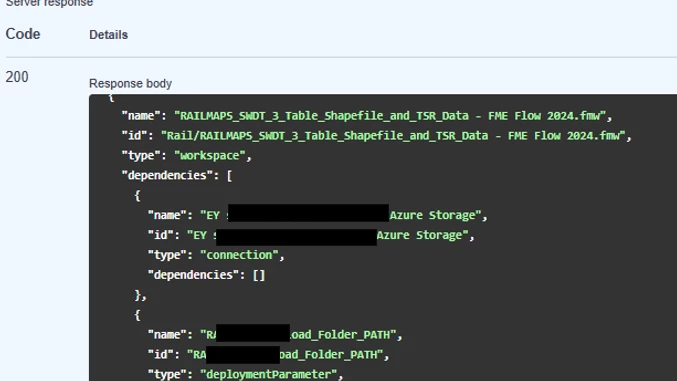
I am getting the same value for   a) name and b) id (2026.1 - 26103) 

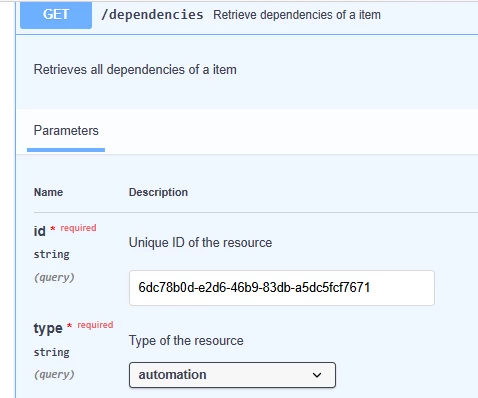
request

does this look correct?

response


david_r
Celebrity
  • May 27, 2026

Your example looks as expected, as not all Flow objects have an ID as such. Some of them (e.g. workspaces and deployment parameters) are referred to by name or repository+name. Some other object types are referred to by ID (e.g. automations), so if you try to list the dependencies of an automation you should see uuid-like values for the ID attribute of the automation itself.


nordpil
Enthusiast
Forum|alt.badge.img+12
  • Enthusiast
  • May 27, 2026

Another way is to just query the fme flow/server internal database, I think all the information that you would need is in there. In a default installation it is a postgres database that is not accessible from outside the server - but you can query it from the server. You can search for instructions on how to open up access to the db, but to play with it you could just dump the data and restore it at a local instance.


gogopotter90
Contributor
Forum|alt.badge.img+14
  • Author
  • Contributor
  • May 27, 2026

Thanks alot it was helpful .

@j.botterill ​@david_r 

It worked for me, but I’m still confused about how to read data from the Gallery App.

I am currently using V3, because V4 is not working for me.

When I read the V3 apps, it only shows the data that belong  only to Workspace Apps.
So how could  read the Gallery Apps?

Which URL should I use for the HTTP Caller?

And  I noticed that the Gallery App link includes “fmeserver”, I assume it may require a different URL.