
Solved
Hello everyone, I want to change the name of the shape file to "asd.shp" rather than "Table1". I need a solution suggestion for this. Also, I don't want to see all the columns in the excel list in my shape file, I need some of them.

Hello everyone,
I want to change the name of the shape file to "asd.shp" rather than "Table1". I need a solution suggestion for this.
Also, I don't want to see all the columns in the excel list in my shape file, I need some of them.
Best answer by redgeographics
I'm assuming you're using the FME Workbench to set up the translation rather than the Quick Translator.
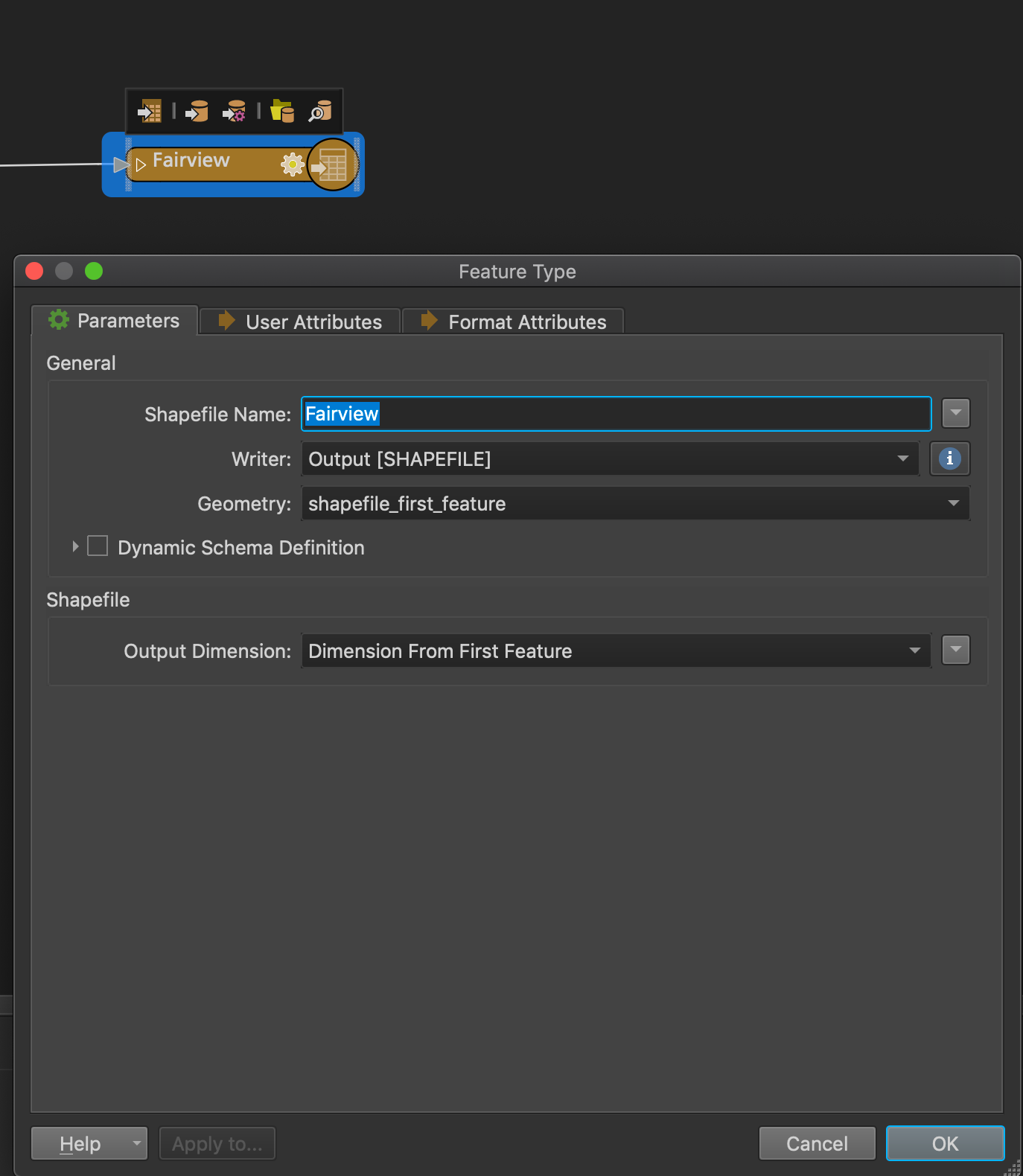
If you open the properties of the output feature type you can change the name of the output shapefile:
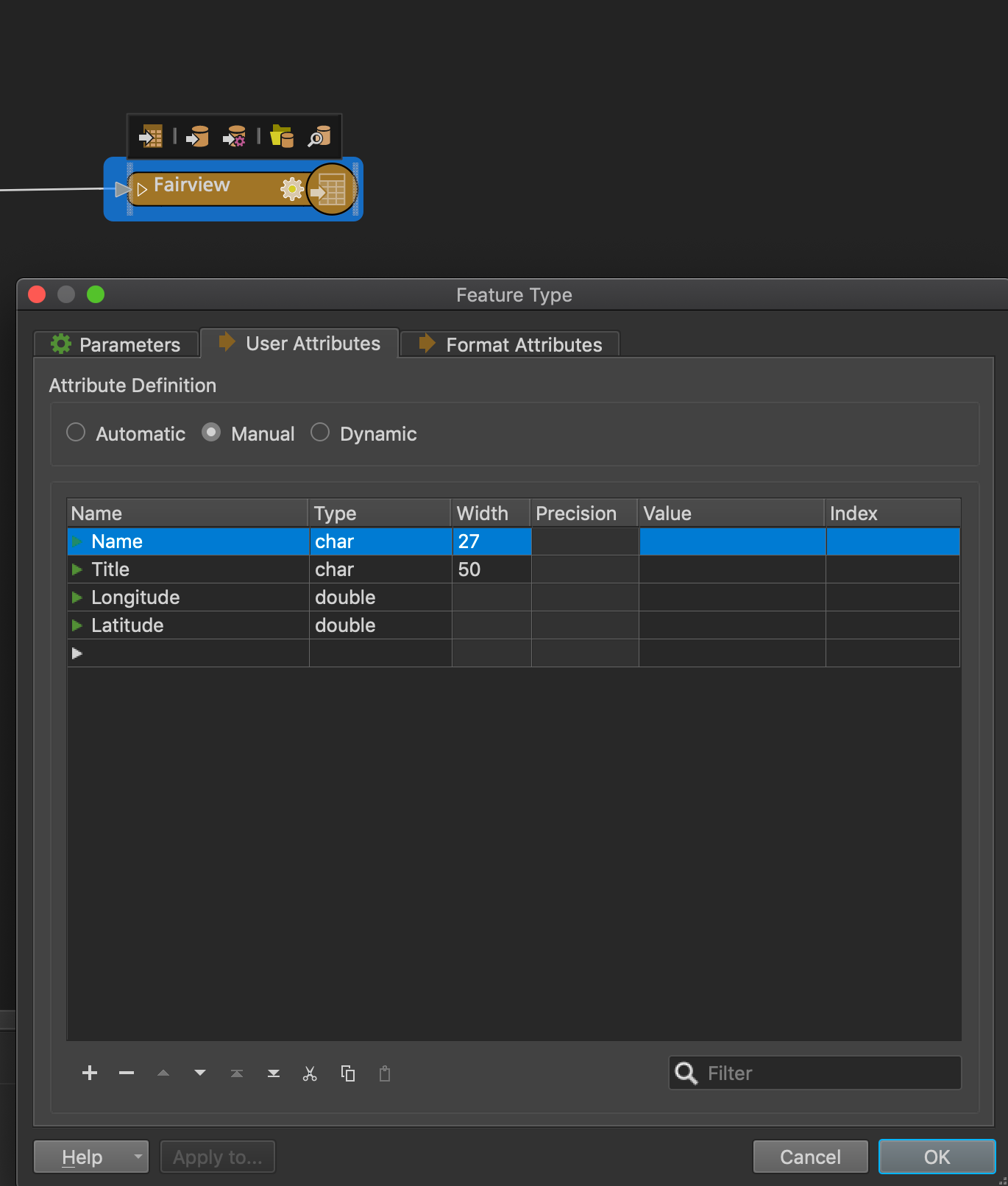
 Next, in the User Attributes tab, you can remove attributes if necessary
This post is closed to further activity.
It may be an old question, an answered question, an implemented idea, or a notification-only post.
Please check post dates before relying on any information in a question or answer.
For follow-up or related questions, please post a new question or idea.
If there is a genuine update to be made, please contact us and request that the post is reopened.
It may be an old question, an answered question, an implemented idea, or a notification-only post.
Please check post dates before relying on any information in a question or answer.
For follow-up or related questions, please post a new question or idea.
If there is a genuine update to be made, please contact us and request that the post is reopened.



