




Question

FME-Form: Shp to DXF (to open in QGIS)

  • April 13, 2026
  • 3 replies
  • 33 views

kaibehncke
Contributor
Forum|alt.badge.img+1

Dear users,

I`m quite new to FME. I use FME Form 2025.2.

I try to convert a poylgon-Shapefile to dxf.

I show you the model attached in an image:
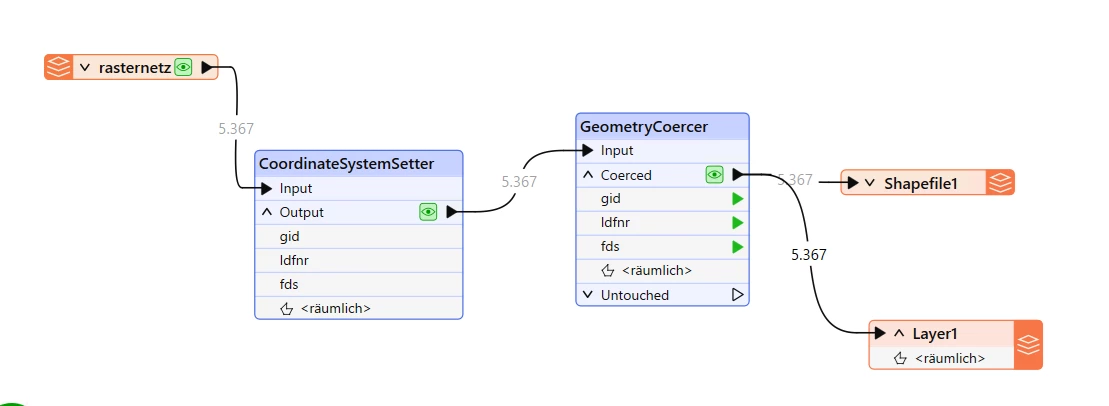
 

The shapefile “rasternetz” gets a Coordinatesystem (EPSG: 25832) and is changed from poylgon to line (via GeometryCoercer). If I transport that file to a NEW Shapefile (Writer) everything is fine (it is a line-shapefile then, has a coodinate system, all the 5367 objects are well shown in QGIS).


But: It I use a DXF-Writer the file is created (I can successfully open it in AutoCad Map), but I CAN`T open it in QGIS. And it`s very very weird: QGIS says: “That dxf has no coordinate system” (eventhough I defined one in the FME-Writer). And if I set a coordinate system in QGIS manually to that dxf, eventhough no geometry is shown at all ??


Has anybody an idea?


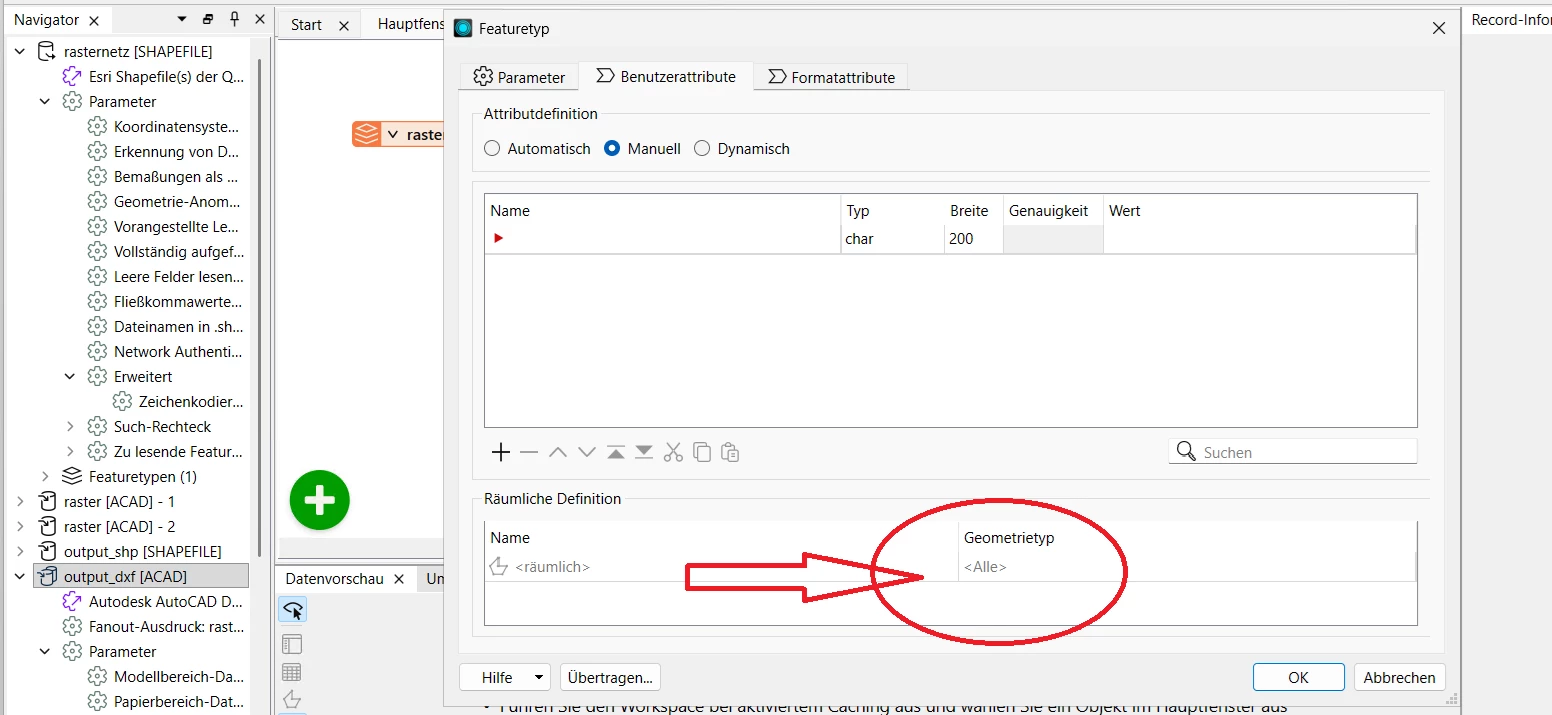
One weird thing is: It is not possible to set the dxf-geometry to “Line”? (Is has only the attribute “all”)…


3 replies

nielsgerrits
VIP
Forum|alt.badge.img+66

As far as I know the dxf format has no room to store coordinatesystem information. So no matter what you set in FME, it will always be unknow when importing in QGIS.

It is hard to say why you see no geometry.

  • Are there any warnings or errors in the log when writing to dxf?
  • What do you see when you read the dxf back in again using fme? What is the geometry type? Do you see what you expect? On the correct location?

kaibehncke
Contributor
Forum|alt.badge.img+1
  • Author
  • Contributor
  • April 13, 2026

Hi nielsgerrits,


I think you are right. It seems, that dxf does not save coordinatesystem information. I did not get nay warnings or errors. Wath is very weird. It works in Autocad but not in QGIS….I will do further tests...


kaibehncke
Contributor
Forum|alt.badge.img+1
  • Author
  • Contributor
  • April 13, 2026

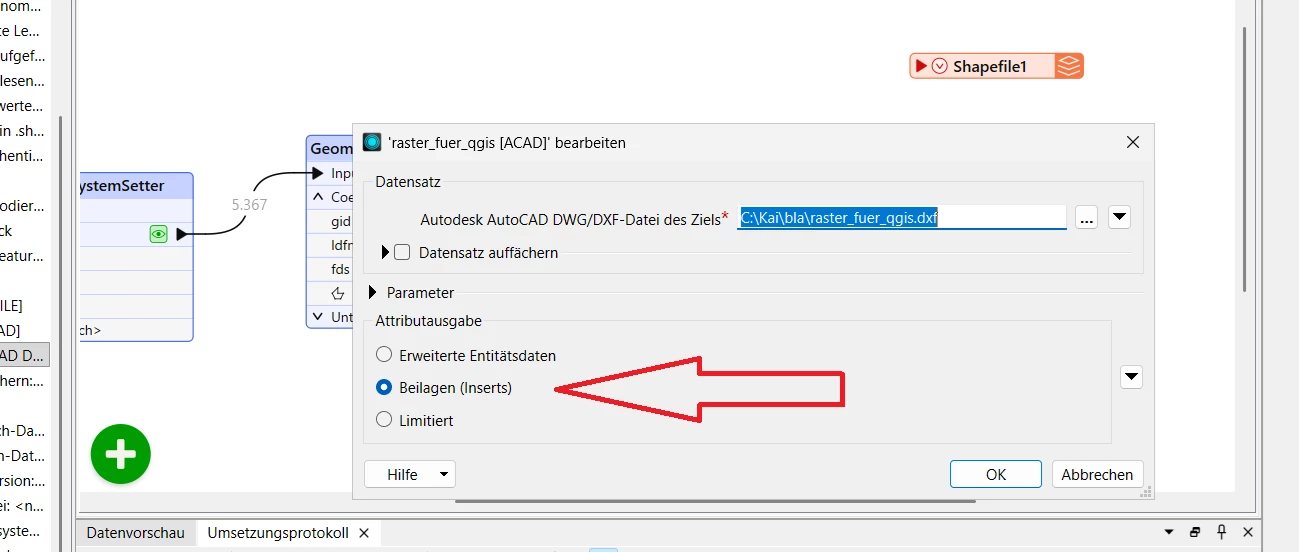
I found the solution.

If I use “Inserts” (for the attributes) if works nice. I can visualize it now also in QGIS.



