Question

filegdb to geojson

  • September 22, 2026
  • 2 replies
  • 74 views

alexlau818
Participant
Forum|alt.badge.img+2

as I consider using fme to convert filegdb to geojson, facing problem in attribute length = 65536 for string, those attributes will truncate in geojson. how to fix it.

Thank you very much

2 replies

redgeographics
VIP
Forum|alt.badge.img+63

As far as I can find, the JSON spec does not impose a maximum length for a string, but specific applications might. 

Do you actually have attribute values that long? If you do, you could try using an AttributeCompressor to compress them, but whatever application you then use to work with that GeoJSON data needs to be able to uncompress it again.


gareth-at-safe
Safer
Forum|alt.badge.img+14

Hey ​@alexlau818 
The 65536 is the width stored in your geodatabase's field definition, which FME reads as a text(n) field with n = 65536. It's the maximum size the field allows, not the length of your values. ArcGIS uses 255 by default, but GDAL-based tools such as QGIS create text fields 65536 characters wide when no width is set, so the data may have come through one of those.

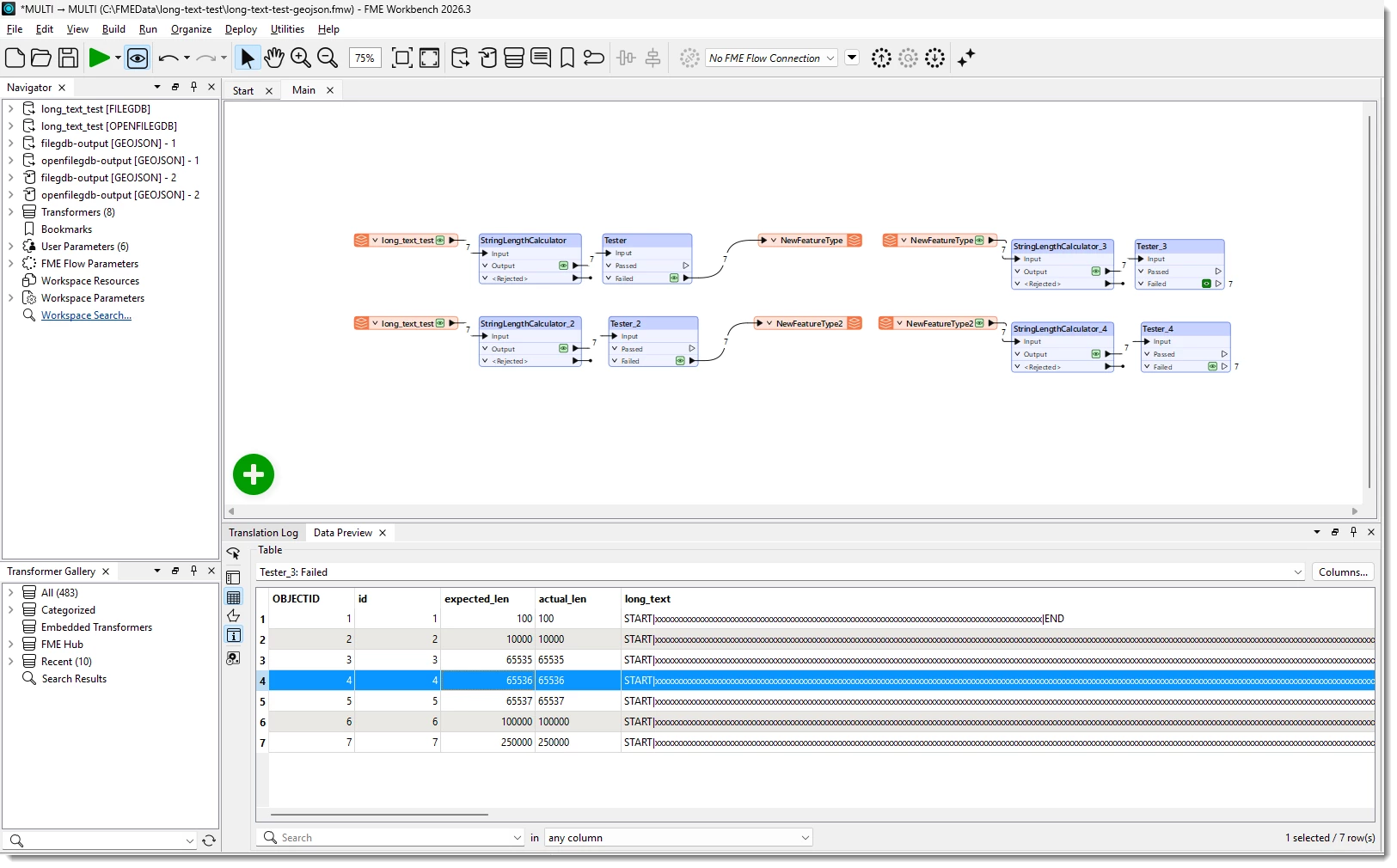
GeoJSON has no field widths, and the FME GeoJSON writer's string type has no length setting to truncate against. To check, I made a test FME workspace (screenshot below & attached) geodatabase with a text(65536) field holding values from 100 up to 250,000 characters. In FME 2026.3, every value came through to GeoJSON at full length, with both the FILEGDB and OPENFILEGDB readers. 
 

If you're checking the output in Data Preview, long values are cut off in the table, so a value can look truncated when the data is complete. Double-click a value to see all of it. To check the data itself, add a StringLengthCalculator before the writer, then open the .geojson in a text editor and compare the lengths.

If your values really are that long and the application you're loading the GeoJSON into can't handle them, ​@redgeographics' AttributeCompressor suggestion will shrink them. The application reading the file then has to decompress the value, so check that it can do that first.

Where are you seeing the truncation, and which FME version and File Geodatabase reader are you using?

Cheers
Gareth