




Solved

Failure when reading FFS file

  • February 26, 2026
  • 1 reply
  • 18 views

lifalin2016
Supporter
Forum|alt.badge.img+40

Hi.

I have built a workspace for data generation that runs for several hours. To log the process input for documentation purposes, I write them to an FFS file, that is about 765 Mb. It includes both spatial and non-spatial data.

I now try to open it in Workbench (2025.2.1), but it fails with this error message:

No geometry mapping entry found for 'varchar(200)' in metafile 'C:\Program Files\FME 2025\metafile\FFS.fmf'.  Please visit http://www.safe.com/support

However, the curious/funny thing is, that I can open the file in the Data Inspector program without any errors:
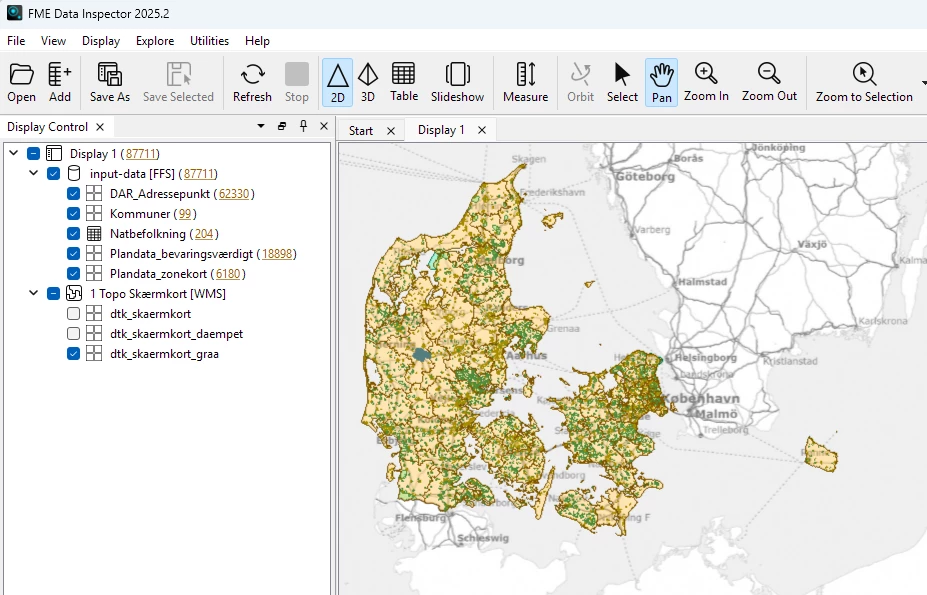
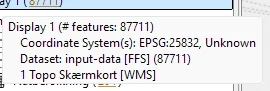
What can be done to remedy this ? Are there any work-arounds for this error ?

Cheers
Best answer by lifalin2016


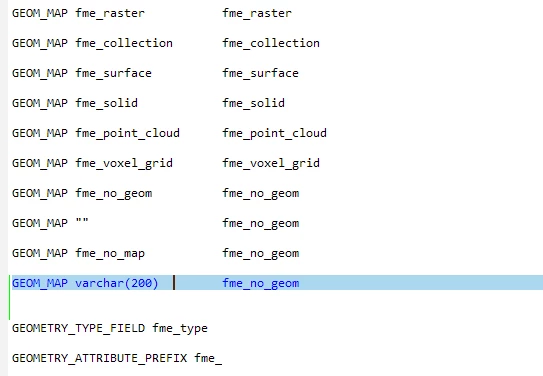
Ha, I fixed it myself by editing the FFS.fmf file, and restarted Workbench.

I added a mapping from varchar(200) to fme_no_geom, and then Workbench was able to read the file.

I’m still mystified as to why the value “varchar(200)” even exists in my data, and why there’s no handling of this in place, as FME created the problematic value in the first place.


Cheers.

1 reply

lifalin2016
Supporter
Forum|alt.badge.img+40
  • Author
  • Supporter
  • Best Answer
  • February 26, 2026


Ha, I fixed it myself by editing the FFS.fmf file, and restarted Workbench.

I added a mapping from varchar(200) to fme_no_geom, and then Workbench was able to read the file.

I’m still mystified as to why the value “varchar(200)” even exists in my data, and why there’s no handling of this in place, as FME created the problematic value in the first place.


Cheers.