


Question

Extract attribute names and values from a list

  • February 26, 2026
  • 2 replies
  • 33 views

mickbreen
Participant

Hi FME gurus.


I am trying to extract values from a list to populate columns with the associated values in the fields.
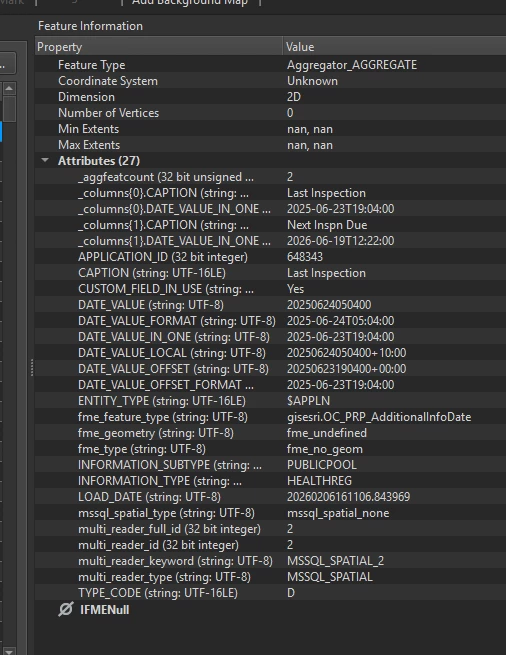


In my list (called _columns) I have a caption field which has the name of the column I want to create and the date value I want to populate into the field so the example I have in the screenshot I want to look like this:


Application ID Last Inspection Next Inspn Due
648343 2025-06-23 2026-06-16
15456.. 2025…. 2026….


The list exploding only brings out the name of the original column ‘caption’ but I am looking to use the values in the list itself to build the attributes and populate the values.


There are records with more than 2 elements in the list and I still will need to figure out how to expose the attributes (schema scanner?) once it is done but this is the first step.


Any suggestions would be amazing, Thank you.

Michael.
2 replies

desiree_at_safe
Safer
Forum|alt.badge.img+18

Hi ​@mickbreen! It sounds like you’ll need to dynamically create attributes.

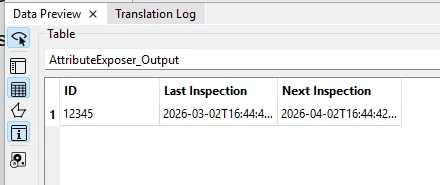
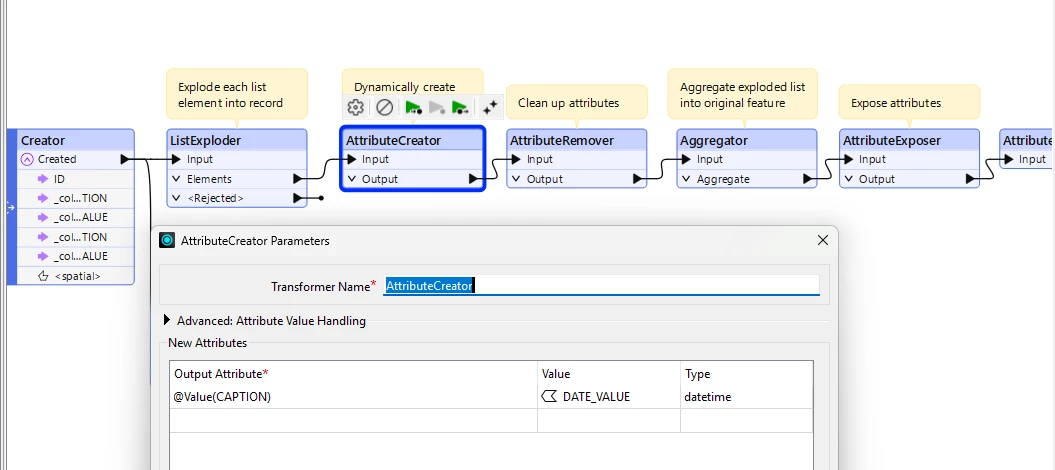
There are a few ways to do this in FME. One way would be to use an AttributeCreator after exploding the list. The values in CAPTION would be new Output Attribute and your date value would be the new attribute’s value.


After you can then clean up the workspace to get something similar to the table you showed. 


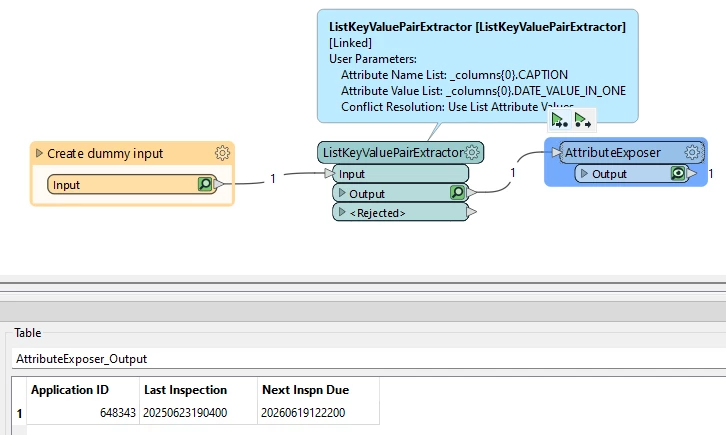
Alternatively, you could also use an XQuery expression. Here’s a workspace that should help! 🙂


danilo_fme
Celebrity
Forum|alt.badge.img+54
  • Celebrity
  • March 3, 2026

Hi ​@mickbreen! It sounds like you’ll need to dynamically create attributes.

There are a few ways to do this in FME. One way would be to use an AttributeCreator after exploding the list. The values in CAPTION would be new Output Attribute and your date value would be the new attribute’s value.


After you can then clean up the workspace to get something similar to the table you showed. 


Alternatively, you could also use an XQuery expression. Here’s a workspace that should help! 🙂

Excellent answer ​@desiree_at_safe