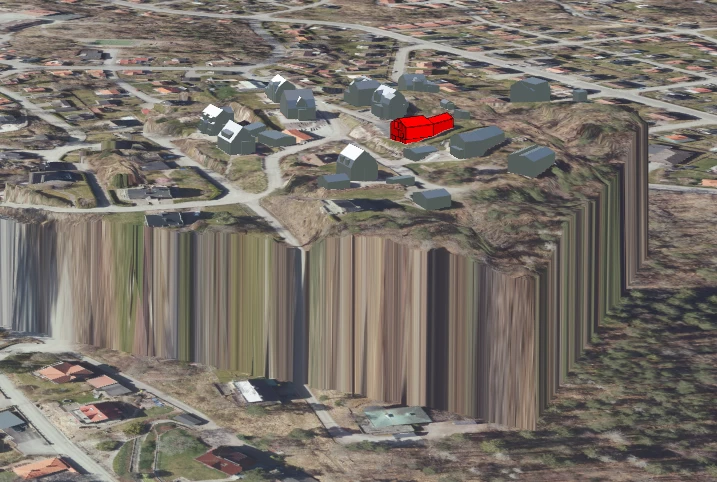



I am loading a small raster/tiff into CesiumJS via ion for a limited area of interest, which works, but I am getting a sharp “cliff” between this raster and the surrounding Cesium-terrain (I assume it is the Ellipsoid, it sits at roughly 35m above MSL). My initial idea was to see if I can “lift” the surrounding terrain up to the level of my custom raster-tif, but I guess that’s not possible, so my second idea is to expand my raster to continue outward at a set height (say 80m) for a few hundred meters instead to better mask the impression of the vertical cliff, and maybe have it ramp downhill until it meets the default terrain. However, I have no idea how to do this in FME, and ChatGPT is hallucinating around FME as per usual :)
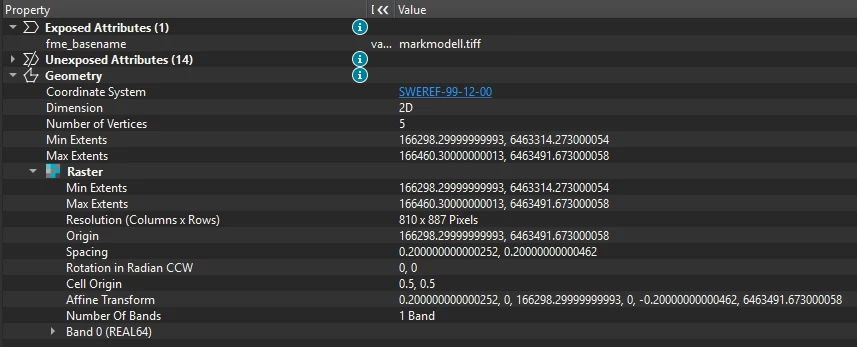
Does anyone have an idea of a solution for this? Ultimately, I just want something nicer than the sharp cliff a la Grand Canyon into something that is not too distracting for users. I’ll include a screenshot of my Cesium-app the way it looks in the browser, as well as the raster’s Record Information from FME.