
Question

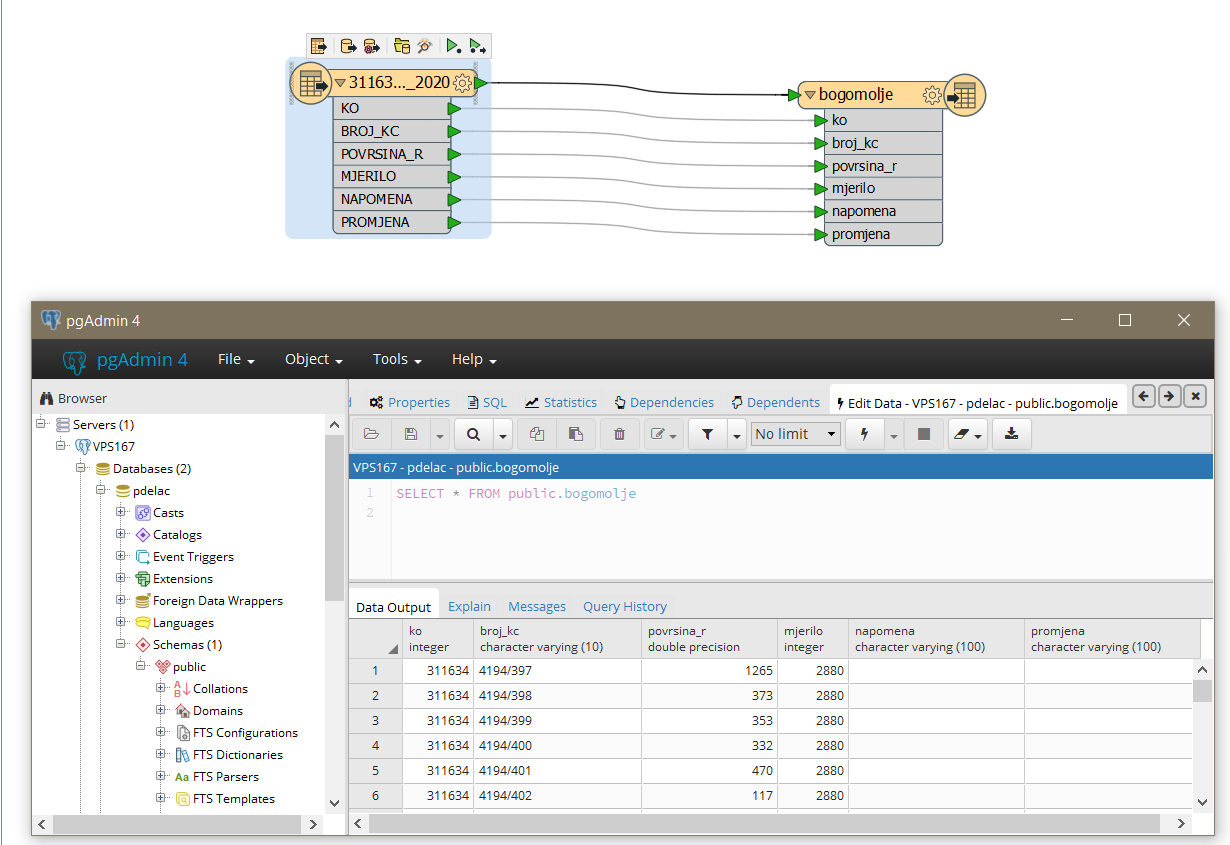
Convert from Esri shapefile to PostgreSQL database but result is missing geometry.

  • March 27, 2018
  • 4 replies
  • 44 views

Forum|alt.badge.img

Hi, Im trying to convert my from Esri shapefile to PostgreSQL database, but the result is not good because the geometry is gone. Im using FME for the first time and dont know where is the problem. Please help!

This post is closed to further activity.
It may be an old question, an answered question, an implemented idea, or a notification-only post.
Please check post dates before relying on any information in a question or answer.
For follow-up or related questions, please post a new question or idea.
If there is a genuine update to be made, please contact us and request that the post is reopened.

4 replies

david_r
Celebrity
  • March 27, 2018

Are you using the PostgreSQL writer or the PostGIS writer?

If you want to write any geometries, you need to use the PostGIS writer.


Forum|alt.badge.img
  • Author
  • March 27, 2018

I used PostgreSQL writer. I also tried PostGIS writer but didn`t got any result. Should I install some extension to PostgreSQL?

Best regards and thank you


redgeographics
Celebrity
Forum|alt.badge.img+62

I used PostgreSQL writer. I also tried PostGIS writer but didn`t got any result. Should I install some extension to PostgreSQL?

Best regards and thank you

Yes, you'll need to add the PostGIS extenstion to your PostgreSQL database, see http://postgis.net/ for more information.


david_r
Celebrity
  • March 27, 2018

The Postgresql writer will not write any geometries. You need to first install the PostGIS extensions into your Postgresql instance.

You then have to execute the following command in each of your spatially enabled databases:

CREATE EXTENSION postgis;

More information here: https://postgis.net/install/

You can then use the PostGIS writer in FME to write the geometries.






