Solved

Cannot read WFS

  • December 3, 2019
  • 5 replies
  • 84 views

Forum|alt.badge.img

Hello. I cannot seem to run any workbench invokving a WFS. It seems to workan extent where it reads the get capabilities to give me the feature list but when i try to run preview or run the workbench, i get the error "HTTP transfer error: 'Couldn't connect to server'"


We work behind a proxy but i have configured this in the s, and it works fine for wms, arcgis featur services. Just not WFS. the WFS service itself is fine, i can connect via other software such as QGIS just not via FME


http://geoportal.ancpi.ro/arcgis/services/AU/AU_WFS_STEREO/MapServer/WFSServer?request=GetCapabilities&service=WFS


Working on desktop 2019.2


Many thanks

Best answer by mgharrop

Hello,


We updated FME to - FME(R) 2019.2.1.0 (20191202 - Build 19813 - WIN64


And now the WFS works fine for all of us


This post is closed to further activity.
It may be an old question, an answered question, an implemented idea, or a notification-only post.
Please check post dates before relying on any information in a question or answer.
For follow-up or related questions, please post a new question or idea.
If there is a genuine update to be made, please contact us and request that the post is reopened.

5 replies

danilo_fme
Celebrity
Forum|alt.badge.img+52
  • Celebrity
  • December 3, 2019

Hi @mgharrop

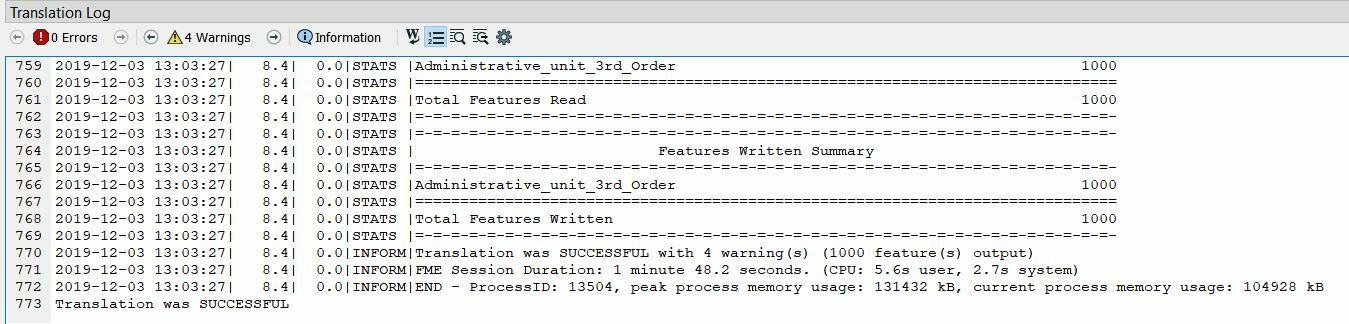
I executed with sucess in my computer:

Log:

On FME Desktop 2019.2 too.

Did you check securits in your machine?


Thanks,

Danilo


Forum|alt.badge.img
  • Author
  • December 4, 2019

Hi @mgharrop

I executed with sucess in my computer:

Log:

On FME Desktop 2019.2 too.

Did you check securits in your machine?


Thanks,

Danilo

Thanks, any suggestions which security setting to check? We have FME installed on remote server, which we log into under our own profile. For some of us WFS works, yet for others it doesnt. So i guess its a profile/setting or something that some users have which other don't


nampreetatsafe
Safer
Forum|alt.badge.img+13

Hi @mgharrop! Have you had a chance to check out this article on Troubleshooting WFS Errors? Let us know if anything there helps.


Forum|alt.badge.img
  • Author
  • December 10, 2019

Hi @mgharrop! Have you had a chance to check out this article on Troubleshooting WFS Errors? Let us know if anything there helps.

Hi, @nampreetatsafe


yeah, i can work around it via the info in your links. But the wfs service is itself fine,Log_works.txt, we have fme installed on one of our servers. though we log in with our own accounts via remote desktop. for one user it works but for the rest of us it doesnt. I assume its a profile/or proxy issue but we are using the same machine and same proxy settings.Log_fails.txt, so we are just unsur why its works for some not for others on the same machine


Forum|alt.badge.img
  • Author
  • Best Answer
  • December 11, 2019

Hello,


We updated FME to - FME(R) 2019.2.1.0 (20191202 - Build 19813 - WIN64


And now the WFS works fine for all of us