


Question

How /What READER could be used to read a PDF with Image text on top of text ?

  • May 17, 2026
  • 4 replies
  • 109 views

vimva679
Enthusiast
Forum|alt.badge.img+11

I would like to read what i am seeing below :
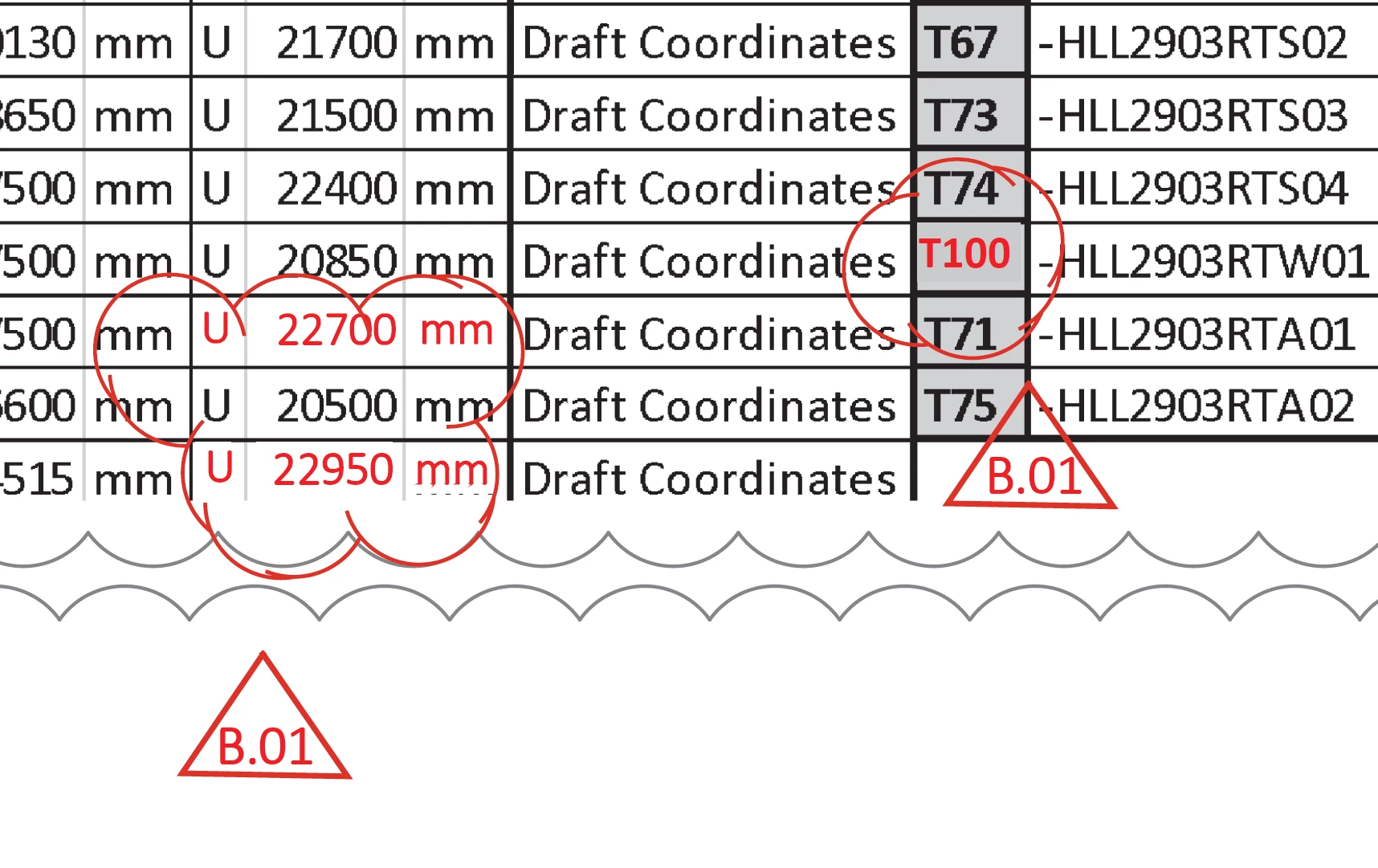
PDF file with text in RED (image) on top of text 

In the above image under the RED text / numbers is BLACK text /numbers (i do not want the PDF READER to read this but rest in BLACK visible in above is okie) 

e.g. When i read PDF it reads T64 but i want to read T100 + other text/numbers visible in above image OR I want to read U 22700 mm and NOT U 22000 mm OR I want to read U 22950 mm and NOT U 22200 mm
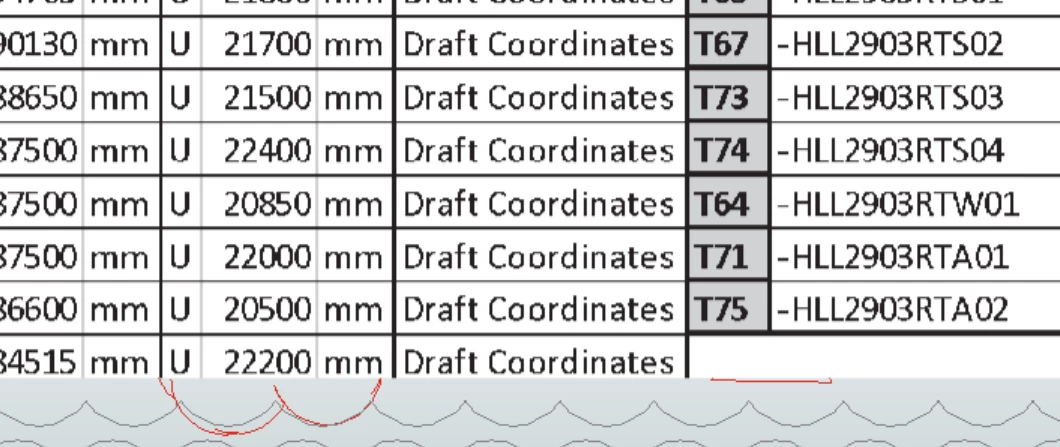
 

PDF file with text behind the RED (image) text


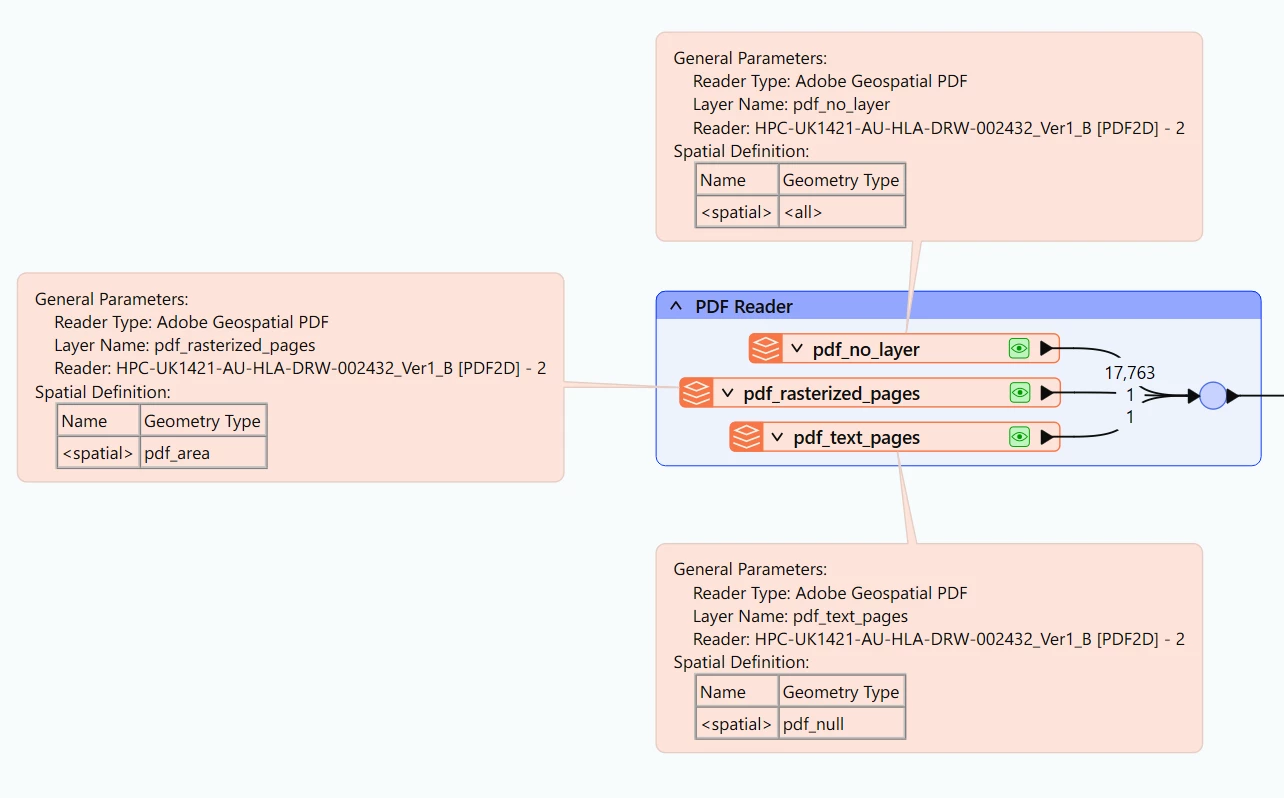
This is how my PDF READER


pdf READER


4 replies

debbiatsafe
Safer
Forum|alt.badge.img+22

Hello ​@vimva679

The PDF2D reader reads all elements from PDF page. So it is likely the red text is read into the workspace by the reader but is positioned beneath the ‘table’ that is an image so you cannot see it.

Based on your screenshot, I am guessing the ‘edits’ were made to the table image by overlaying polygons matching the background cell colour with the text in red on top.

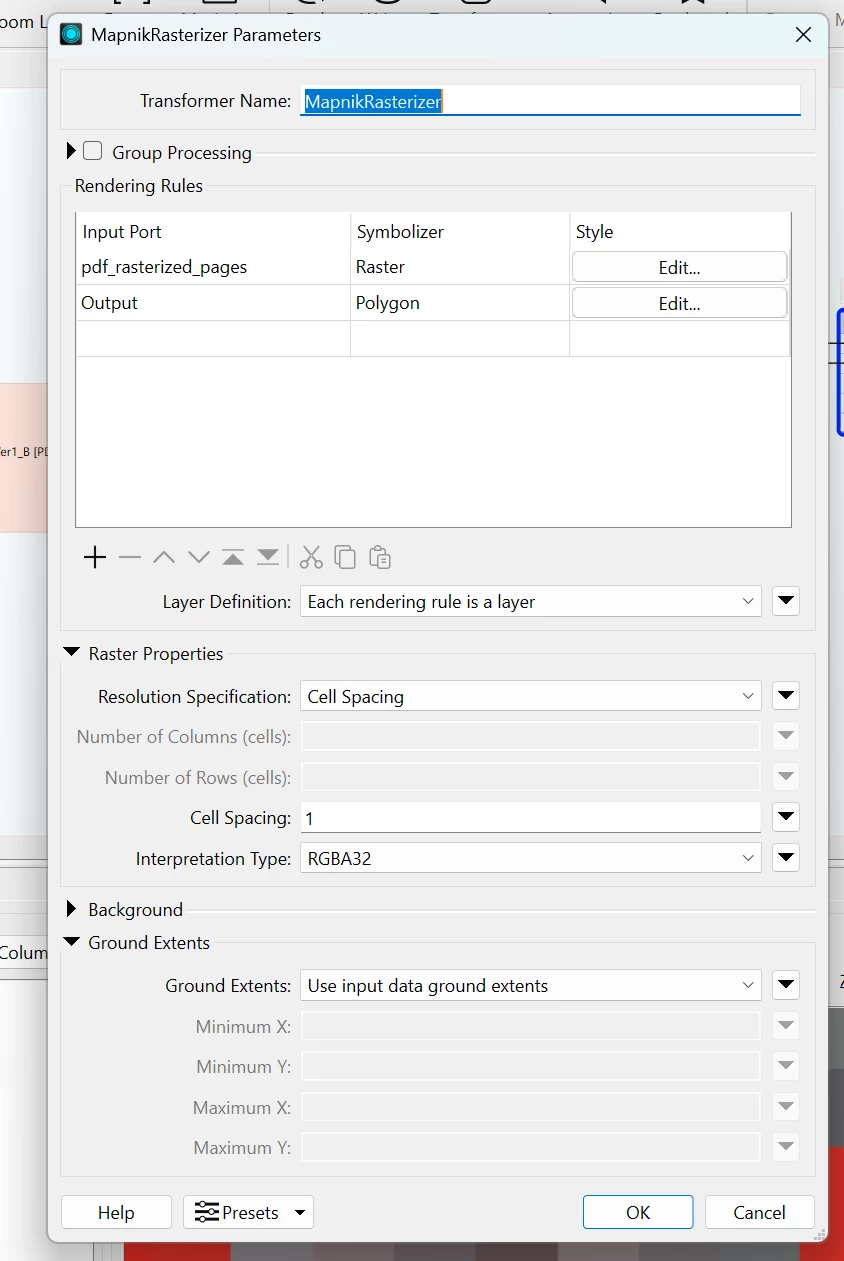
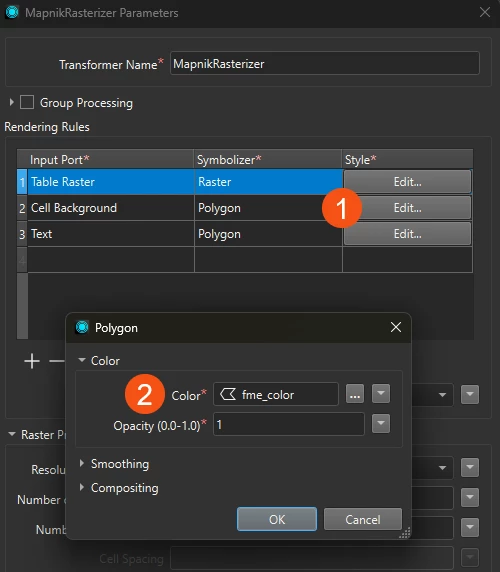
In this case, you may want to use the MapnikRasterizer transformer with the table image as base, overlaid by polygons, then at the topmost layer the text in red to create an output raster matching what is seen in PDF reader applications.


vimva679
Enthusiast
Forum|alt.badge.img+11
  • Author
  • Enthusiast
  • May 22, 2026

Yes that’s true ​@debbiatsafe  the EDITS were made to the table image by overlaying polygons matching the background cell colour with the text in red on top. Also some text in red some are image and some are text :(. 


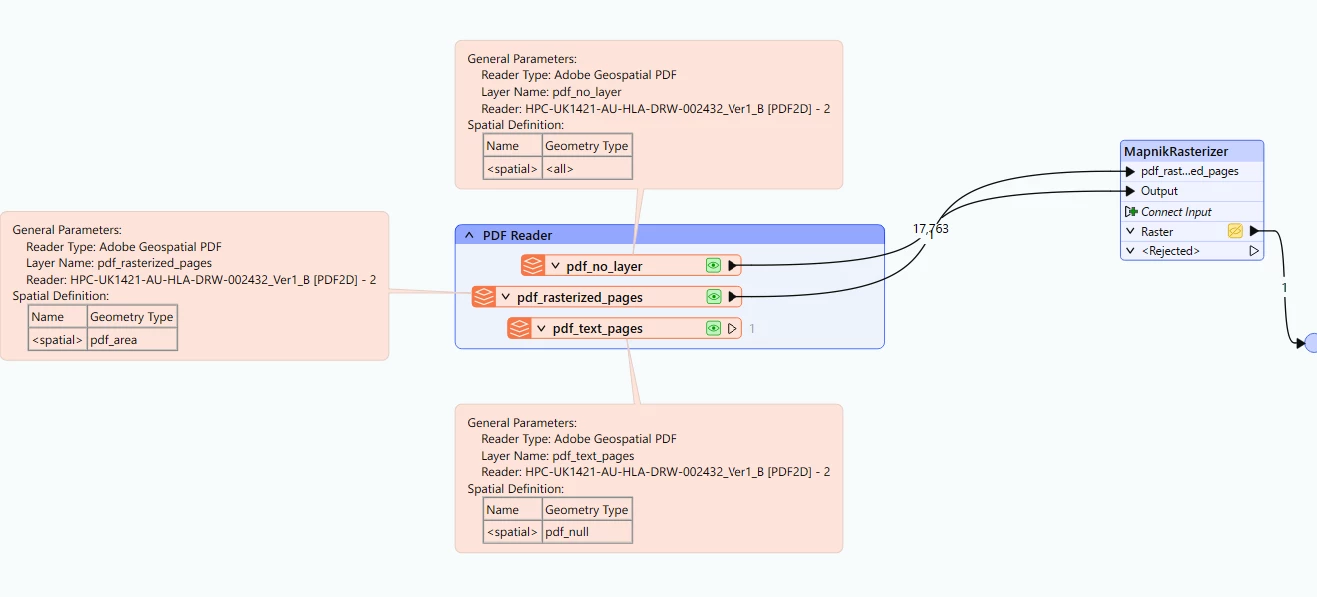
Not sure if am getting it all right but here is what i did 


 Shall be highly obliged if you could share similar example workbench 


debbiatsafe
Safer
Forum|alt.badge.img+22

Hi ​@vimva679 

I would not recommend using the rasterized page feature type output if you want to implement the MapnikRasterizer method. This output is a raster of each page in the PDF so the output should be an image of the page like when viewed in a PDF viewer application.

Instead, use only the output features from pdf_no_layer reader feature type and then use a GeometryFilter to filter each geometry type (Text, Area, Raster, etc.) before sending them to the MapnikRasterizer. You might have to do some transformations like stroking the text to vectors and then set rules like color within the MapnikRasterizer. Attached is an example workspace demonstrating this approach.

However, does the rasterized page output show the table with the ‘edits’ in the correct order (ie. over the table image)? If it does, then it might be easier to use the rasterized page output and clip the table portion out using the Clipper transformer with a polygon representing the bounds of the table raster.


redgeographics
VIP
Forum|alt.badge.img+62

I’ve had some pretty good results with Claude, through the AnthropicVisionConnector custom transformer for recognition of images and text in a rasterized PDF page, it’s worth a try.