


Solved

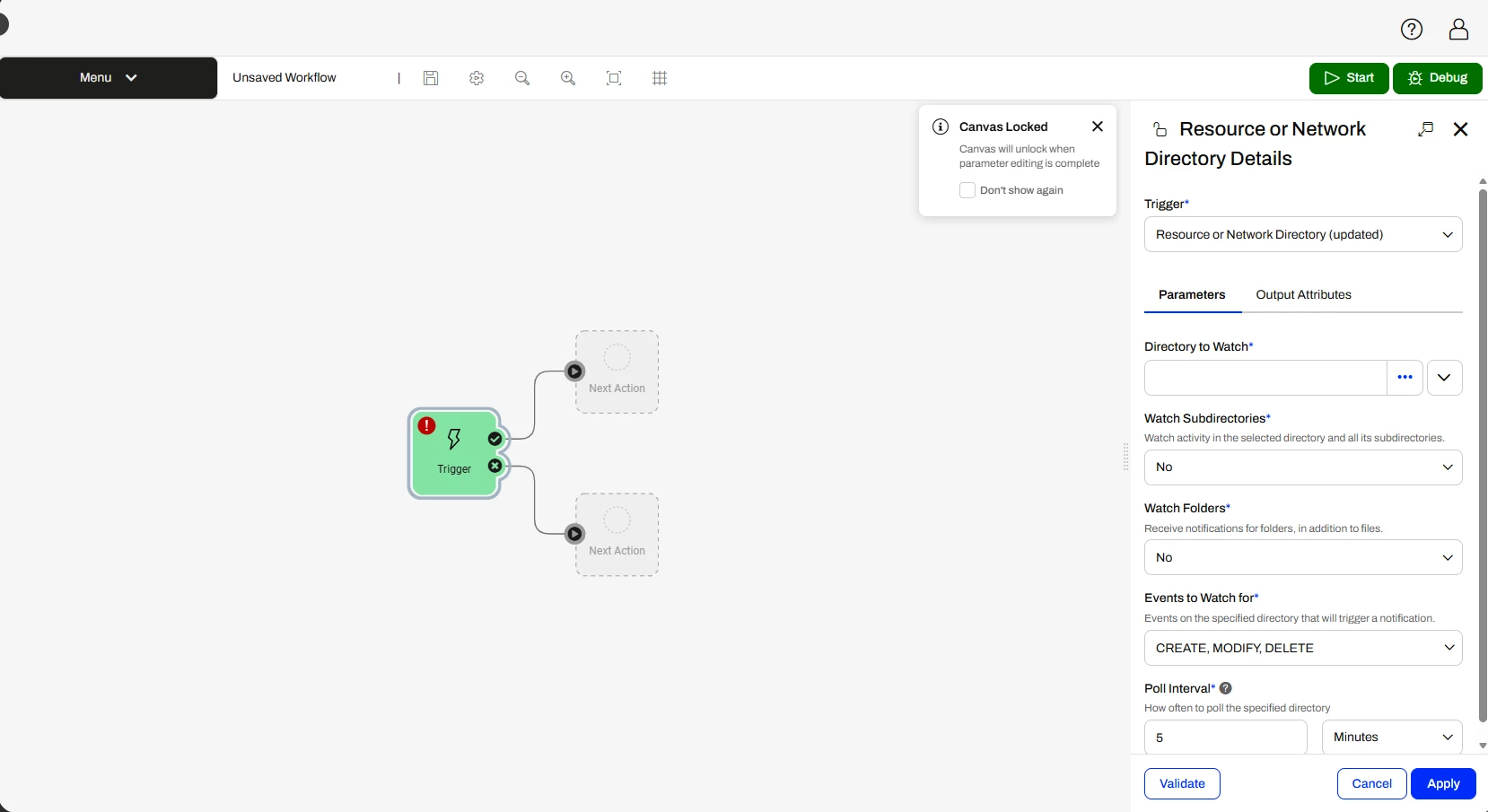
Resource or Network Directory (updated) delay

  • June 8, 2026
  • 10 replies
  • 99 views

navid.fotovaty
Contributor
Forum|alt.badge.img+3

Hey guys, 
We are on FME Form and Flow 2026. 

I have a Form which generates an email, and I have a Flow Automation that using the “Resource or Network Directory (updated) delay” trigger my Form.
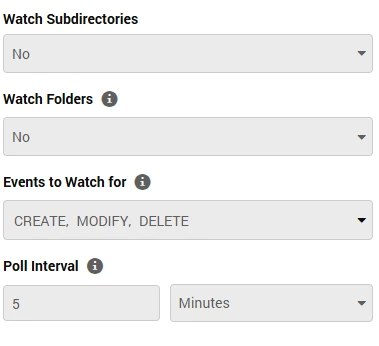
I am facing an issue. The directory that I am watching will always gets update with three different files, this means, my Flow runs my Form three times and three separate emails gets generated with the same content. 

I am unable to change the directory where files are located, since the files that get generated are from am older system that I can’t touch. 

Is there anyway to add a delay to the Flow? or to the Form that stop the system from running three times? 


Thanks
Best answer by ebygomm

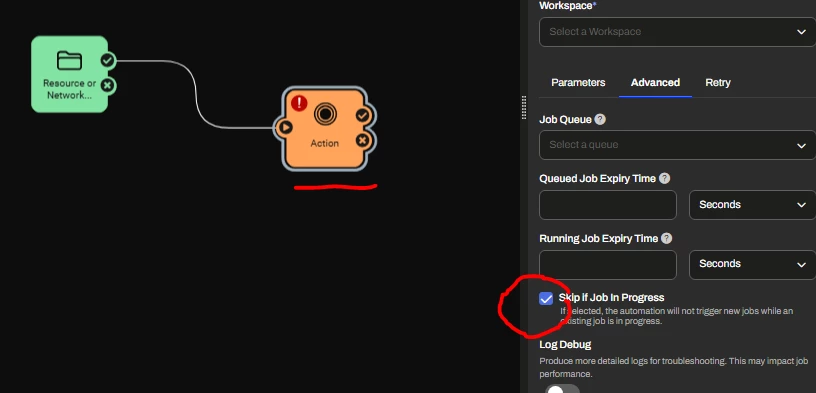
The options are on the run workspace action 


10 replies

ebygomm
Evangelist
Forum|alt.badge.img+51
  • Evangelist
  • June 9, 2026

Do you mean you have an automation that triggers a workspace?


navid.fotovaty
Contributor
Forum|alt.badge.img+3

Do you mean you have an automation that triggers a workspace?

Yes, I do, it runs every 5 minutes and monitor the folder for activity. If it detects activity, it will run the workspace. 


ebygomm
Evangelist
Forum|alt.badge.img+51
  • Evangelist
  • June 9, 2026

If you tick Skip if Job in progress under Advanced settings, the workspace should only be triggered once each time the folder is polled


navid.fotovaty
Contributor
Forum|alt.badge.img+3

If you tick Skip if Job in progress under Advanced settings, the workspace should only be triggered once each time the folder is polled


Hello, 
I am using automation, and I don’t see the options you are showing me


ebygomm
Evangelist
Forum|alt.badge.img+51
  • Evangelist
  • Best Answer
  • June 11, 2026

The options are on the run workspace action 


navid.fotovaty
Contributor
Forum|alt.badge.img+3

The options are on the run workspace action 


I see now, thank you so much. 

I will give it a try and see. The job is usually ran in matter of seconds, Ill keep you posted if this can fix that issue. 


navid.fotovaty
Contributor
Forum|alt.badge.img+3

The options are on the run workspace action 


This defiantly helped. I got two emails rather than 4 now. They two emails came 5 minute a part, which is the value I have for my trigger to check the folder. Any fix for that part now? 


timatsafe
Safer
Forum|alt.badge.img+7
  • Safer
  • July 8, 2026

Hi ​@navid.fotovaty 

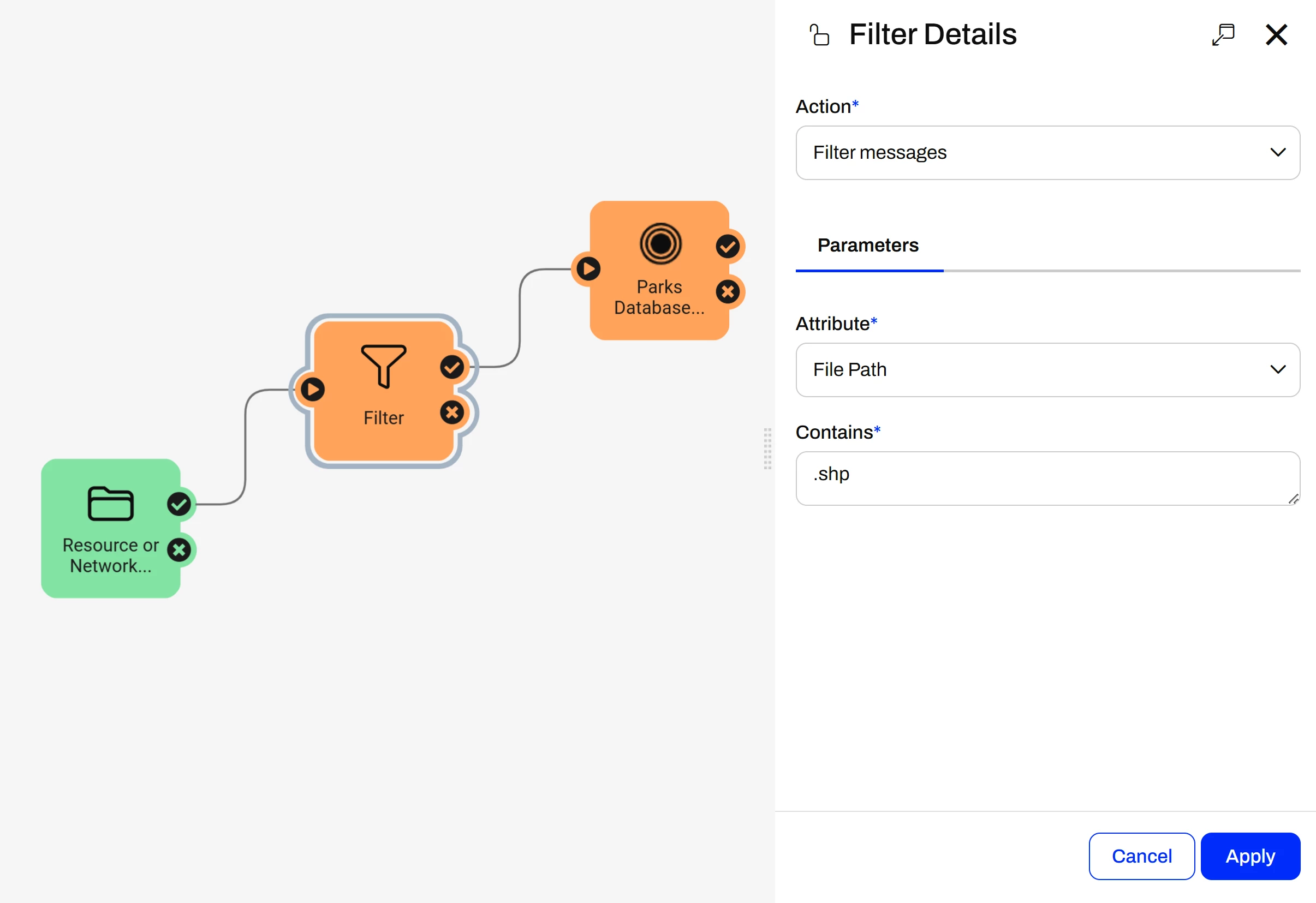
You could also use a Filter Action Node here to have it filter out 2/3 of the files and have it run only when 1 of the files triggers the automation. The screenshot below shows an automation that will only run a .shp is received.


navid.fotovaty
Contributor
Forum|alt.badge.img+3

Hi ​@navid.fotovaty 

You could also use a Filter Action Node here to have it filter out 2/3 of the files and have it run only when 1 of the files triggers the automation. The screenshot below shows an automation that will only run a .shp is received.


Thanks Tim, but it has been working so far using ​@ebygomm  method. It took couple of days, but its been three weeks, where it only sends one email. 


timatsafe
Safer
Forum|alt.badge.img+7
  • Safer
  • July 20, 2026

@navid.fotovaty Glad to hear that!