Question

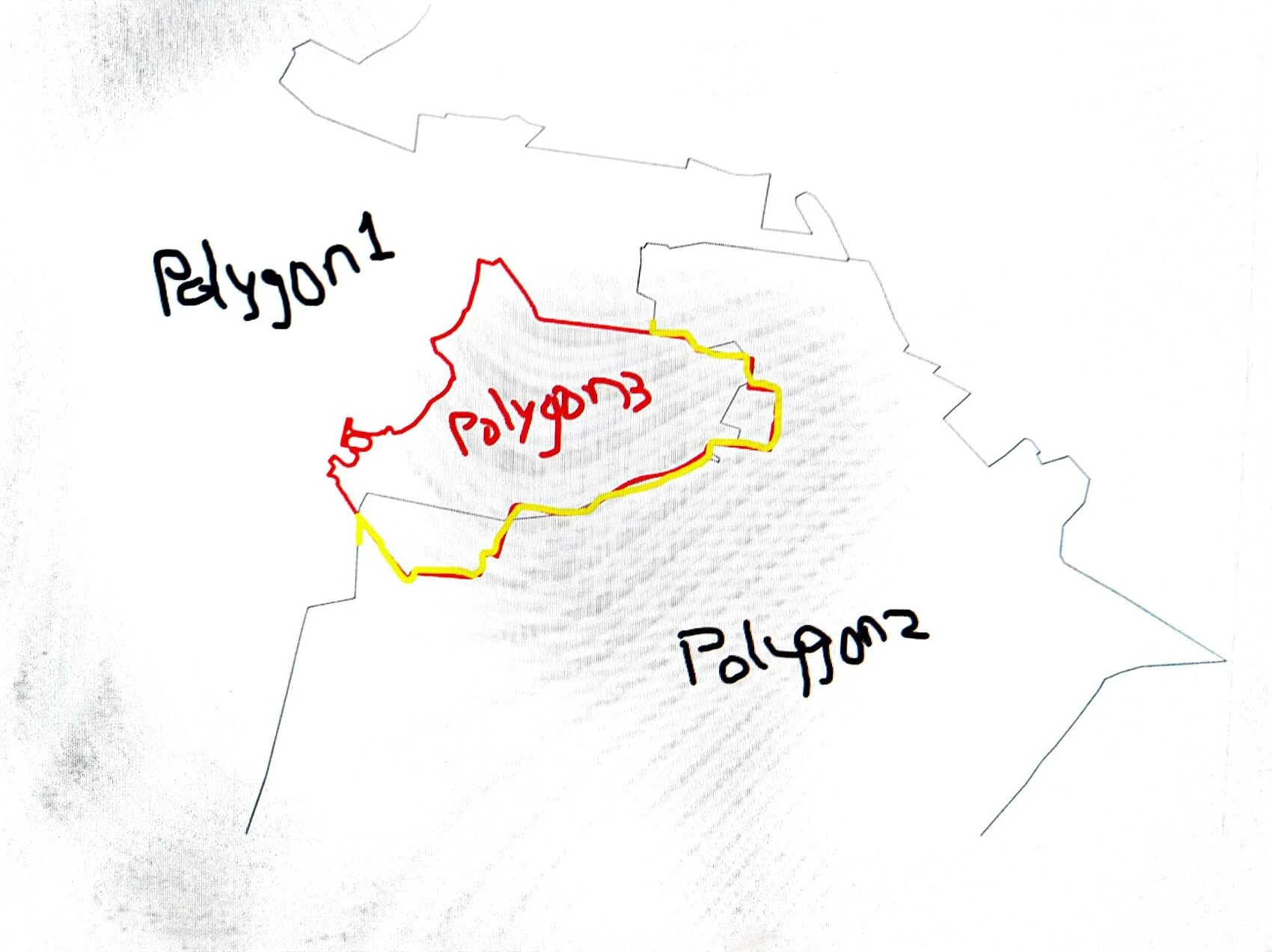
I have 2 polygons that are over lapped.I want to align the boundaries to match one another.

  • March 26, 2026
  • 3 replies
  • 108 views

jyotsnasali82
Contributor
Forum|alt.badge.img+3

The Black line starting from left should align(shown in yellow) with red line.how to accomplish this in fme.

Polygon 1 and 2 belongs to one layer and polygon 3 is from another layer.

 

3 replies

chriswilson
Enthusiast
Forum|alt.badge.img+22
  • Enthusiast
  • March 27, 2026

Send polygon 3 to the ‘Clipper’ port of a Clipper transformer, and send polygons 1 and 2 (or just polygon 2 - use a Tester if needed) to the ‘Clippee’ port then keep the ‘Inside’ part of the result in the Clipper transformer’s output.


Editing - it seems the clipping approach may not do it because not all of the new boundary is overlapped by polygon 3.  In that case using the align edge topology tool in ArcGIS Pro (for example) may be easiest.


jyotsnasali82
Contributor
Forum|alt.badge.img+3
  • Author
  • Contributor
  • March 29, 2026

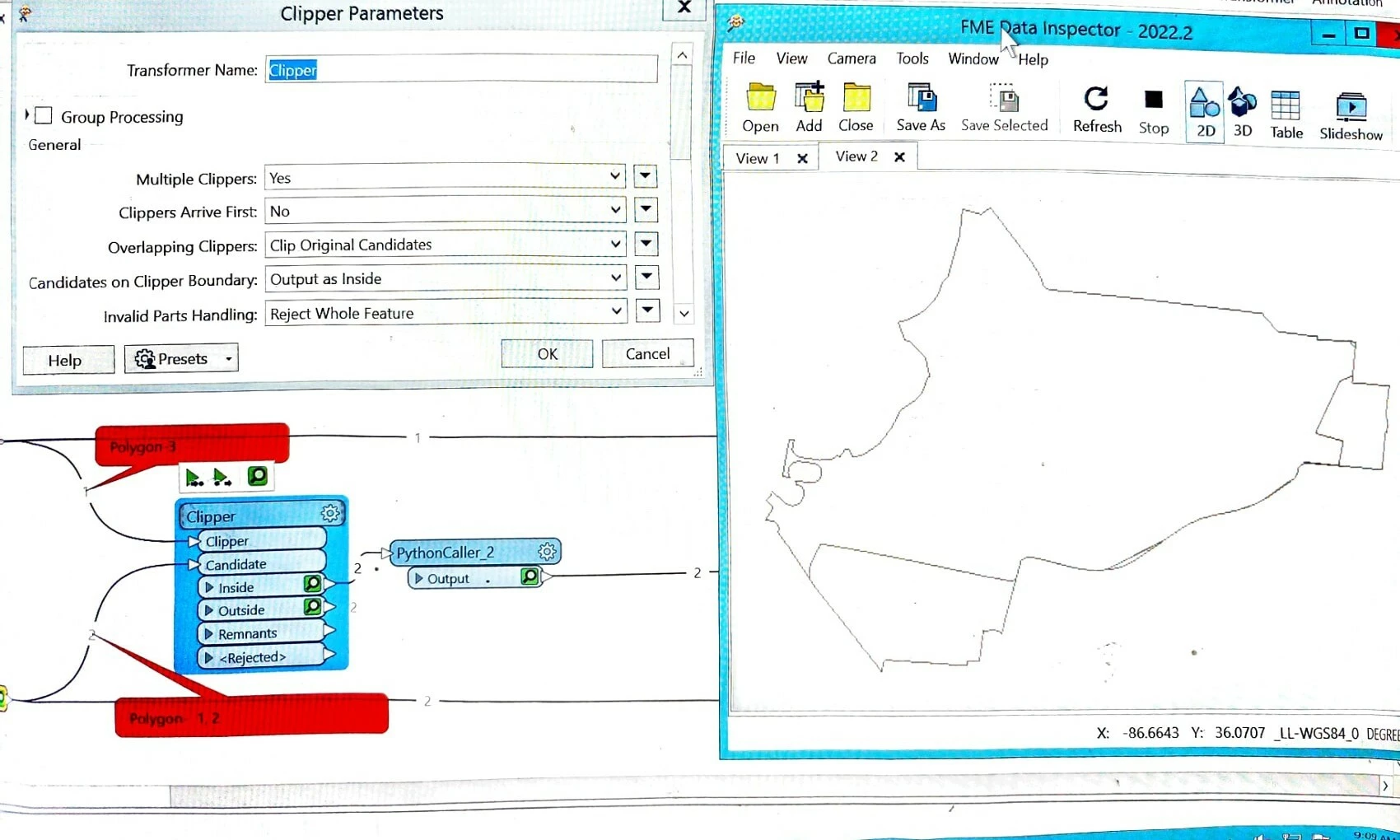
I used clippers transformer with align edge tool but the output is not as expected.


Using just the align edge tool with input layers is not giving correct output.

Also using just clipper with input layers is giving output as shown in inspector.


crutledge
Influencer
Forum|alt.badge.img+46
  • Influencer
  • March 29, 2026

AreaGapAndOverlap while adjustin the tolerance. Also might get better results from the AreaOnAreaOverlayer. Hope this helps!