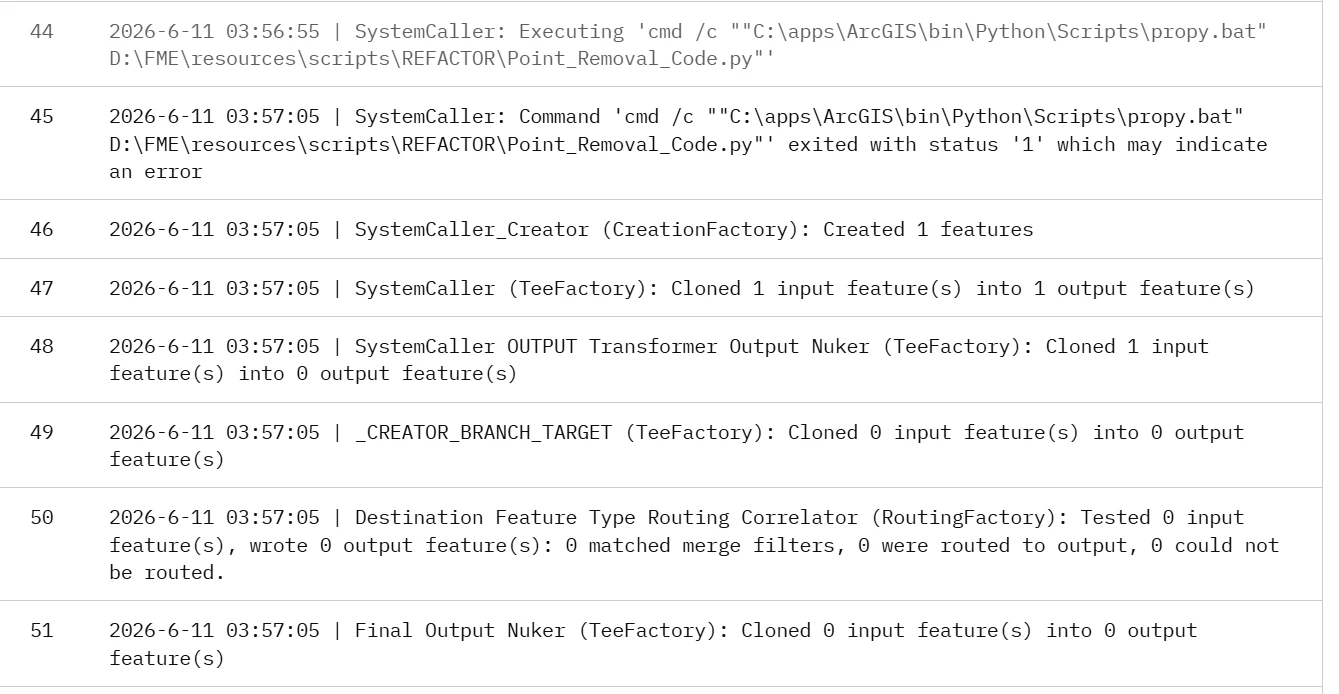
Looks like either the batch file or the Python scripts fails, for whatever reason. Unfortunately it’s not possible to say why without knowing the contents.
Are you sure that the path to the .bat and .py files exists on your Flow instance, and that the Flow service account has the appropriate permissions on those folders?
@echo Run "C:\apps\ArcGIS\bin\Python\Scripts\propy.bat" D:\FME\resources\scripts\REFACTOR\Point_Removal_Code.py @echo Finished This is my batch file. All the Python scripts in this location are available and working fine. Only the ArcPy script is having an issue. That’s why I’m unsure whether FME Flow can properly access ArcPy.
after trying this i didn’t get exit code 1 error but amm getting this error -----Run started at Thu 06/11/2026 5:46:11.89 Traceback (most recent call last): File "D:\FME\resources\scripts\REFACTOR\Point_Removal_Code.py", line 1, in <module> import arcpy File "C:\apps\ArcGIS\Resources\ArcPy\arcpy\__init__.py", line 77, in <module> from arcpy.geoprocessing import gp File "C:\apps\ArcGIS\Resources\ArcPy\arcpy\geoprocessing\__init__.py", line 14, in <module> from ._base import * File "C:\apps\ArcGIS\Resources\ArcPy\arcpy\geoprocessing\_base.py", line 14, in <module> import arcgisscripting File "C:\apps\ArcGIS\bin\Python\envs\arcgispro-py3\Lib\site-packages\arcgisscripting\__init__.py", line 131, in <module> from ._arcgisscripting import * RuntimeError: The Product License has not been initialized. Finished at Thu 06/11/2026 5:46:20.81




 +1
+1