



Question

Using H3HexagonIndexer, or alternative, to build hexagons grid and then assigning values from points into the hexagons

  • March 27, 2026
  • 5 replies
  • 22 views

scarter
Contributor
Forum|alt.badge.img+10

Hello Forum,


I have point dataset with 5600 points at an address level. Each point has a ‘score’ value of between 1 and 100.
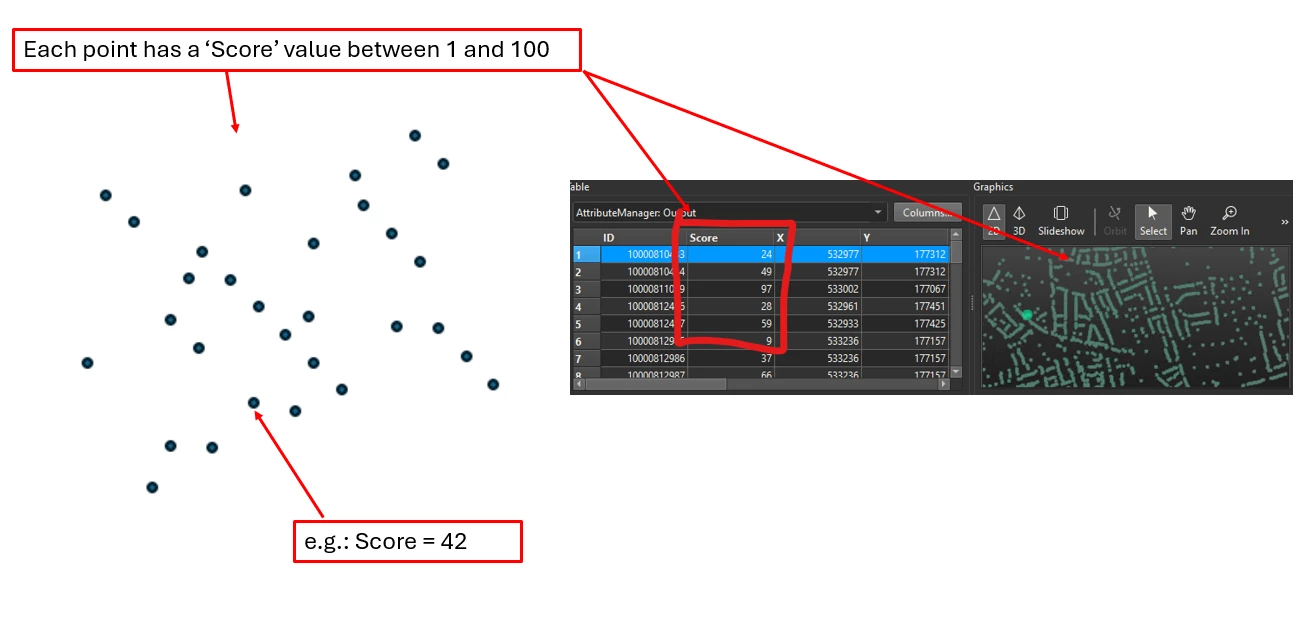
 

I need to create a hexagon grid. And then assign to each hexagon the score value of the point, or the average score values of the points, that fall into each hexagon.


If only one point record falls into a hexagon, say with a score of 42, then that hexagon will inherit a score of 42. But if several points fall into a hexagon, say with scores of 13, 56 and 22, then assign the average value of 30.3 to the hexagon they fall into.
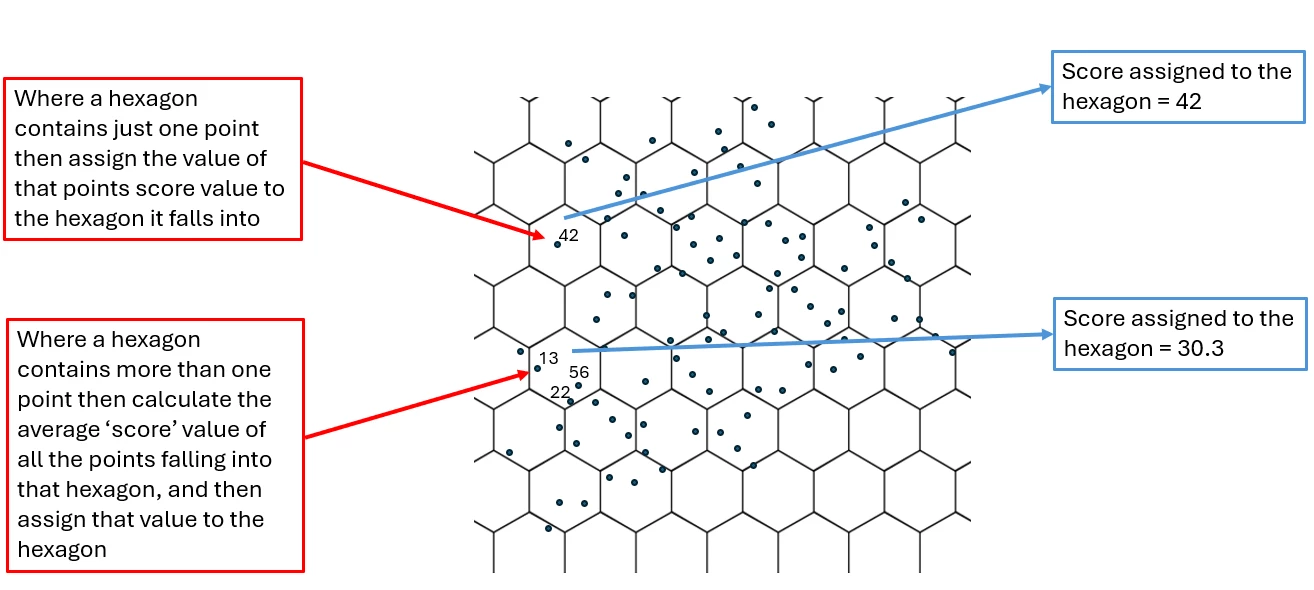


I also need to define the size of the hexagons/hexagon grid.


I’ve been looking into the H3HexagonIndexer (https://docs.safe.com/fme/html/FME-Form-Documentation/FME-Transformers/Transformers/h3hexagonalindexer.htm) but can’t get the results I’m looking for / work it out.


Any ideas would be welcome.


Thanks,

5 replies

ebygomm
Influencer
Forum|alt.badge.img+48
  • Influencer
  • March 27, 2026

If you’ve managed to create the hexagons, the rest should be fairly straightforward.

PointOnAreaOverlayer, choose to Generate List on Output ‘Area’ and select the attribute you want to average and set an attribute to hold the overlap count, then ListSummer to sum every value in the list and then divide by the overlap count


scarter
Contributor
Forum|alt.badge.img+10
  • Author
  • Contributor
  • March 27, 2026

Thanks for that, ​@ebygomm.  No, I’ve not created the hexagons. I read somewhere that H3HexagonIndexer creates the hexagons and also does the aggragating and PointOnAreaOverlayer work (or equivalent). Is that right? Or am I misunderstanding  H3HexagonIndexer? Do I need to create the hexagon grid elsewhere first?


ebygomm
Influencer
Forum|alt.badge.img+48
  • Influencer
  • March 27, 2026

I’m assuming you’d want a hexagon grid in BNG so the H3HexagonIndexer isn’t going to be of use here (it’s not something i’m familiar with).

There’s a custom transformer HexagonSampler that might help you create your hexagon grid.


scarter
Contributor
Forum|alt.badge.img+10
  • Author
  • Contributor
  • March 27, 2026

Yes, it would need to be BNG (EPSG: 27700). OK, I’ll look at HexagonSampler.

By the point data was in long/lat (easily done), then would H3HexagonIndexer be a way to go?


scarter
Contributor
Forum|alt.badge.img+10
  • Author
  • Contributor
  • March 27, 2026

@ebygomm I’m getting somewhere with H3HexagonIndexer, but by first converting the points to epsg: 4326. Then by using the ‘replace with hexagon’ option in the settings I can create the hexagon grid to the selected size. The hexagons inherit the values for the point or points falling within them. That can then be reprojected back to epsg:27700 as required. It’s all very impressive.


The challenge I have now is to do the aggregation of multiple points within a hexagon to create an average score and assign that to the hexagon. I know you made some suggestions on that earlier. I’ll take a look after Easter. Thanks.