Question

split upto specific count

  • December 27, 2019
  • 1 reply
  • 8 views

rakeshreddy0996
Forum|alt.badge.img

I have source with 10 L count like below
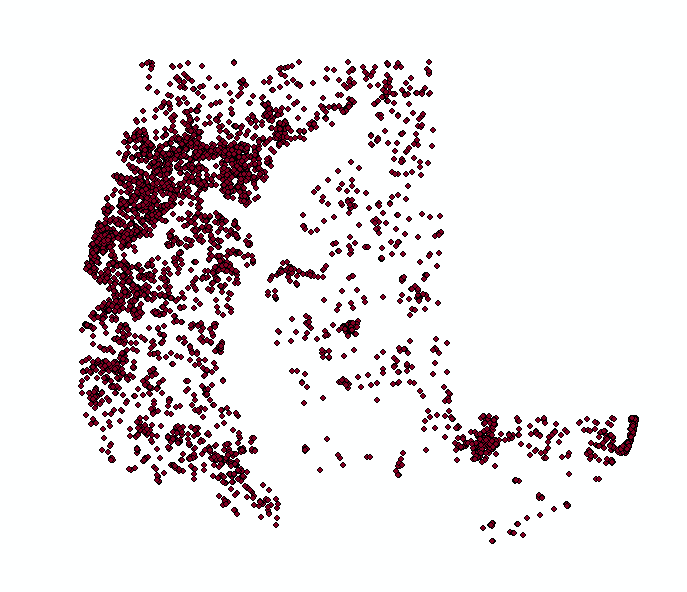


I need to select Upto 5L points within source,

I have fields like Object ID and ID both are same and those starts with numeric 1.

Note: should select from one side

 

This post is closed to further activity.
It may be an old question, an answered question, an implemented idea, or a notification-only post.
Please check post dates before relying on any information in a question or answer.
For follow-up or related questions, please post a new question or idea.
If there is a genuine update to be made, please contact us and request that the post is reopened.

1 reply

Forum|alt.badge.img
  • December 27, 2019

I'm not sure I understand what you are trying to achieve, but generally:


"I need to select Upto 5L points within source,"


Use a Tester to split with < and >. If your data is a string where the numerically sortable part is combined with other characters, use the @Substring function or a regex (\\d+) to pull out the numeric part.

"I have fields like Object ID and ID both are same and those starts with numeric 1."


If needed, use these IDs with a Sorter and/or the Group By function.

"Note: should select from one side"


Use a Sorter on the X coordinate to read and manipulate the features in the desired order.

Hope this helps, otherwise you might need to describe more closely your type of data and the desired output. :-)