




Question

Pasting transformers from external source ?

  • July 17, 2026
  • 1 reply
  • 61 views

lifalin2016
Influencer
Forum|alt.badge.img+40

Hi all.

I just created a new custom transformer, and need to apply it multiple times (10-20 times).

It basically just has a name and three parameters, all of which can be deduced from a database query.

So I thought it to be a good idea to create and paste the definitions from a query result (using some sql magic). Instead of copy/pasting the many transformers as I would normally, editing each by hand.

So I experimented at bit first.

I can copy a transformer from FME Form, and paste it right back. I can also paste the definition into a text editor, as the copied content is just text (FME file syntax).

But when I just copy the complete transformer (without changes) back from the text editor (Ctrl-A,Ctrl-C), FME Form will not paste it into the workspace.

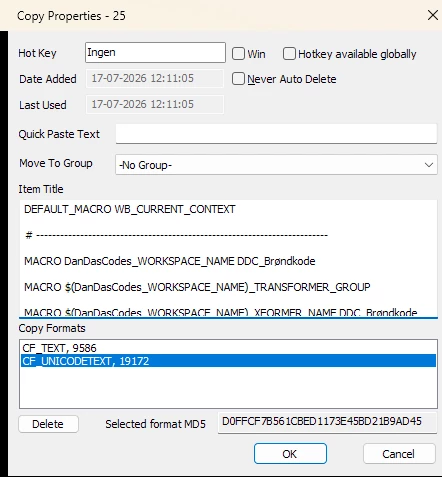
I used Ditto clipboard to look for differencies, and I can barely find any. The two attached images shows the properties for the original and the text editor copy.
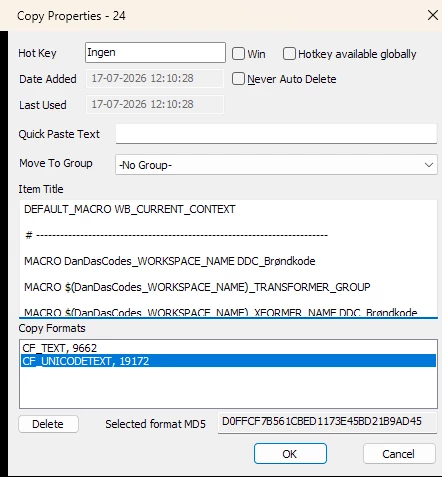
original from FME Form
text editor copy

The only difference I can find are the slightly different counts for CF_TEXT. The counts for CF_UNICODETEXT are identical.

Any ideas as to the cause of the copy-corruption ?

Is there a trick to get this working ?

Cheers.

1 reply

donalmateer
Safer
Forum|alt.badge.img+11

Hi ​@lifalin2016 
 

What you're running into is a known limitation rather than something specific to your transformer. Workbench only recognizes pasted content as a transformer when it comes from inside another Workbench canvas, either the same workspace or a different open workspace. Once the definition passes through a plain text editor, even completely unchanged, the operating system rebuilds the clipboard data itself instead of carrying over the exact object FME originally wrote to it. That is almost certainly why Ditto showed a different CF_TEXT byte count for the round-tripped copy while CF_UNICODETEXT stayed identical, the readable text matches but the clipboard packaging Workbench checks for does not.
 

The official documentation on duplicating custom transformers only lists two supported paste paths, copying within the same workspace and copying from another open workspace. Generating the syntax externally and pasting it in falls outside both of those, which is why Workbench quietly ignores it instead of showing an error.
 

A reliable way to get most of the way to what you want is to build a small staging workspace that holds your prepared instances, with bookmarks and annotations to keep them organized, then copy and paste directly from that workspace's canvas into your target workspace. That path stays inside Workbench the whole time so it will not run into the same block. If any of the values end up shared across instances, Parameter Presets, found under Presets in the transformer's parameters dialog, let you save a set of defaults so every new instance you drag in from the gallery starts pre-filled. Worth checking even though it will not vary per instance the way your database query does.

