




If you’ve watched my FME Realize video, you probably noticed a sleek toolbox full of colourful buttons that launch different experiences like attribute popups, videos, inspection forms, and more.
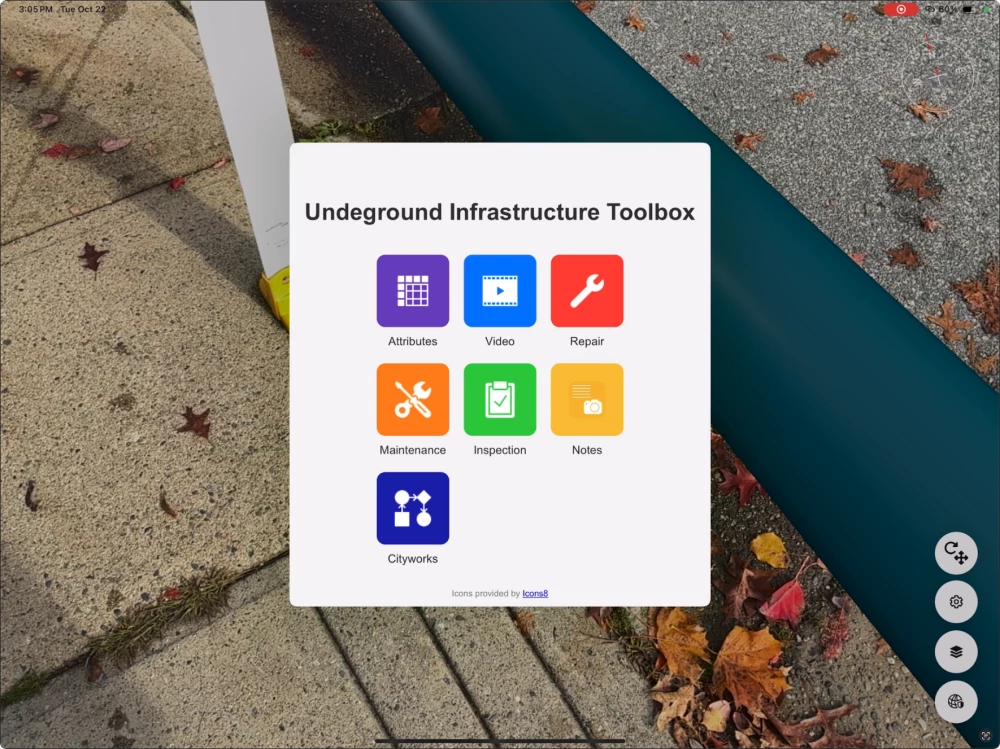
🎥 Haven’t seen it? Here’s the link — grab popcorn, it’s about 9 minutes long 🍿
These buttons aren’t part of FME Realize by default — they’re generated entirely using an FME workspace. To make it easier for you to create the same kind of toolboxes in your own FME Realize projects, I’ve created a custom transformer called HTMLToolboxGenerator.
What it does:
- Outputs clean, mobile-friendly HTML with up to 9 buttons;
- Lets you define button names, icons, colors, and links via parameters;
- Optional dynamic filtering: you can show only the relevant buttons per feature type (e.g., a catch basin might only need three buttons, while a hydrant might need six).
Even though it’s designed with FME Realize in mind, it produces standard HTML, so you can also use it in any web context where a small, smart launcher makes sense.
Check out the video to see how adjusting transformer parameters changes the result — or just grab it from FME Hub and give it a try (but please, read the doc!)
https://www.youtube.com/embed/BywIRLMW7kE?si=g72LNyV42X4PSmPO
Let me know what you think, or what features you'd want to see next.