




Question

Can anyone add new Smallworld readers in FME Form 2025.2?

  • February 1, 2026
  • 4 replies
  • 49 views

milo89
Enthusiast
Forum|alt.badge.img+26

We’re currently in the process of looking to move to a newer version of FME Form (2025.2) but we’ve hit an issue where we can’t meet the required dependencies for adding a Smallworld reader regardless of having the correct files in the right locations.


If we open an older workspace with the reader already added, it will still complain about missing dependencies but the workspace will execute correctly.

If you select ‘Update Reader’ from the navigator you can add additional feature types etc and change parameters, but you can’t add a new reader due to the missing dependencies.


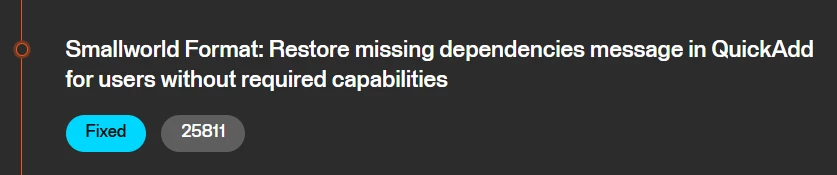
I noted that there was a Fix in Build 25811, but when I tested in 2025.1 (before the fix), there are no issues adding a Smallworld reader.
 

I understand that the Smallworld user group probably isn’t the largest but is anyone else having the same issue. Would really appreciate if someone is able to provide a sanity check.


Thanks

4 replies

crystalatsafe
Safer
Forum|alt.badge.img+27

Hi ​@milo89 

We have an internal ticket open with our development team for this issue (FOUNDATION-8888). I will make sure to keep you updated on the progress. 

If you wanted to use 2025.2, I believe it should still work in 2025.2.0 b25810.

Here is the download link for Windows: FME 2025.2 b25810 


crystalatsafe
Safer
Forum|alt.badge.img+27

Hi ​@milo89 

Are you able to confirm if the sworldswaf.dll file is in C:\Program Files\FME\plugins and the sworldswaf.fmf file is in C:\Program Files\FME\metafile?

We do have a workaround for now. If you open FME workbench directly from its executable (example: C:\Program Files\FME\fmeworkbench.exe) the dependency message should disappear as long as you have the Smallworld files in the locations listed above. 

Can you please let me know if this workaround removed that dependency message? 


milo89
Enthusiast
Forum|alt.badge.img+26
  • Author
  • Enthusiast
  • February 2, 2026

Hi ​@crystalatsafe,

The latest version build 25827 is the version I experienced the error with:


I can confirm that the .dll and .fmf files are in the correct folders.

I have tested on FME 2025.1.3.3 build 25648 and there are no issues at all.

I have tested on the build you provided above 2025.2 build 25810 and there are also no issues adding a smallworld reader.


Thanks


crystalatsafe
Safer
Forum|alt.badge.img+27

Hi ​@milo89 

I’m happy to hear it’s working in 2025.1.3.3 and the 2025.2 version I provided. 

It should also work in build 25827 if you open workbench through the fmeworkbench application file (likely found at C:\Program Files\FME\) and not through the shortcut file or on the Windows start menu. 

We also have a ticket open with development (internal note: FOUNDATION-8888) to have this issue fixed in an upcoming release.



