


I quickly became a big fan of the recently introduced in-canvas looping functionality in FME. Here is one workflow where loops make things particularly elegant: building geometry from list attributes without first exploding the list into separate features.
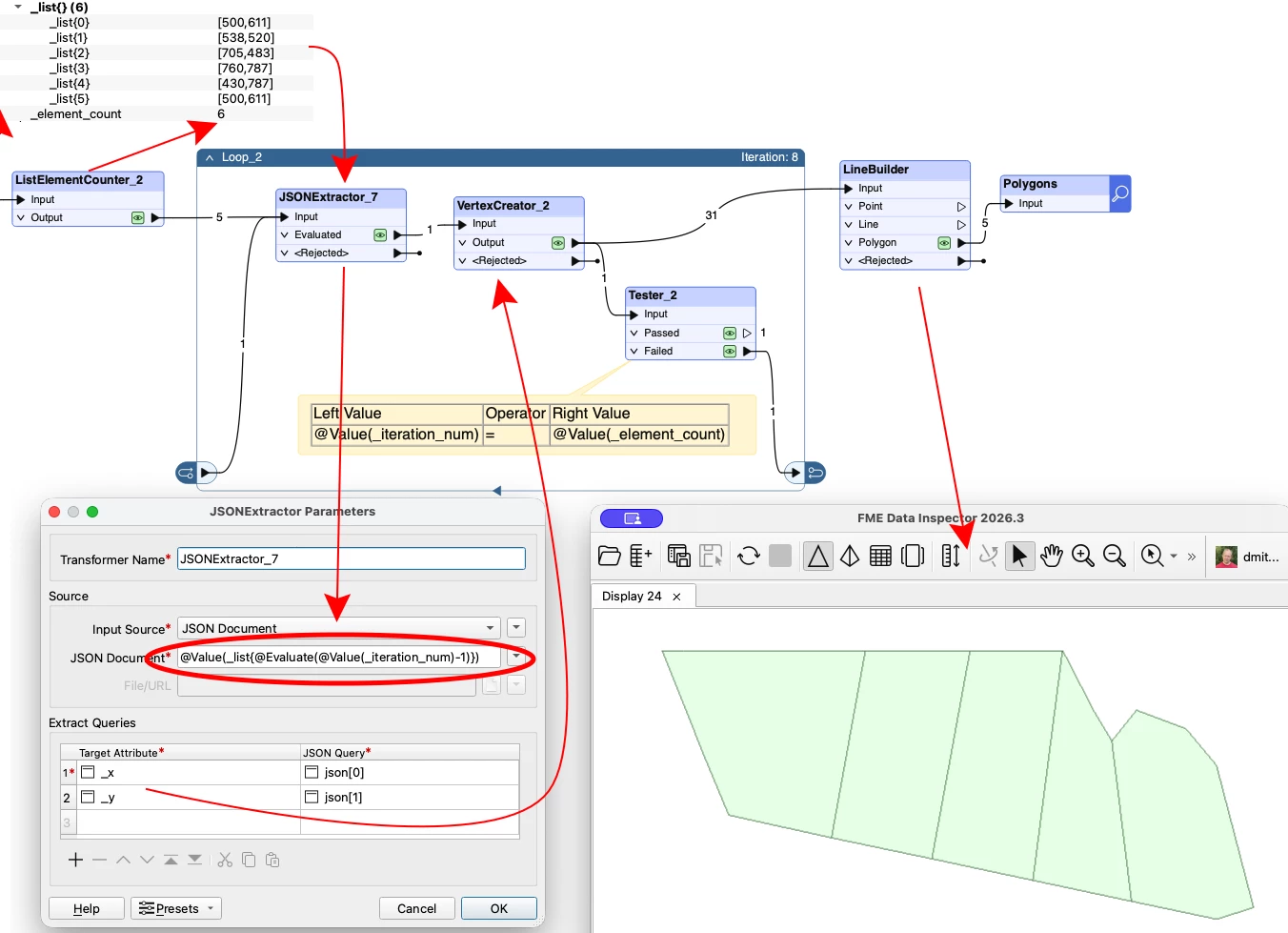
In this example, each list element contains a coordinate pair such as [500,611]. Before the feature enters the loop, ListElementCounter records the number of elements. On each iteration, we use the iteration number to retrieve the corresponding pair, extract its X and Y values, and create a vertex.
The expression used for the JSON Document parameter is:
@Value(_list{@Evaluate(@Value(_iteration_num)-1)})
We subtract 1 because FME list indexes start at zero, while the loop iteration number starts at one.
Every generated vertex leaves the loop and goes to LineBuilder. At the same time, the feature goes to a Tester, which compares _iteration_num with _element_count. While the values are different, the Failed port sends the feature back for another iteration. When they are equal, the feature exits through the unconnected Passed port and no further iteration is started.
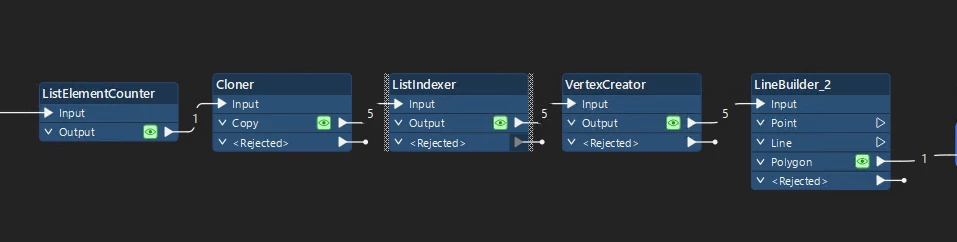
Before in-canvas loops, I would normally explode the list, create individual vertices, and then combine them again. Building an equivalent loop inside a custom transformer would hardly have been worth the effort. Now the whole workflow is compact and easy to follow.
Here the list elements are JSON arrays, but that is just one possible structure. I also use loops to build arcs and segments from angles and distances stored in ordinary list attributes.
Have you found any good uses for loops in your workflows?