Solved

Custom UI for the FlowAApps.

  • July 15, 2026
  • 5 replies
  • 99 views

madhusudan
Contributor
Forum|alt.badge.img+1

I want to create custom UI for a flow app like create button. I want to build some sort of app that gave user more creative UI and good experience whether it is by HTML or CSS.

Best answer by j.botterill

FME Flow Apps support:

  • Custom logos
  • Custom colours
  • Custom banners
  • Custom descriptions
  • Gallery Apps for application navigation

This is the lowest effort option.


Instead of users seeing an FME Flow App: your next option is to go full custom

  1. User
  2. Custom Website - with all your CSS, HTML including javascript to call :
  3. FME Flow REST API 
  • POST /fmeapiv4/jobs   to execute the Workspace / Automation parsing in parameter
  • GET /fmeapiv4/jobs/{id}/result to retrieve data download result URL


javascript example

const response = await fetch(
"https://yourfmeflow/fmeapiv4/jobs",
{
method: "POST",
headers: {
"Authorization": "Bearer " + token,
"Content-Type": "application/json"
},
body: JSON.stringify({
repository: "GISTools",
workspace: "ValidateMyData.fmw",
publishedParameters: {
INPUT_FILE: filePath
}
})
}
);

const result = await response.json();
console.log(result);


Lastly, you can post an FME Idea for Safe software to develop a better custom UI generator for what you’re asking for here


5 replies

j.botterill
Evangelist
Forum|alt.badge.img+61
  • Evangelist
  • Best Answer
  • July 16, 2026

FME Flow Apps support:

  • Custom logos
  • Custom colours
  • Custom banners
  • Custom descriptions
  • Gallery Apps for application navigation

This is the lowest effort option.


Instead of users seeing an FME Flow App: your next option is to go full custom

  1. User
  2. Custom Website - with all your CSS, HTML including javascript to call :
  3. FME Flow REST API 
  • POST /fmeapiv4/jobs   to execute the Workspace / Automation parsing in parameter
  • GET /fmeapiv4/jobs/{id}/result to retrieve data download result URL


javascript example

const response = await fetch(
"https://yourfmeflow/fmeapiv4/jobs",
{
method: "POST",
headers: {
"Authorization": "Bearer " + token,
"Content-Type": "application/json"
},
body: JSON.stringify({
repository: "GISTools",
workspace: "ValidateMyData.fmw",
publishedParameters: {
INPUT_FILE: filePath
}
})
}
);

const result = await response.json();
console.log(result);


Lastly, you can post an FME Idea for Safe software to develop a better custom UI generator for what you’re asking for here



hkingsbury
Celebrity
Forum|alt.badge.img+73
  • Celebrity
  • July 16, 2026

@madhusudan Add your thoughts and ideas to this: Improve Customize Options for FME Flow Apps | Community


david_r
Celebrity
  • July 16, 2026

Just as a side note, it’s incredible what you can accomplish over a few hours using something like Claude Code or Codex. If you feed it the FME Flow REST API definition as part of the specification, the sky’s the limit :-)


toyosia
Safer
Forum|alt.badge.img+4
  • Safer
  • July 20, 2026

Hi ​@madhusudan ,

@j.botterill nailed it. Depends how far you want to go.

If you just want it to look more like yours, the banners, logos, browser icon and description are editable on the app itself (there's a heading background colour option too). This walks through them: Getting Started with FME Flow Workspace Apps

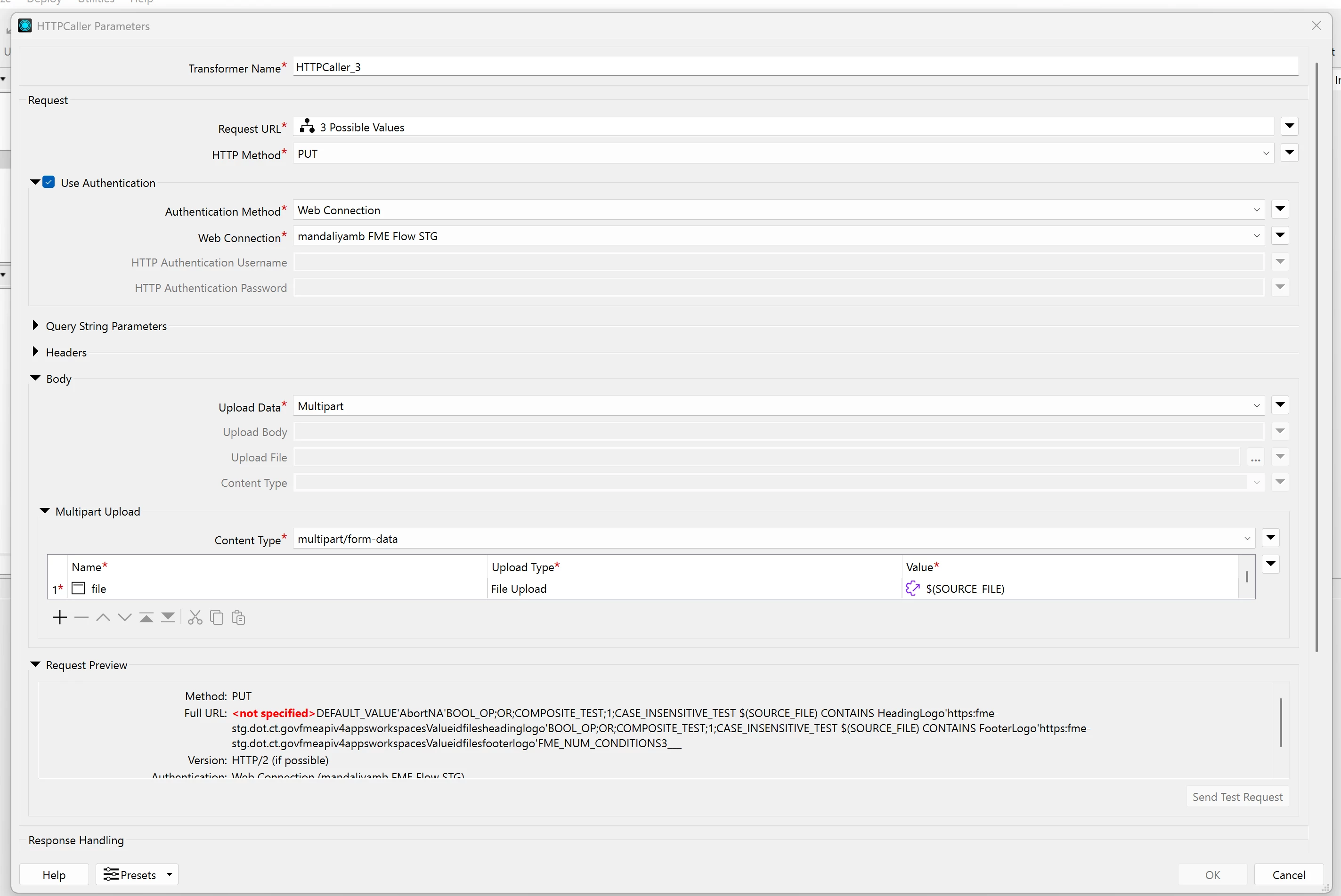
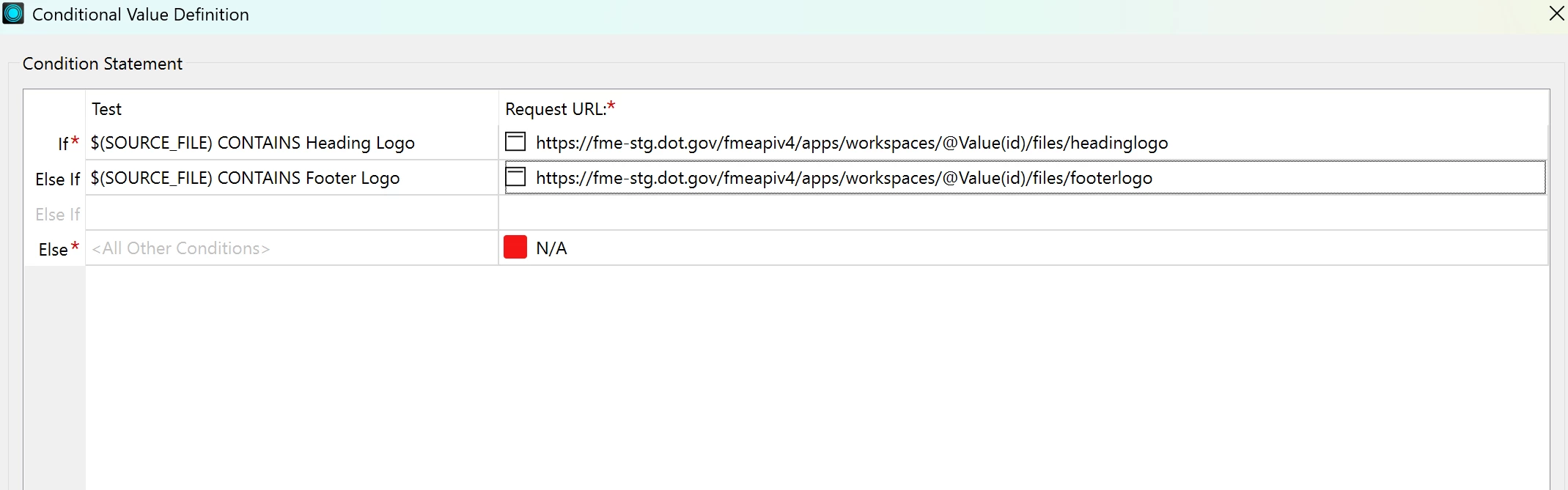
You can also push those same images through the V4 REST API if you'd rather script it (the /fmeapiv4/apps/workspaces/<AppID>/files/<type> endpoints, one each for headinglogo, headingbanner, footerlogo, footerbanner, icon): Automating FME Flow App Customization

For a proper custom button / your own HTML+CSS, the route ​@j.botterill showed is accurate: build your own front end and call the REST API to run the workspace.

Also worth throwing your use case onto that idea ​@hkingsbury linked.

Cheers, 
Toyosi A.
Technical Support Specialist, FME Flow
Safe Software Inc.


madhusudan
Contributor
Forum|alt.badge.img+1
  • Author
  • Contributor
  • July 22, 2026

Thank you so much for the response ​@j.botterill and ​@toyosia. It really helpful information. Thank you for supporting users like me, we really appreciate it. And thanks to ​@david_r  and ​@hkingsbury too.