Question

Read Multiple Files in a folder ... Transform Data ... Write Multiple Files to a different Folder

  • February 13, 2020
  • 4 replies
  • 1392 views

Apologies for asking what I expect is going to be a very basic question. However I would like to read all files of a particular format (eg dxf) in a folder, apply a coordinate reprojection to them and then output them to a different folder. To read the files from a particular folder I believe I would use the Directory and File Pathnames Reader? To apply the reprojection transformation I would use the csmapreprojector, however to write the many files (eg dxf) out to a different folder I am not 100% of the methodology (and or writer) for that.

Many thanks in advance

This post is closed to further activity.
It may be an old question, an answered question, an implemented idea, or a notification-only post.
Please check post dates before relying on any information in a question or answer.
For follow-up or related questions, please post a new question or idea.
If there is a genuine update to be made, please contact us and request that the post is reopened.

4 replies

takashi
Celebrity
  • February 13, 2020

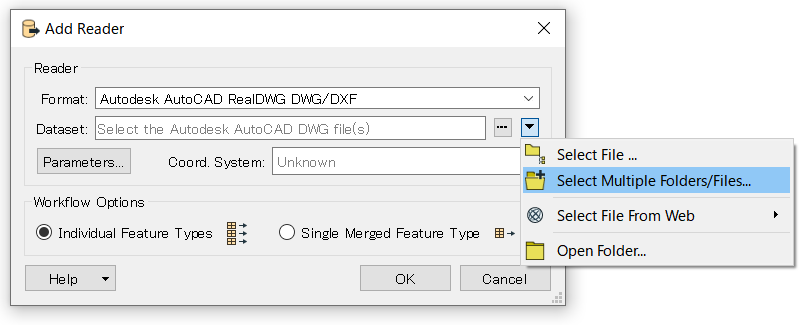
You can set one or more folders as Dataset of the writer to read all dxf files under the specified folder(s).

Regarding how to output multiple files, see the Fanout functionality.

https://docs.safe.com/fme/html/FME_Desktop_Documentation/FME_Workbench/Workbench/fanout_about.htm


  • August 28, 2020

I have same question, understand that the reader can show a folder that contains say 5 files how do I write out 5 files to an output folder, I cant see the equivalent "select multiple folders\\files" on the writer


mark2atsafe
Safer
Forum|alt.badge.img+59
  • Safer
  • August 28, 2020

I have same question, understand that the reader can show a folder that contains say 5 files how do I write out 5 files to an output folder, I cant see the equivalent "select multiple folders\\files" on the writer

The equivalent would be something called a "fanout". Look for the fanout option on the writer parameters in the Navigator window. You choose an attribute that defines the name to write to. Usually it is the same as the incoming dataset; eg fme_dataset


smfks911
  • August 8, 2022

The equivalent would be something called a "fanout". Look for the fanout option on the writer parameters in the Navigator window. You choose an attribute that defines the name to write to. Usually it is the same as the incoming dataset; eg fme_dataset

Hi @mark2atsafe​ wondering is it possible to fan out on multiple tables of a server for similar type of transformation task?