Question

Upload output file from GeoJSON writter to Azure blob storage

  • October 18, 2018
  • 2 replies
  • 66 views

Forum|alt.badge.img

How i can auto upload output file from GeoJSON writter to Azure blob storage in FME. And output geojson file must be in folder with name generate from current date. Sample name folder: "18.10.2018-01.15PM".

To upload to Azure i propose command-line programm AzCopy . But I no have idea how to do this with AzCopy )))

https://docs.microsoft.com/en-us/azure/storage/common/storage-use-azcopy

Please help me to do this task. you help very appreciated.

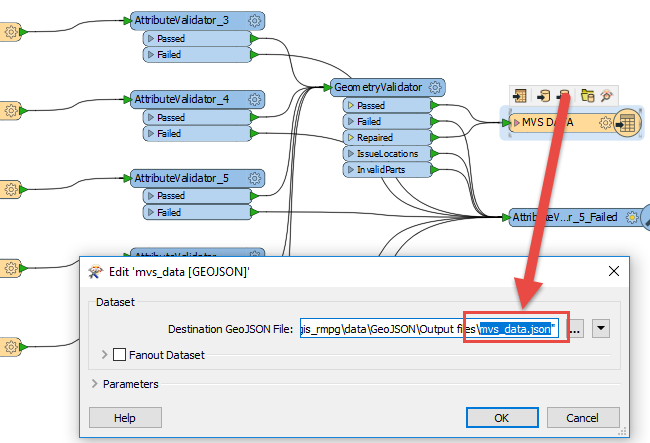
I want upload file in below screen to azure blob storage by schedule.
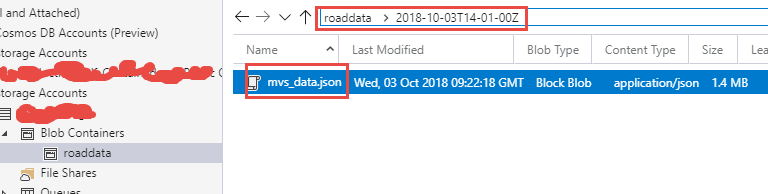
Manually uploaded file in blob storage on Azure

This post is closed to further activity.
It may be an old question, an answered question, an implemented idea, or a notification-only post.
Please check post dates before relying on any information in a question or answer.
For follow-up or related questions, please post a new question or idea.
If there is a genuine update to be made, please contact us and request that the post is reopened.

2 replies

runneals
Supporter
Forum|alt.badge.img+29
  • Supporter
  • October 18, 2018

azcopysample.fmw

Take a look at this sample. This is a bit archaic as this is from 2014, but should work


runneals
Supporter
Forum|alt.badge.img+29
  • Supporter
  • October 18, 2018

azcopysample.fmw

Take a look at this sample. This is a bit archaic as this is from 2014, but should work

Additionally, take a look at this topic which uses the AzureBlobUploader transformer.