


Question

Looping Empty Rows in Excel until new Column Value is found

  • May 12, 2020
  • 3 replies
  • 34 views

freddy17
Contributor
Forum|alt.badge.img+8

Hello Everyone,


I have a question how to copy row data, but cant seem to find an efficient way to do it yet.


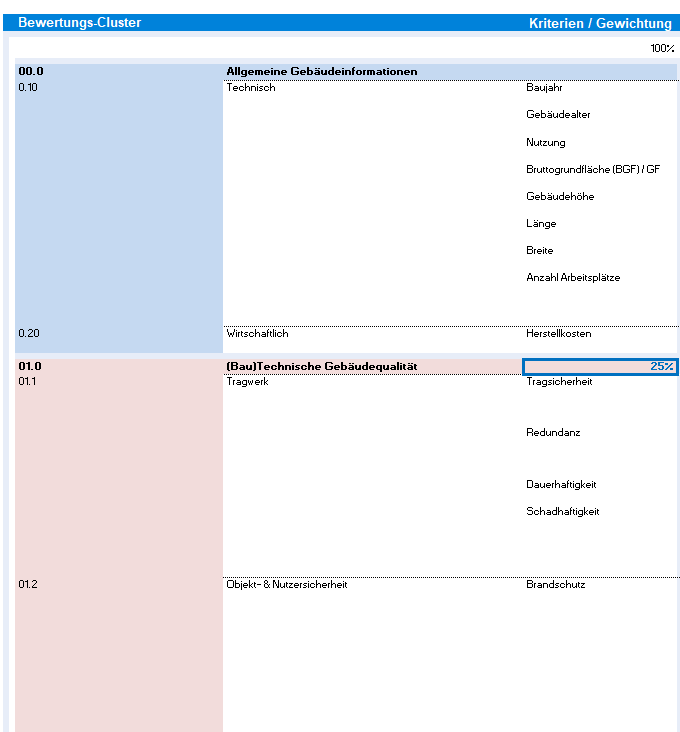
Below, attached is a Screenshot of the Original Excel file.

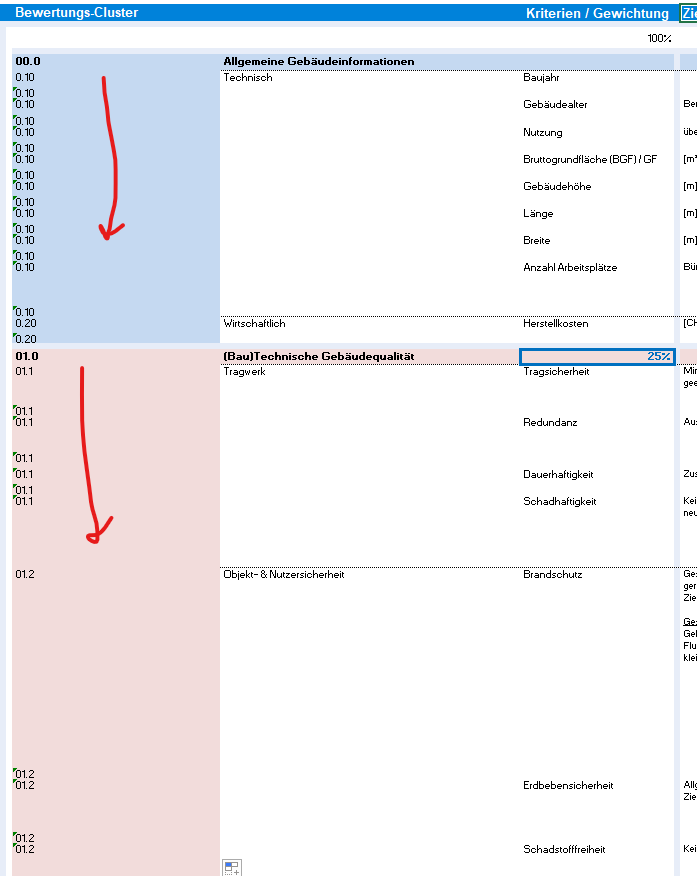
The idea is to take a cell value (in this case the 0.10 in the blue field at the top) and copy it for all empty column values until it reached the next filled value (0.20), which will then be copied downwards in the column.


So your result will look like this.
 

I assume with something like:


If CellValue Col x Value is Empty

Then Copy Col x - 1 Value to Col X


Continue to Col x + 1 and loop


Something along those lines.

Has someone dealt with this before?


Cheers

Fred

This post is closed to further activity.
It may be an old question, an answered question, an implemented idea, or a notification-only post.
Please check post dates before relying on any information in a question or answer.
For follow-up or related questions, please post a new question or idea.
If there is a genuine update to be made, please contact us and request that the post is reopened.

3 replies

danilo_fme
Celebrity
Forum|alt.badge.img+52
  • Celebrity
  • May 12, 2020

Hi @freddy17

Could you share us a dataset?


Thanks in Advance,

Danilo


ebygomm
Influencer
Forum|alt.badge.img+46
  • Influencer
  • May 12, 2020

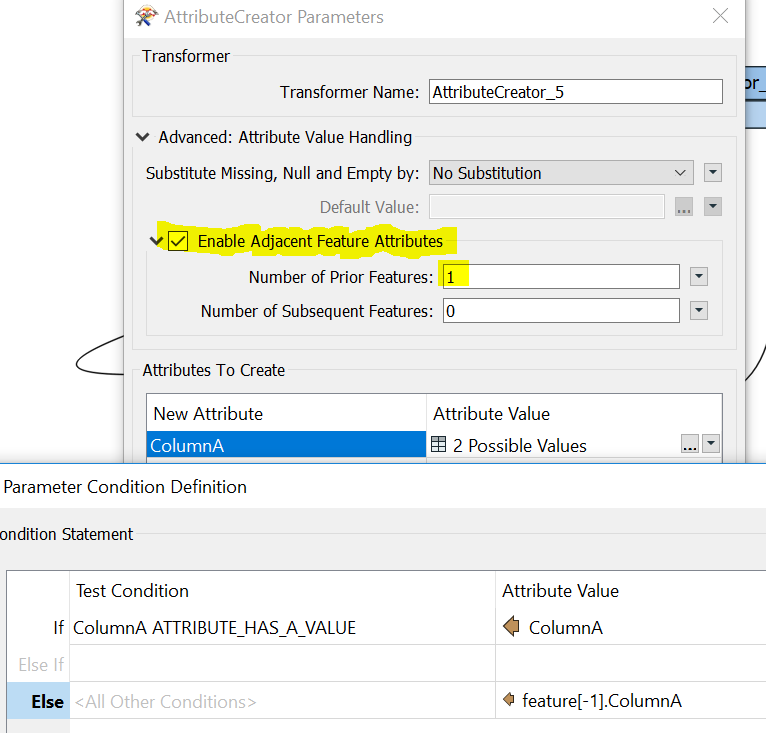
No, looping required, just adjacent attribute handling in an attributecreator with a conditional statement which basically says, if ColumnA has a value keep the value as ColumnA, if there is no value, use the value ColumnA from the feature above. Because FME processes the features in order, the value above is always completed ready for the next line


freddy17
Contributor
Forum|alt.badge.img+8
  • Author
  • Contributor
  • May 13, 2020

No, looping required, just adjacent attribute handling in an attributecreator with a conditional statement which basically says, if ColumnA has a value keep the value as ColumnA, if there is no value, use the value ColumnA from the feature above. Because FME processes the features in order, the value above is always completed ready for the next line

Hi ebygomm,

Thank you for pointing this out, is a great time saver.


@danilo_fme, I have added my excel and the FME solution to my enquiry, works exactly how I would want it.


Regards

Fredcopyrowvalues.xlsxcopyrowvalues.fmw