


Solved

How can I write (smart) XYZ from table with multiple Z fields

  • August 5, 2019
  • 2 replies
  • 43 views

cyrusa
Contributor
Forum|alt.badge.img+3

Hi all,

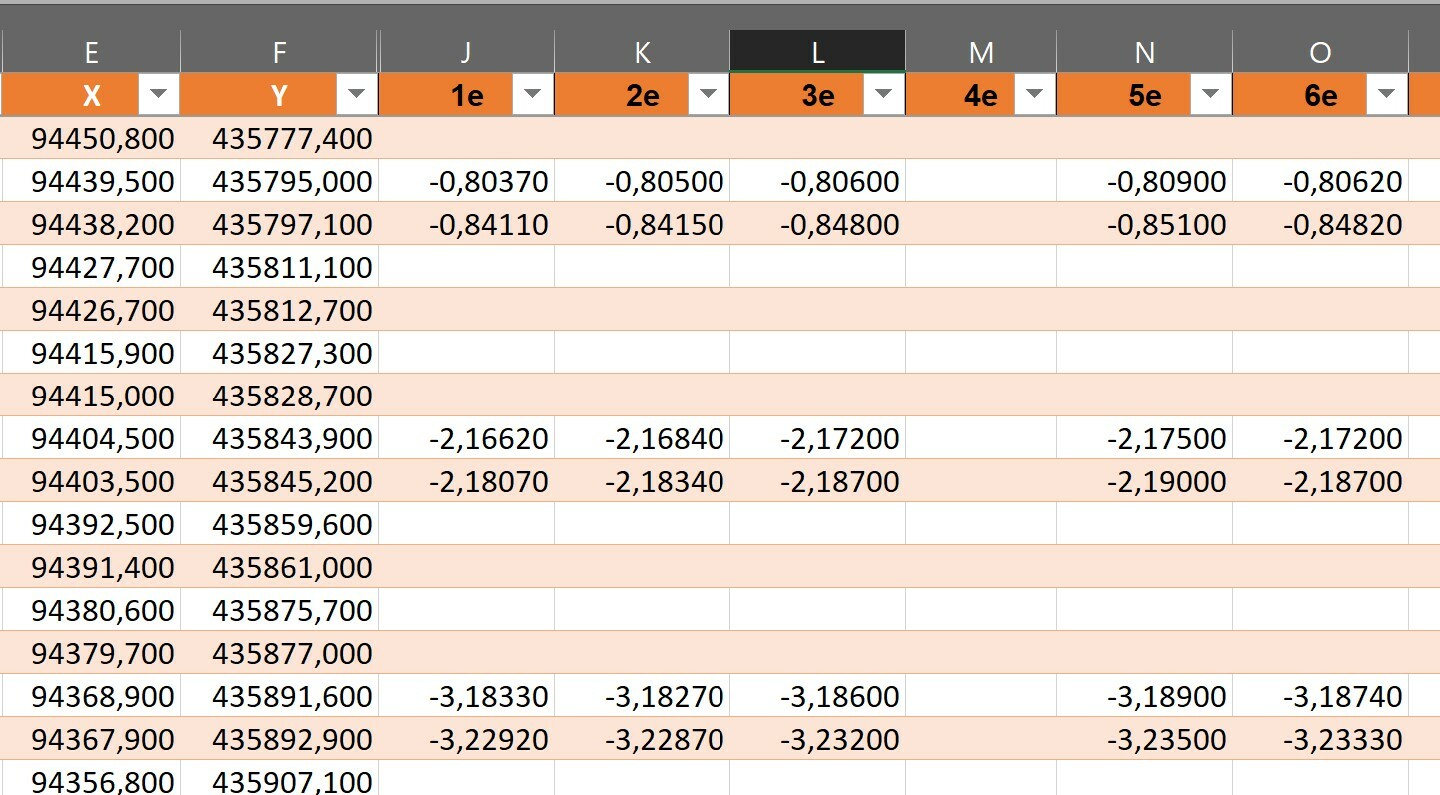
I have a table with (XYZ) coordinates measured in time. Each time the Z-value (field J and further) of the specific point changes. The XY-coordinates (field E and F) stay the same. Sometimes the Z-value is missing.

How can I project all of these point without manual adjustments to the table? So for the second row we have:

  • 1st measurement: X=94439,5, Y=435795,0 and Z=-0,80370
  • 2th measurement: X=94439,5, Y=435795,0 and Z=-0,80500
  • 3th measurement: X=94439,5, Y=435795,0 and Z=-0,80600
  • 4th measurement: X=94439,5, Y=435795,0 and Z= missing here so no projection
  • and so further on

In the end I want to have a geodatabase.

Many thanks for you reply!

Alan
Best answer by virtualcitymatt

Hi @cyrusa,


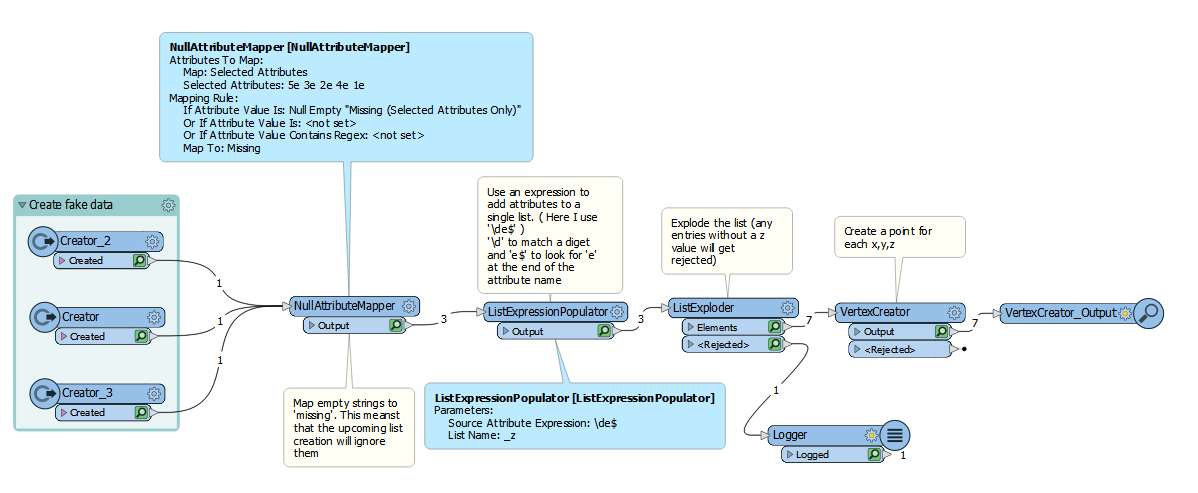
This is where lists can be of use. You can use the following as a guide to create x,y,z points where z values are present.

This post is closed to further activity.
It may be an old question, an answered question, an implemented idea, or a notification-only post.
Please check post dates before relying on any information in a question or answer.
For follow-up or related questions, please post a new question or idea.
If there is a genuine update to be made, please contact us and request that the post is reopened.

2 replies

virtualcitymatt
Celebrity
Forum|alt.badge.img+47

Hi @cyrusa,


This is where lists can be of use. You can use the following as a guide to create x,y,z points where z values are present.


cyrusa
Contributor
Forum|alt.badge.img+3
  • Author
  • Contributor
  • August 5, 2019

Hi @virtualcitymatt,

Thanks a lot for your quick reply and guide to the solution. I tried and it worked for me! Thanks.

I will try to get the field names also as an attribute to the table.

Cheers!