Question

Get only the first and last segment of every polyline

  • Jul 16, 2015 2:52 PM UTC
  • 6 replies
  • 167 views

Forum|alt.badge.img
I have data with lines and polylines.. I’d like to have segment with 30m from the starting point and from the ending point (end minus 30). For the polyline I’d like to have only the first and the last segments. I’m using chopper (2 vertexes) to get lines from 2 vertexes but then I need to choose only the first and the last segments. The resultings segments should have the same angle of starting or ending segments of polyline. Any idea .. thanks
This post is closed to further activity.
It may be an old question, an answered question, an implemented idea, or a notification-only post.
Please check post dates before relying on any information in a question or answer.
For follow-up or related questions, please post a new question or idea.
If there is a genuine update to be made, please contact us and request that the post is reopened.


6 replies

takashi
Celebrity
  • Jul 16, 2015 3:19 PM UTC
Hi,


The Snipper with the following parameter setting will output the first and the last segments from the Remnants port.


Snipping Mode: Vertex


Starting Vertex: 1


Ending Vertex: -2


Takashi

Forum|alt.badge.img
  • Author
  • Jul 16, 2015 4:36 PM UTC
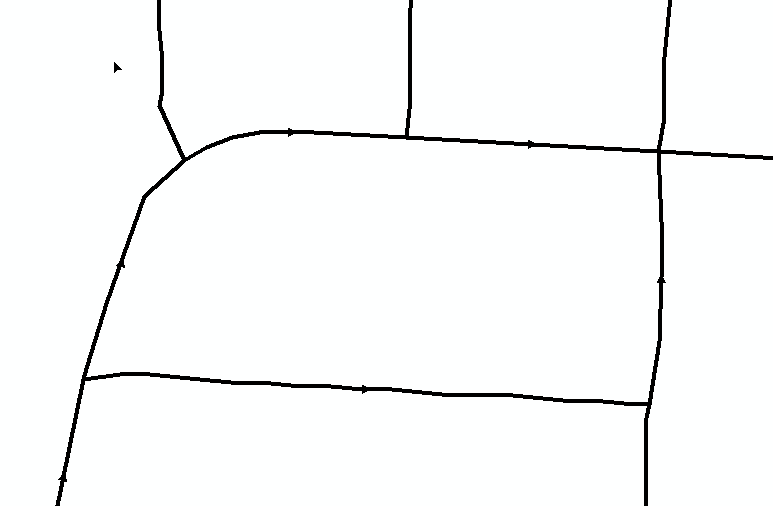
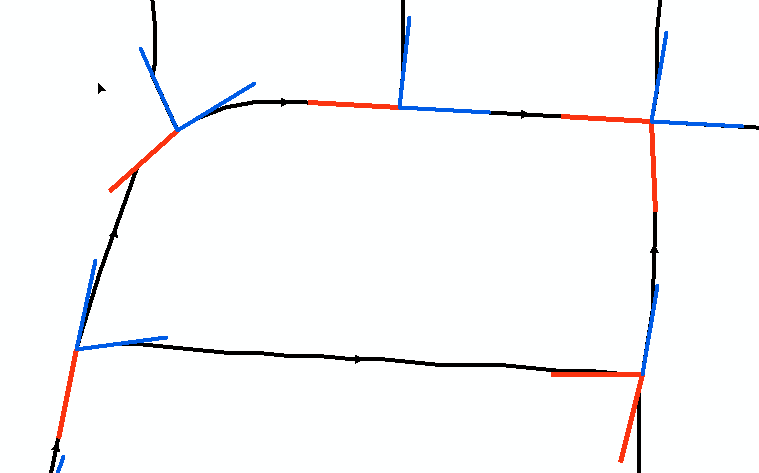
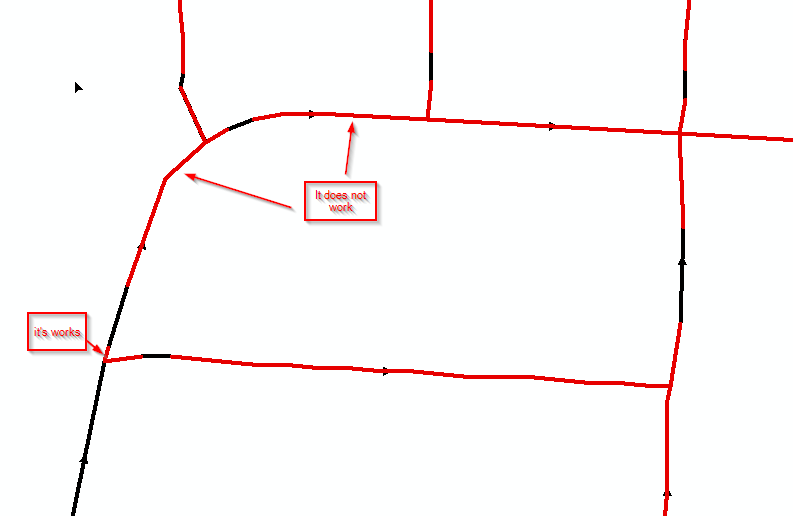
Thanks.. it's work for 90% of polyline.. Now when i try to use extend the segment if it has the length les than to 30, I have some problems (it delete the segment and make another one)..  What I have (the first) and what I want (the second) and whatI got (the third)


what I want


thanks for help

takashi
Celebrity
  • Jul 17, 2015 1:07 AM UTC
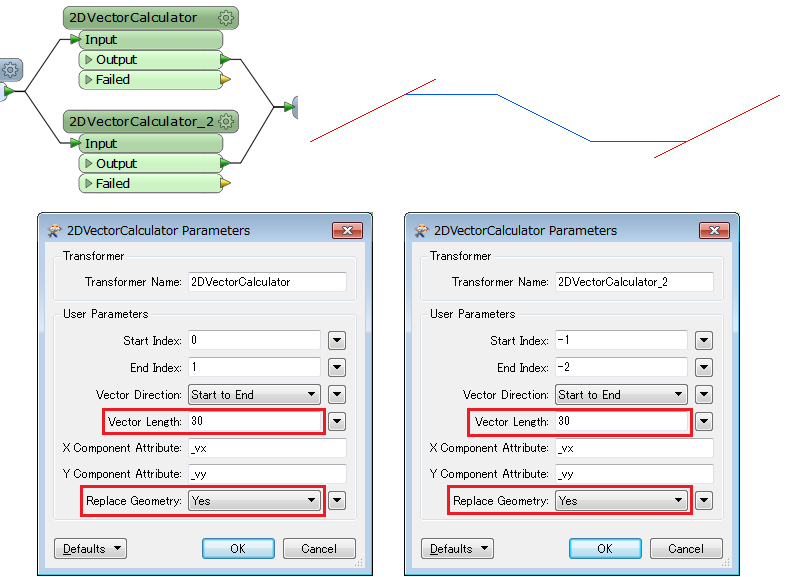
The 2DVectorCalculator (FME Store transformer) might help you.


gio
Contributor
Forum|alt.badge.img+15
  • Contributor
  • Jul 17, 2015 1:11 PM UTC
You can also get a bit of the end and start of a line (using snipper).


Then get their angle (ie.. with azimuthcalculator)


Extract 1st coordinate of endpiece and lastcoordinate of endpiece.


Use affiner to move them with your required distance (30 in your example).


Affiner settings would be 1,0,  30*cos(angle) and 0,1,30*sin(angle)


direction of move: to extend it, it is positive. to reduce it, it is negative.


Now you can connect thes new points at the end of the linepieces.


Then

Forum|alt.badge.img
  • Author
  • Jul 18, 2015 4:07 PM UTC
thanks Takashi and Gio.. I will try your idea on monday.. For now I used to take a 30m segment from every line by adding measure and take 0-30 from the start and 0-30 from the end.. it's not which I want but it works.. I will continue to trying and write again

Forum|alt.badge.img
  • Author
  • Jul 20, 2015 2:50 PM UTC
Hi, I got it with 2DVectorCalculator.. thanks alot