Question

Get all schema from postgis

  • July 12, 2017
  • 7 replies
  • 57 views

Forum|alt.badge.img

Hi

I'm using FME Desktop version 2017.1.

I'm trying to obtain all schema from a postgis database name here sgl.

With the schema reader I obtain only one result which is the public schema.
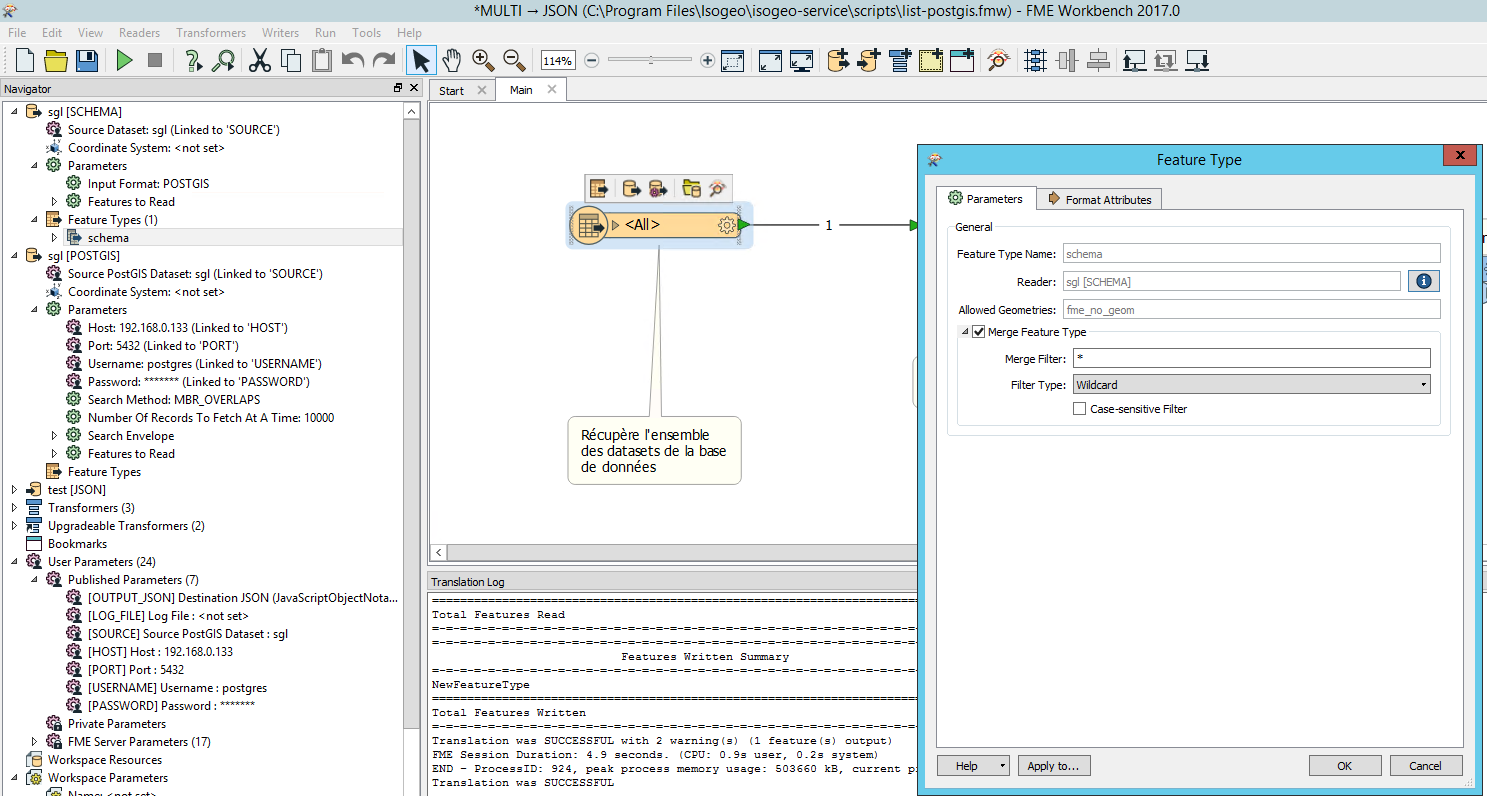
And I need to obtain all my schema :
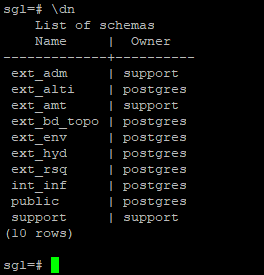
How to set my reader in ordert o get all schema ?

best regards

This post is closed to further activity.
It may be an old question, an answered question, an implemented idea, or a notification-only post.
Please check post dates before relying on any information in a question or answer.
For follow-up or related questions, please post a new question or idea.
If there is a genuine update to be made, please contact us and request that the post is reopened.

7 replies

danilo_fme
Celebrity
Forum|alt.badge.img+52
  • Celebrity
  • July 12, 2017

Hi @xlhomme, when do you put the Reader PostGis has the option Schema:

Thanks


takashi
Celebrity
  • July 12, 2017

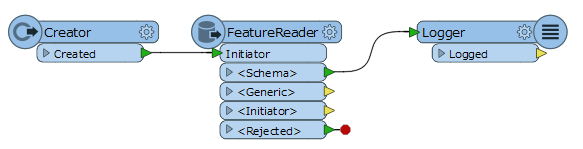
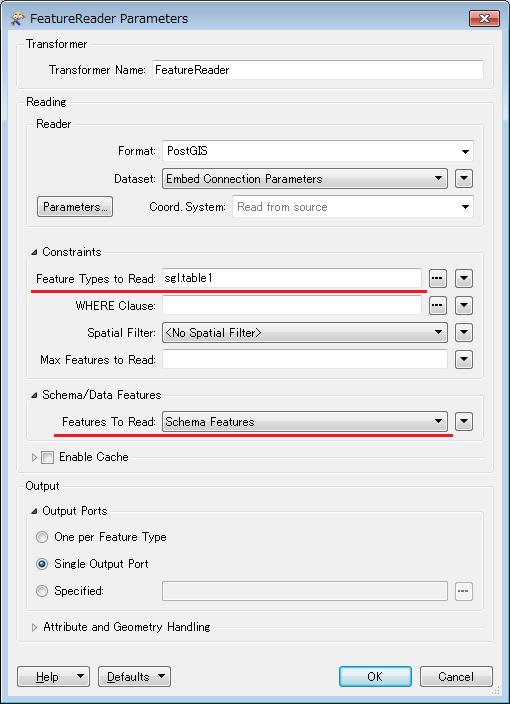
Another option, you can also use the FeatureReader to read schema features only, in FME 2016.1+. FYI.


Forum|alt.badge.img
  • Author
  • July 12, 2017

Hi @xlhomme, when do you put the Reader PostGis has the option Schema:

Thanks

Hi


Yes with the ostgis reader I can obtain the schema and my table. But It's not what I want : I just need to wrtie in a json file the liste of the schema of my database...


thanks


Forum|alt.badge.img
  • Author
  • July 12, 2017

Hi

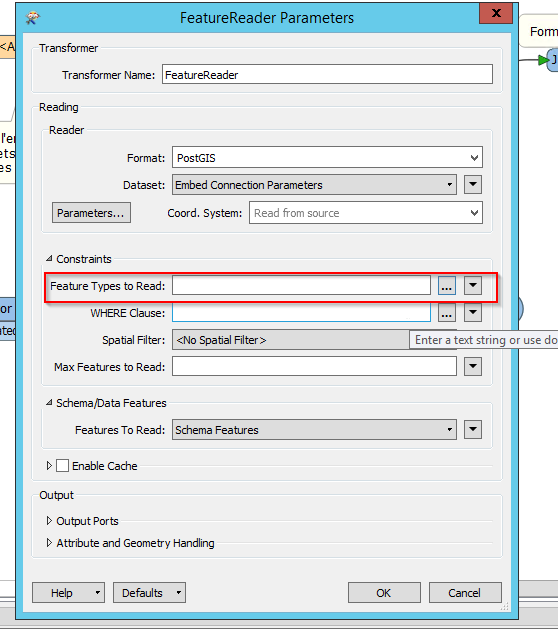
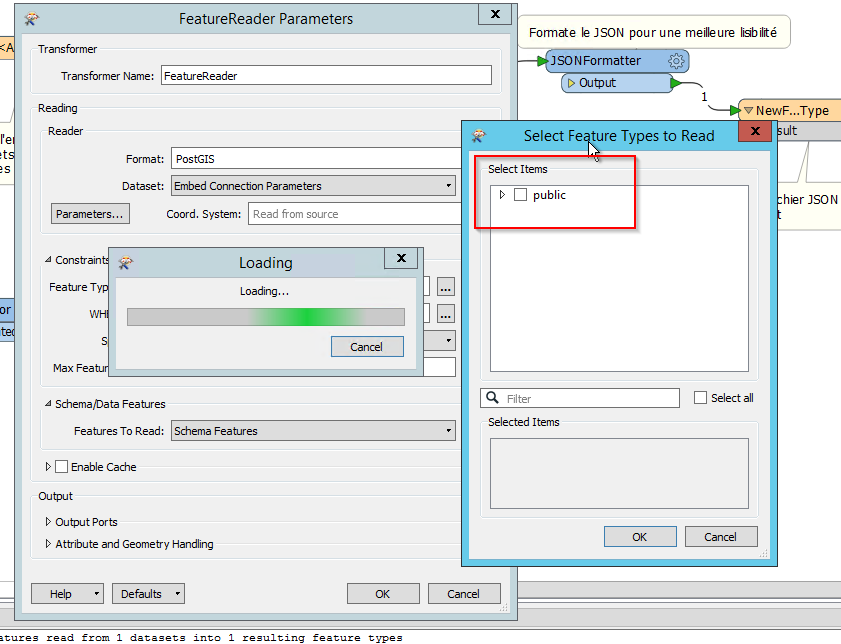
In the Feature type to read I only obtain public.

I just want to obtain the schema name...


Forum|alt.badge.img
  • Author
  • July 12, 2017

Hi

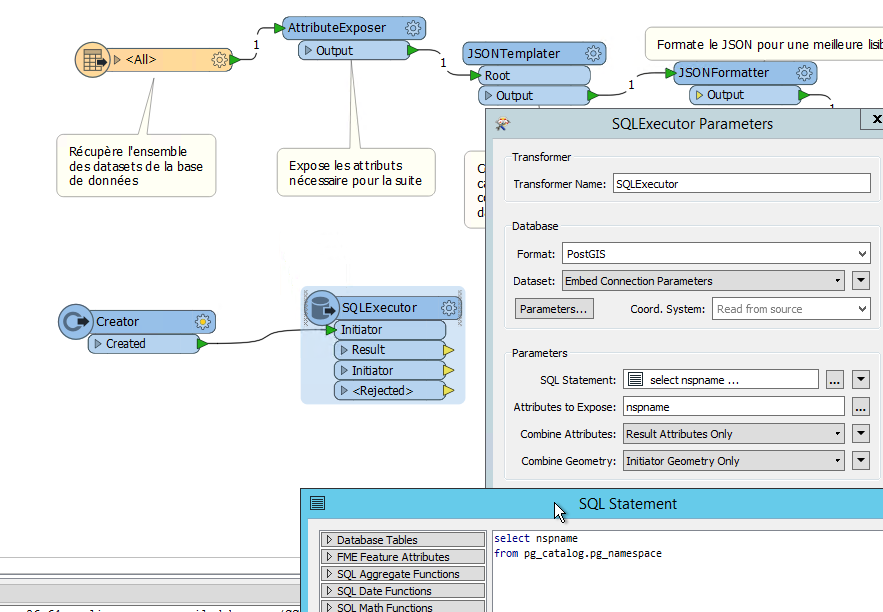
it's working with a simple SQLExecutor


takashi
Celebrity
  • July 12, 2017

Hi

In the Feature type to read I only obtain public.

I just want to obtain the schema name...

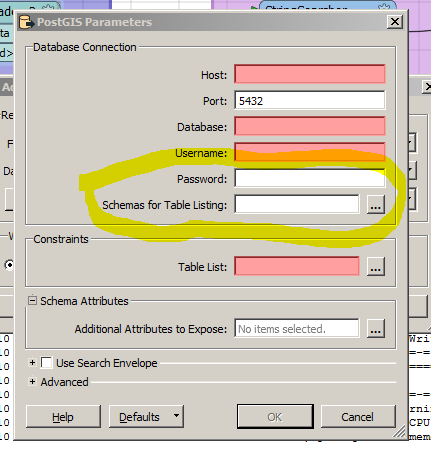
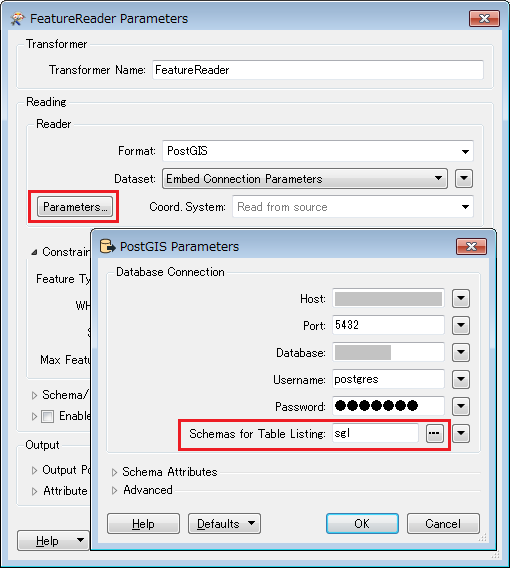
Try setting "sgl" to the "Schemas for Table Listing" in the PostGIS reader parameters.


danilo_fme
Celebrity
Forum|alt.badge.img+52
  • Celebrity
  • July 12, 2017

Hi

it's working with a simple SQLExecutor

Great :)