


Question

Define Item Sets for dgn reader (v8)

  • May 22, 2020
  • 2 replies
  • 7 views

dberger106
Contributor
Forum|alt.badge.img+1

Hi Team

I have been excited to use the dgn reader in 2020 that allows you to view Item Set Attributes.

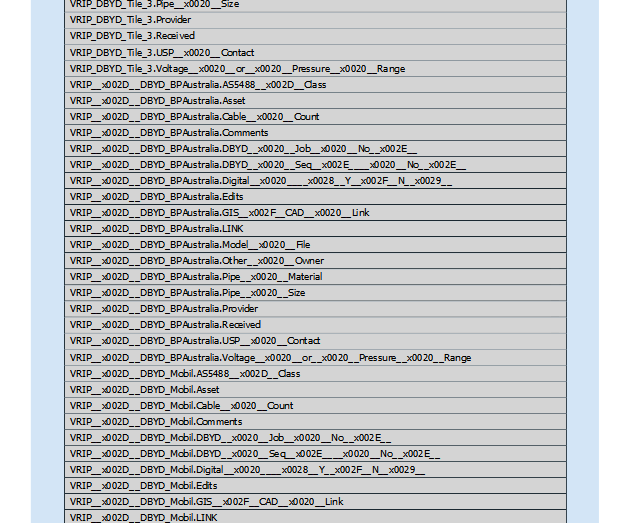
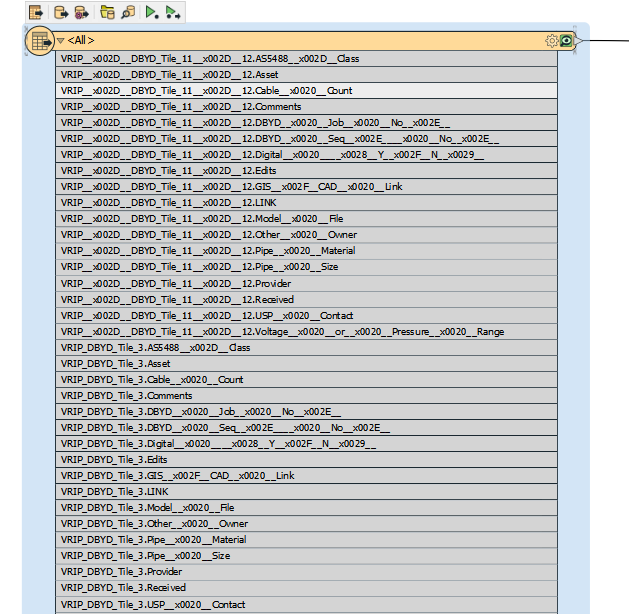
It does work in one regard however the issue we are facing is that the item name (attribute) gets prefixed with the set name and therefore you end up with 100's of attributes, even though there may only be really 10. Besides using an iterative Bulk Attribute rename has anyone got any other ideas?

You can see in the screenshot below that there are about 15 different attributes (ie Asset, Count, Comments etc) however they come through as a separate attribute for each item set.


Thanks very much

Dominique
 

This post is closed to further activity.
It may be an old question, an answered question, an implemented idea, or a notification-only post.
Please check post dates before relying on any information in a question or answer.
For follow-up or related questions, please post a new question or idea.
If there is a genuine update to be made, please contact us and request that the post is reopened.

2 replies

ebygomm
Influencer
Forum|alt.badge.img+46
  • Influencer
  • May 22, 2020

I'm presuming that for each feature, only one set of prefixed attributes exists?

In which case you could just use a bulk attribute renamer with the regex

.*\.

To rename by removing everything in front of the .


dberger106
Contributor
Forum|alt.badge.img+1
  • Author
  • Contributor
  • May 25, 2020

I'm presuming that for each feature, only one set of prefixed attributes exists?

In which case you could just use a bulk attribute renamer with the regex

.*\.

To rename by removing everything in front of the .

Thanks very much @ebygomm. That cleans them up nicely! Hoping in future releases of the reader there may be a neater way to that on the initial read as opposed to bringing in thousands of attributes.