


Question

user parameter => Insert "CHOICE"

  • April 3, 2026
  • 10 replies
  • 111 views

guillaumemorell
Contributor
Forum|alt.badge.img+1

Hello,

I try to do something very simple but I think I must be dumb. 

So I’m working with a ArcGIS Featureservices data which are agriculture data. In the RPG_2023, the attributes associated to “CODE_GROUP” will be only numbers like 11,16,18 so very simple.

In the user parameter I try to add the “CHOICE” parameter because I want the script to ask me which kind of attribute I want to work with.

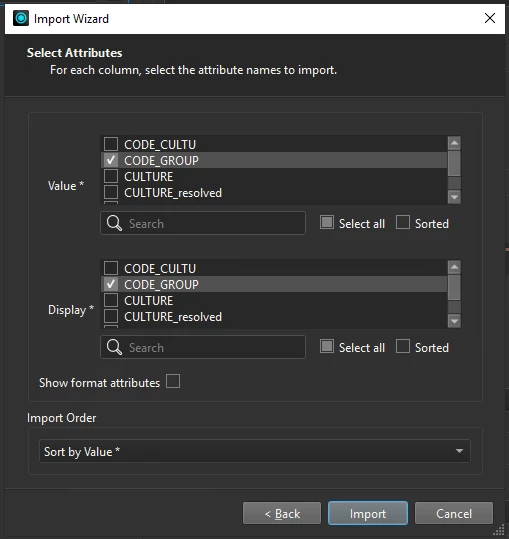
I try to use the import wizard using the values
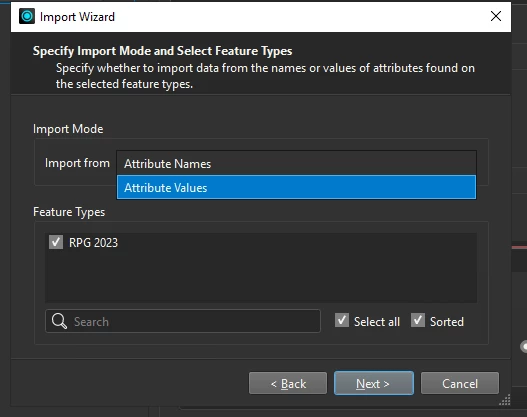

But then in this box is going endless ==>
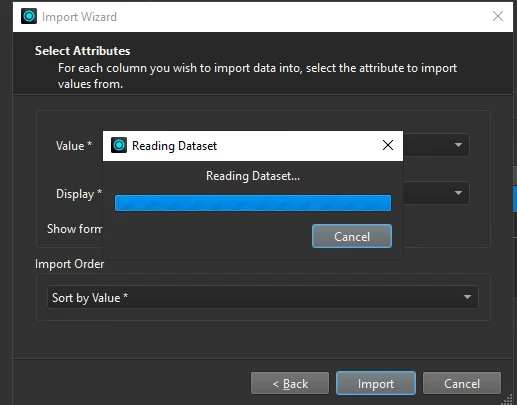
I don’t know if I do something wrong or it’s normal for the reading dataset to be so long.
I don’t have a lot of different attributes (maybe 26 max different kind of “CODE_GROUP”). 
If someone could help me because I don’t understand what do I do wrong. Or if you have documentation about the subject I will be very happy to learn more about it.

Thanks a lot and sorry for my english !!

 

10 replies

crutledge
Influencer
Forum|alt.badge.img+46
  • Influencer
  • April 6, 2026

Hi ​@guillaumemorell How many records are in the dataset you are trying to read? If there are millions of records then it may take some time to read them all. You could generate a distinct list and then use that in the import wizard. 

Making a distinct list: How to extract distinct values? | Community

I hope that helps! Good Luck1


crutledge
Influencer
Forum|alt.badge.img+46
  • Influencer
  • April 6, 2026

Another good post on distinct values: distinct values | Community


guillaumemorell
Contributor
Forum|alt.badge.img+1

Hello !

Yes there are lots of values (too much) !

“You could generate a distinct list and then use that in the import wizard.“ => I’m gonne try this, 

I will analyse the links you give me ! Thanks a lot !

But I got an other question => The best way to work with the CHOICE LIST is to use a READER or the FEATURE READER can also do the job ?

I ask because my working area is a 10km buffer around a point. My data are inside this buffer so is it better to work with a READER and a CLIPPER or to use directly a FEATURE READER ? I will say feature reader is the best. 


crutledge
Influencer
Forum|alt.badge.img+46
  • Influencer
  • April 9, 2026

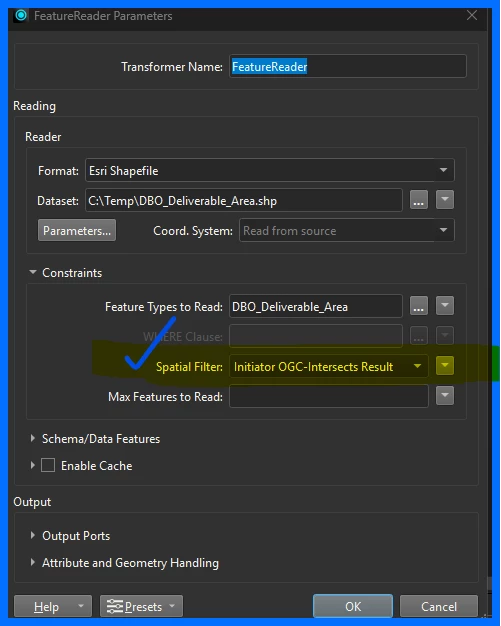
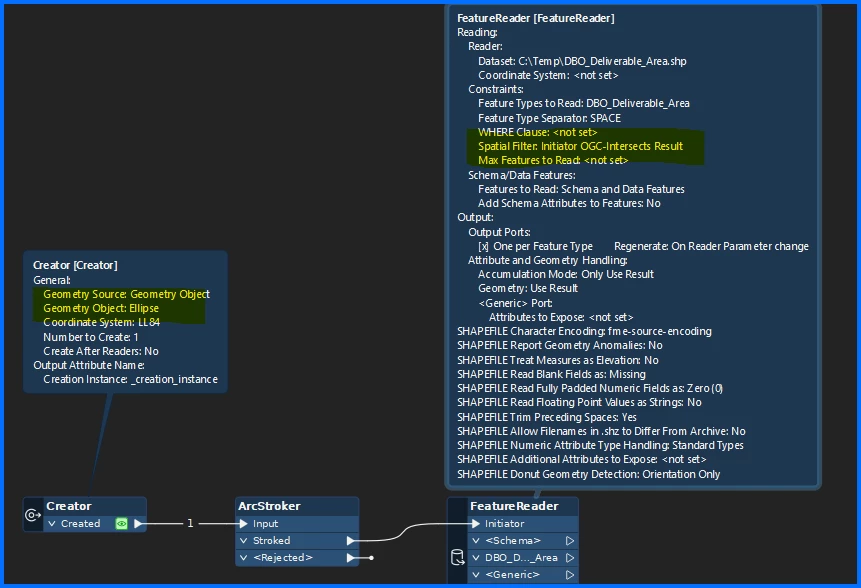
For sure that should work well. One thing I have used in the past is use a box or a circle by starting off with a creator or like you said read in the buffer. (single feature) Then use the initiator to filter the geometry in the FeatureReader.

That will saves on the read (I think). Instead of reading all the data then clipping. Hope that helps!


guillaumemorell
Contributor
Forum|alt.badge.img+1

@crutledge Thanks a lot, it works, I can configurate my choice and all my values are importing !

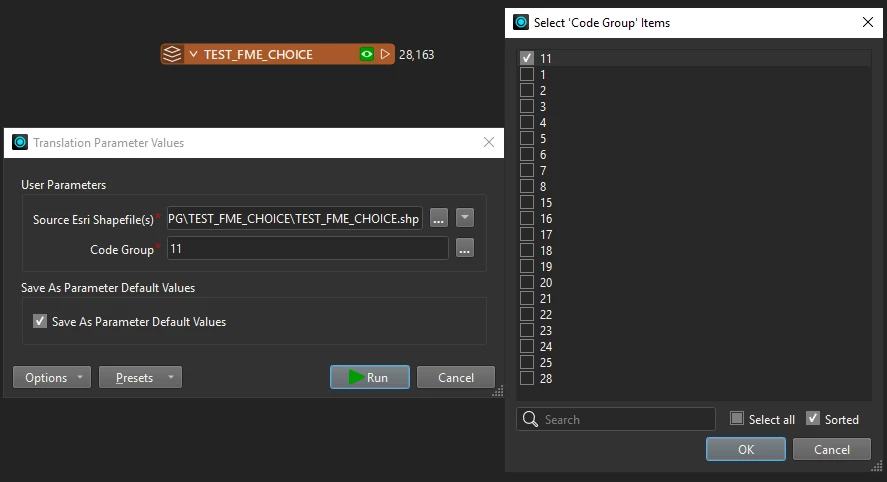
But now my problem is when I select the “CODE_GROUP” I want to keep, the result is not the one I want.

The script is succesfull but all the data are in the result and not just the “11” code_group like I ask him ! I don’t do something good but I can find what ! I know it’s a little thing for sure !

Any idea why the treatment do not keep only the “code_group” I ask him ? Maybe I miss something with the attributes or something else.

Thanks a lot !


crutledge
Influencer
Forum|alt.badge.img+46
  • Influencer
  • April 10, 2026

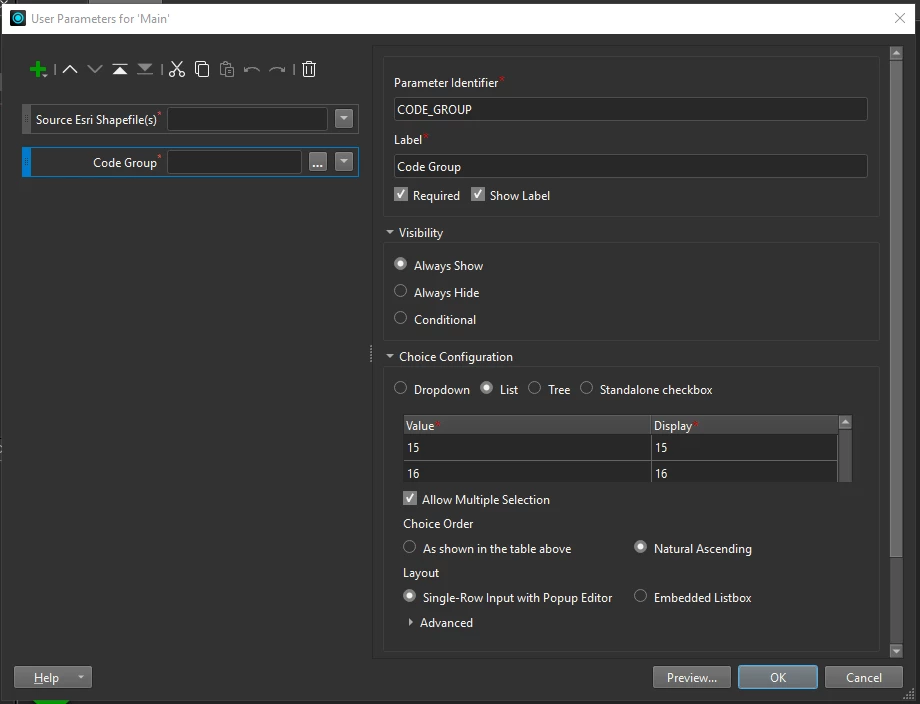
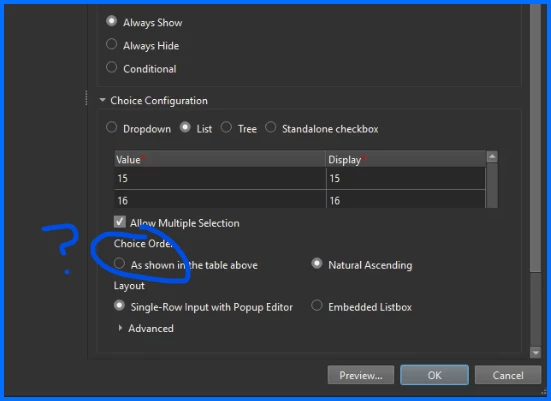
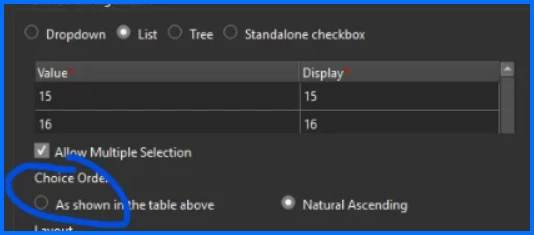
Oh this always frustrates me. I feel your pain. you could try sorting before loading and just using the “as shown in the table above” option.(image below). One more option is to change the column type to “numeric” or “int” using an AttributeManager OR add a zero before single character lines.
An example of (I think) is what is happening is:
Sort,

11
1

2
21
22…
3
30
31...

How to fix (hopefully) Add leading zero so all number have 2 characters. 01 comes before 11 and 02
01
02
03...
10
11
Hopefully this helps! You are so close! Good luck!


guillaumemorell
Contributor
Forum|alt.badge.img+1

Thanks ! The problem is the data came from a featureserver and I can’t change the dataset so impossible for me to put a 0 before … 

Like U said, a kind of frustation is coming but I don’t want to abdicate because I’m sur it’s something very simple to change.

On Monday I will push the search further !


crutledge
Influencer
Forum|alt.badge.img+46
  • Influencer
  • April 10, 2026

Thanks ! The problem is the data came from a featureserver and I can’t change the dataset so impossible for me to put a 0 before … 

Like U said, a kind of frustation is coming but I don’t want to abdicate because I’m sur it’s something very simple to change.

On Monday I will push the search further !

🤔
I may have misunderstood the issue. Good luck and share progress. I will help where I can! 


guillaumemorell
Contributor
Forum|alt.badge.img+1

Hello ! 

I got a question ! We work with attributes wich are in “integer”, I was asking myself if using “string” is not better ?

Thanks


crutledge
Influencer
Forum|alt.badge.img+46
  • Influencer
  • April 17, 2026

If I understand correctly, you are building this choice list from an existing list and then loading/importing as the choice configuration. This makes me think that you can modify the list as needed for a better user experience. so where we see a code value of say…. 15 and a display value of 15 we could have 15 and a display of Green Grass. Or customize further and create your list builder workspace to read the coded values and map them to new Value - Display pairs.
15 - 15 Becomes GG - Green Grass (or what ever makes sense for display and sorting). I hope this helps.