


Solved

Output Port to Value

  • February 2, 2026
  • 9 replies
  • 53 views

remco
Contributor
Forum|alt.badge.img+2

Hello all,

I would like to automatically record different Output Port names ​​into one new attribute. So in the newly generated output file there is al column with the name of the Output Port and a column with the value from the TestFilter.
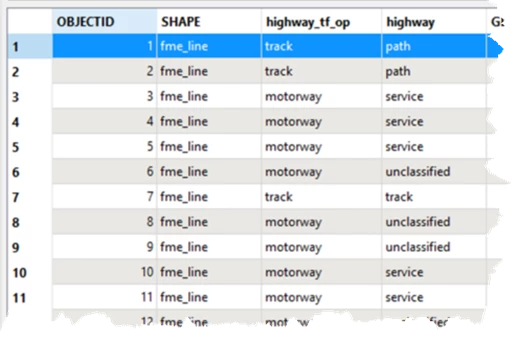
Desired outcome

I know it is possible to do it by hand, place a AttributeCreater behind every port and fill in the Output Port name. But I have a large number of TestFilters, and to avoid errors and keep things organized, I would like to do it automatically with one AttributeCreator/AttributeManager.

If the AttributeCreator/AttributeManager is not the correct transformer, or I need two other transformers that do the job, that would already make a big difference to me.  
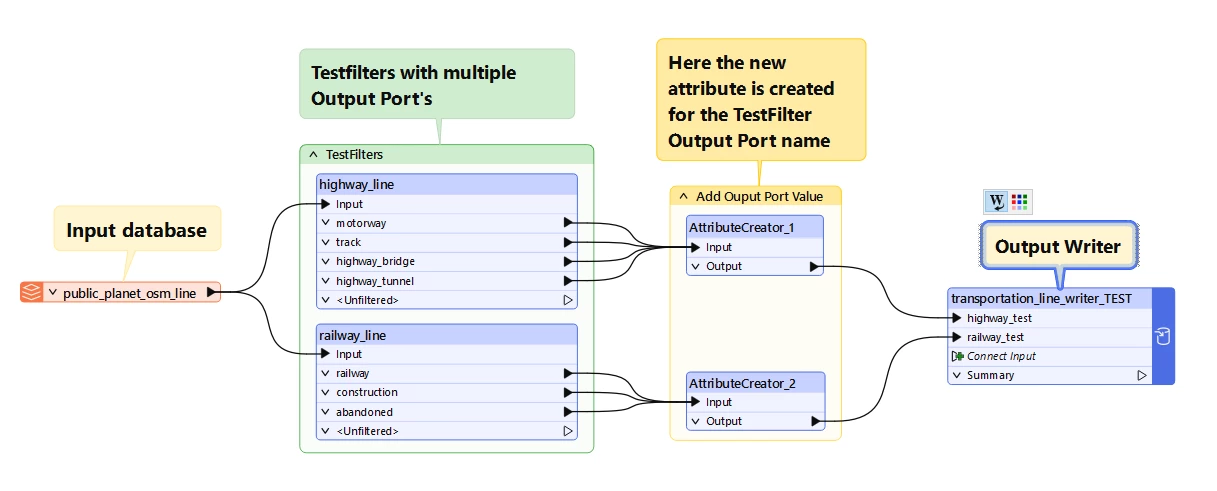
A snipped of my workbench

I have asked AI for answers, but there was none that worked. AI referenced mentioned the following options: fme_feature_type and @portname(), which for me resulted in a column containing the text "fme_feature_type" or in the second case "@portname()", but not the value of the Output Port.  

Perhaps I need to combine one of the two given options with a piece of code,  then I would like to receive examples of this.

If I'm completely wrong on this point, please let me know. The version of FME I use: FME Form 2025.1.3.0 (Build 25643).

 

Best answer by ebygomm

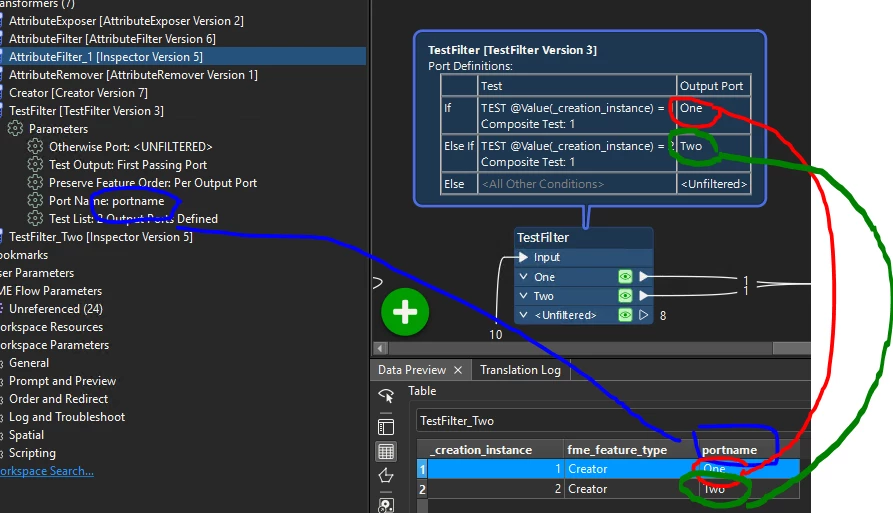
The name you specifiy in the Port Name parameter is the name of the Attribute that will hold the value. The value comes from the name of the Output Port

9 replies

redgeographics
Celebrity
Forum|alt.badge.img+62

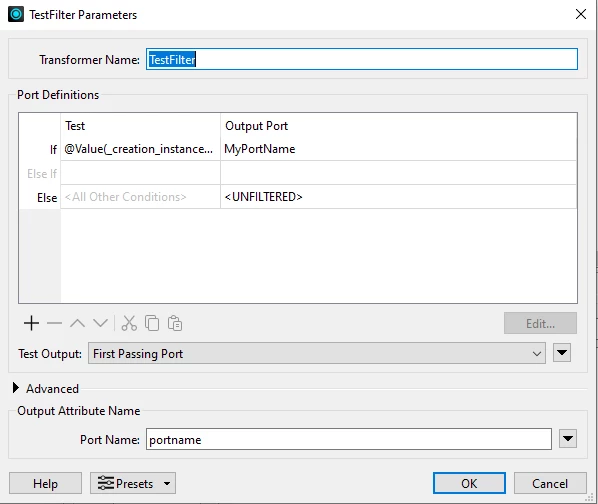
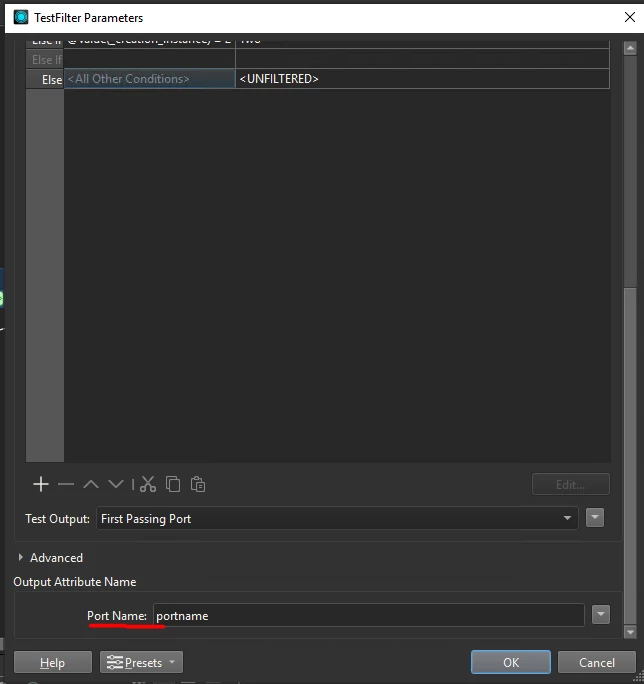
The TestFilter has a port name attribute setting:

So every feature that's passing through will get an attribute portname with the name of the port it came out through.


remco
Contributor
Forum|alt.badge.img+2
  • Author
  • Contributor
  • February 2, 2026

Thank you for responding.

I'm not realy understanding what you mean.


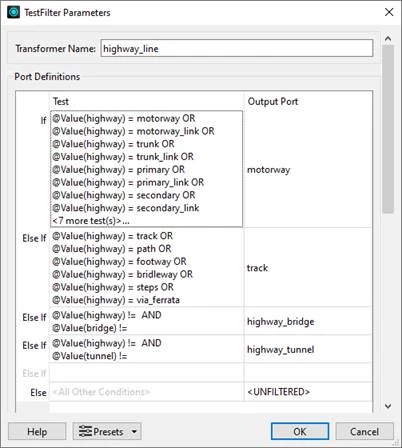
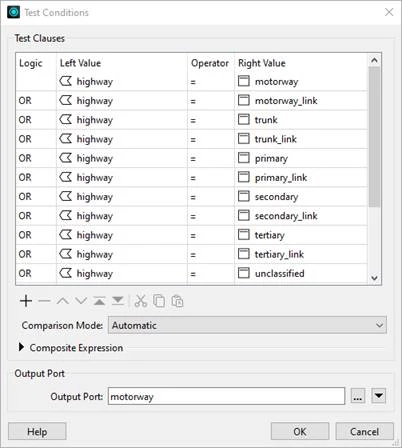
So hereby screenshots of my TestFilter.

And I miss the option Test Output that you have in your screenshot.
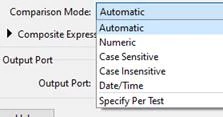
I only have Comparrison Mode, and this has the options shown below.


Is this due a difference in version?


redgeographics
Celebrity
Forum|alt.badge.img+62

It could be a different transformer version, check if it's in your upgradeable transformers list, it should be a Testfilter version 3.

Or… scroll down in the parameters, the scrollbar in your first screenshot indicates there's more to come.


ebygomm
Influencer
Forum|alt.badge.img+46
  • Influencer
  • February 2, 2026

On the dialog box that says TestFIlter Parameters you need to scroll down to find the Output Attribute Name setting. This is where you set the name of the attribute to hold the port name 


remco
Contributor
Forum|alt.badge.img+2
  • Author
  • Contributor
  • February 2, 2026

In both dialog boxes there are no more option whem i scroll down.
And I work in an offline environment, which makes updating impossible.


ebygomm
Influencer
Forum|alt.badge.img+46
  • Influencer
  • February 2, 2026

The option is definitely there in 2025.1 there should be no need to update


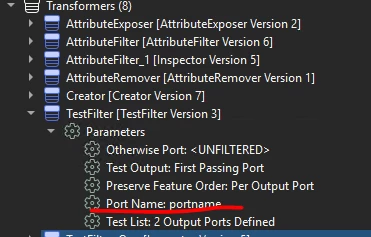
If you expand the transformer parameters in the Navigator can you see it there?


remco
Contributor
Forum|alt.badge.img+2
  • Author
  • Contributor
  • February 2, 2026

Yes, and that value I want to put in a attribute.


ebygomm
Influencer
Forum|alt.badge.img+46
  • Influencer
  • Best Answer
  • February 2, 2026

The name you specifiy in the Port Name parameter is the name of the Attribute that will hold the value. The value comes from the name of the Output Port


remco
Contributor
Forum|alt.badge.img+2
  • Author
  • Contributor
  • February 2, 2026

Thank you, this picture makes it all clear and solved my problem. 👌🏼