


I have an excel file that has changing header position at every ingestion.
The header is randomly stated into any row position and before the header data is populated until row 4 (not always stable).
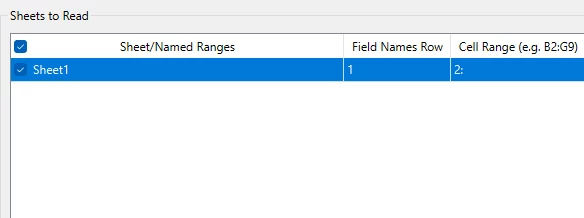
I have been using these configuration where the Field Names Row is set to 1 and Cell Range is blank by default. However when the different file is ingested, these values automatically changes to 1 and 2:
as attached in the screenshot.
I tried changing the attribute definition to manual, however it terminates the translation when the feature type changes.
What is the best approach to this issue given that the names in the header remains always stable?