


Question

camelCase Attribute renamer

  • February 8, 2026
  • 2 replies
  • 47 views

nepalikiwi
Contributor
Forum|alt.badge.img+4

I wanted to make all my attribute to camelCase, currently they are separated by underscore.

I wanted to change my attribute name to camelCase, so using regular expression in BulkAttributeRenamer transformer to find text following underscore using regular expression replace: _([a-z]) 


However, i am not sure what String parameter i have to put to make the selected character Capital letter. I have tried \U\1 and also few other but its not working. Basically wanting to find String parameter value? 

2 replies

ebygomm
Influencer
Forum|alt.badge.img+46
  • Influencer
  • February 9, 2026

I’m not sure if you can modify the matched group in any way.

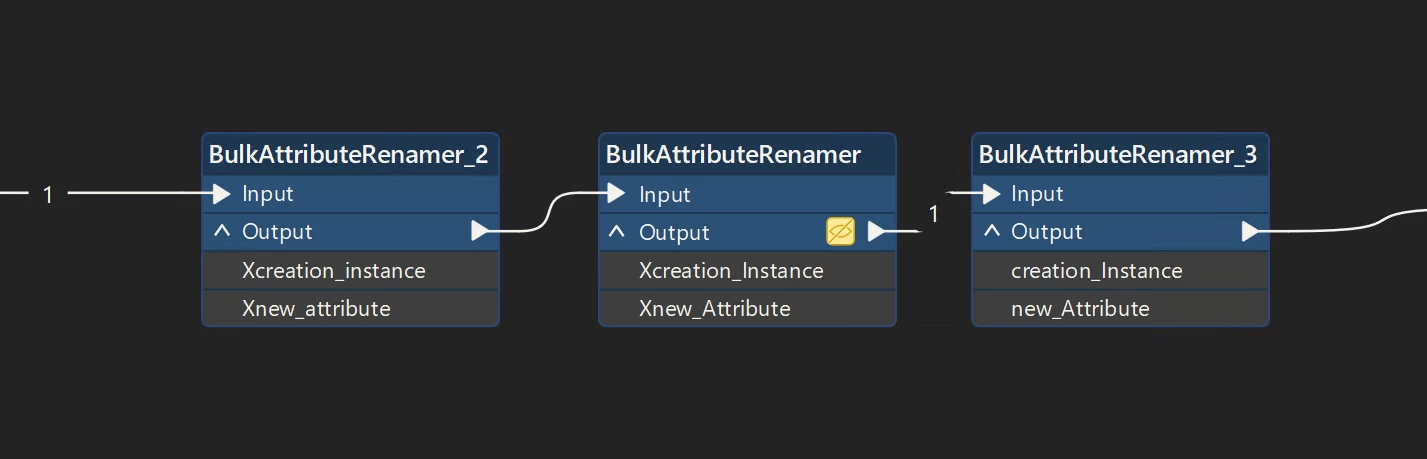
Hacky workaround would be to add a prefix, change to title case and remove a prefix (assuming attributes don’t start with an underscore


hkingsbury
Celebrity
Forum|alt.badge.img+68
  • Celebrity
  • February 11, 2026

I’m not sure if you can modify the matched group in any way.

Hacky workaround would be to add a prefix, change to title case and remove a prefix (assuming attributes don’t start with an underscore


I think that’s going to be the best way. You could use Python but that would then require dynamic schemas and would add a whole extra level of complexity