How can I reference the CSV created from a Writer to upload to AWS S3 using S3Connector? I can successfully use a Reader to reference a file on my computer and upload to AWS S3 using my Web Connection and S3Connector, but I don't know how to reference a newly created file within my worflow. See attached.

Solved
How to reference CSV from Writer for S3Connector?
 +1
+1Best answer by chrisatsafe
Hi @osdev ,
You'll likely want to use a FeatureWriter instead. The FeatureWriter is essentially the transformer version of a writer which allows you to continue processing after a file has been created. If you replace your CSV writer with a FeatureWriter, you can simply connect the summary port to the S3Connector and use the summary attribute _dataset to set the file to upload (i.e. @Value(_dataset)\\<filename>.csv).
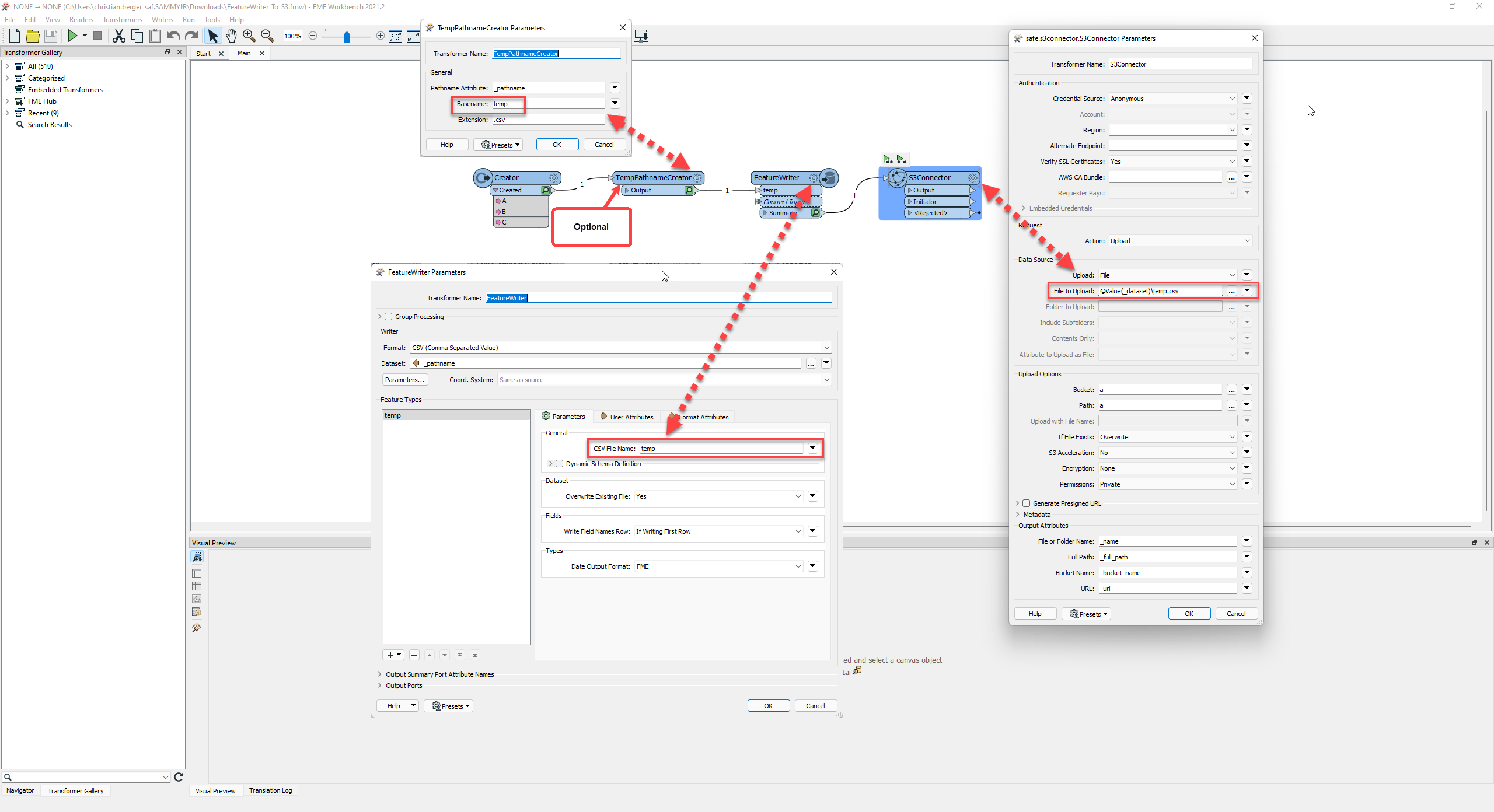 If you want to only create a temporary csv you can also mix in a TempPathnameCreator.
This post is closed to further activity.
It may be an old question, an answered question, an implemented idea, or a notification-only post.
Please check post dates before relying on any information in a question or answer.
For follow-up or related questions, please post a new question or idea.
If there is a genuine update to be made, please contact us and request that the post is reopened.
It may be an old question, an answered question, an implemented idea, or a notification-only post.
Please check post dates before relying on any information in a question or answer.
For follow-up or related questions, please post a new question or idea.
If there is a genuine update to be made, please contact us and request that the post is reopened.