Solved

Esri Geodatabase (File Geodb Open API) in Mac arm64

  • November 5, 2024
  • 4 replies
  • 173 views

matiassalinas
Contributor
Forum|alt.badge.img+2

I’m trying to follow the FME Form course from a MAC and one of the very first exercises is using a Esri Geodatabase (File Geodb Open API) writer. 
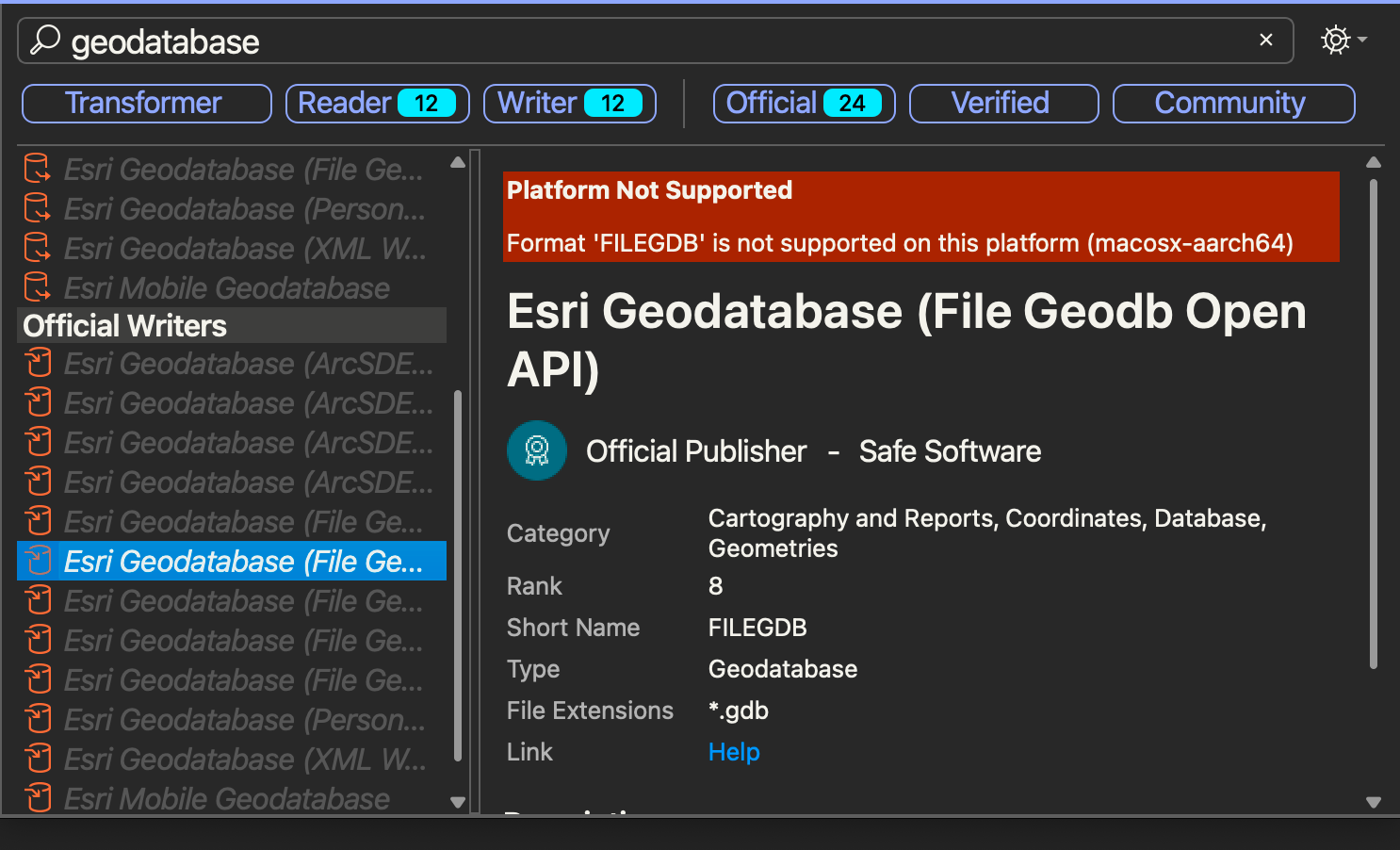
Unfortunately I’m getting this error on the platform. Is there any workaround for this?

Best answer by crystalatsafe

Hi @matiassalinas 

Esri does not yet support that platform, but we have an internal ticket open for when it does (FMEENGINE-80358). I’m sorry for any inconvenience and I will make sure to keep you updated. 

A potential workaround would be to run macOS Intel FME under Rosetta2.

Also, depending on your FME licensing, you could also set up FME on a Windows virtual machine to use the File Geodatabase Open API. 

If you want to continue to work through the FME Form course on the FME academy you can request a windows VM here: Virtual Machine Request.

Crystal

4 replies

crystalatsafe
Safer
Forum|alt.badge.img+30
  • Safer
  • Best Answer
  • November 7, 2024

Hi @matiassalinas 

Esri does not yet support that platform, but we have an internal ticket open for when it does (FMEENGINE-80358). I’m sorry for any inconvenience and I will make sure to keep you updated. 

A potential workaround would be to run macOS Intel FME under Rosetta2.

Also, depending on your FME licensing, you could also set up FME on a Windows virtual machine to use the File Geodatabase Open API. 

If you want to continue to work through the FME Form course on the FME academy you can request a windows VM here: Virtual Machine Request.

Crystal


matiassalinas
Contributor
Forum|alt.badge.img+2
  • Author
  • Contributor
  • November 11, 2024

Thanks for the help @crystalatsafe I will try the Rosetta 2 approach and then the VM request.


crystalatsafe
Safer
Forum|alt.badge.img+30

Hi @matiassalinas 

Happy to help! Please let me know if you have any questions. 


crystalatsafe
Safer
Forum|alt.badge.img+30

Hi ​@matiassalinas 

Thank you for your patience!

Support has now been added, please install 2026.1 at: safe.com/downloads/