Question

X,Y-value of the left uppercorner of a Polygon

  • October 9, 2013
  • 9 replies
  • 212 views

Forum|alt.badge.img
I would like to know about finding the XY-value of the left uppercorner of a polygon. I have the data in DWG format and i need out put in SHP format with attributes.
This post is closed to further activity.
It may be an old question, an answered question, an implemented idea, or a notification-only post.
Please check post dates before relying on any information in a question or answer.
For follow-up or related questions, please post a new question or idea.
If there is a genuine update to be made, please contact us and request that the post is reopened.


9 replies

fmelizard
Safer
Forum|alt.badge.img+21
  • Safer
  • October 9, 2013
Hi,


You can try to extract the polygon's bounding box LL coordinate and search for the nearest polygon coord.


That is if your polygons have an irregular shape.

takashi
Celebrity
  • October 9, 2013
Hi,


If "left upper corner" means the left upper corner of the bounding box, you can get the coordinates using the BoundsExtractor transformer.


Otherwise, the solution depends on the definition of "left upper corner". If the polygon is a tilted rectangle or a elliptic shape, for example, how do you define the "left upper corner"?


Takashi

Forum|alt.badge.img
  • Author
  • October 9, 2013
Hi Itay and Takashi,


Many thanks for you reply,


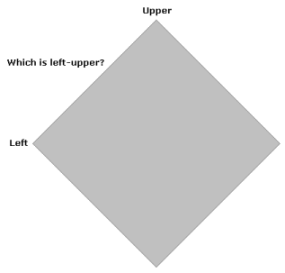
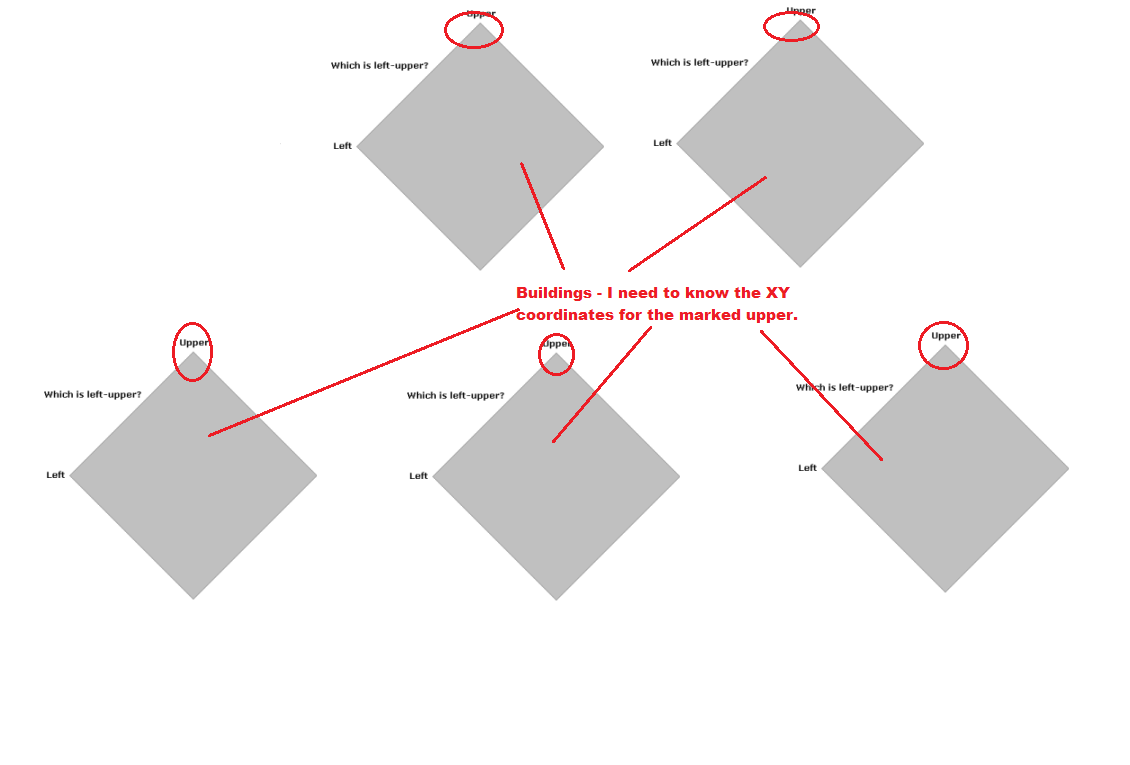
Acctually i need to find the Left Upper corner of a Building(Foot Print and Roof Top) this may be  Rectangle shape or square, some case i have Elliptic. 

owen
Forum|alt.badge.img+1
  • October 9, 2013
you could create a custom transformer, which would need to parralel process by a unique id, so it ran sepreately for each feature (use a counter if no unique id).


within it, use a boundingboxreplacer followed by a coordinateremover to keep the first coordinate


seperately, use a chopper to reduce your buildings to points - max 1 vertex


then use a neighbourfinder to get the distance from your coordinateremover output to each building vertex


you could then use a sorter and sampler to keep the shortest distance

takashi
Celebrity
  • October 10, 2013
I'm still not sure what is the "left upper corner"... How do you define the left upper corner of this building for example?


Forum|alt.badge.img
  • Author
  • October 11, 2013
Dear Takashi,


I need to get the XY coordinates of the conor of the Building as shown in the image below.


takashi
Celebrity
  • October 11, 2013
Hi Vijai,


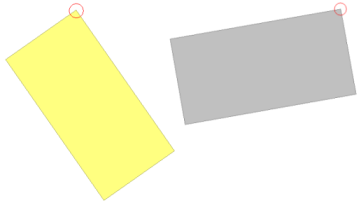
Assuming that you need to get the most-upper (if there are multiple most-uppers, get the most-left in them), one possible workflow is:


1) Break the building polygon into its vertex points using the Chopper (Mode: By Vertex, Maximum Vertices: 1).


2) Extract coordinate of every points using the CoordinateExtractor.


3) Sort the points by Y decending, X ascending using the Sorter.


4) Select each first point of every building using the DuplicateRemover (Key Attributes: ID).


* "ID" indicates the unique identifier of building.


The point coming from UNIQUE port of the DuplicateRemover is the most-upper (if there are multiple most-uppers, the most-left in them).


This workflow will select the red circled corner in the image below.


Is this the preferable result?


Takashi

gio
Contributor
Forum|alt.badge.img+15
  • Contributor
  • October 11, 2013
Depending on the orientation of your vertices, the solution is almost rediulously simple.


For clockwise oriented vertices u find the point you are looking for by a simple inersector.


Feed your polygons to an intersector and  connect the node output to a viewer.


The intersector will show the "closing" vertex.


When the "closing" vertex is midline or something then this wont work of course.


gio
Contributor
Forum|alt.badge.img+15
  • Contributor
  • October 11, 2013
AS the prior suggestion only works with CC oriented, and corner closed poygons, i have built a bench that does following:


Apart from your examples seemingly being pretty much symetric on the y-axis, i fail to see where the "left" requirement is served in the proposed solutions.

Having done a bunch of ordering algorithms, i have concluded that the best way is goniometry. (not very complicated bit of math required)


But u can by-pass the math requirement and let FME do it for you..:)


Here is the process.
  1. If u dont have a unique key, have a counter transformer make one.
  2. Extract all nodes, ie using a chopper (max. ver.=2) and pass that trough an intersector.Extract coordinates.
  3. Extract centrepoint of object. Extract coordinates.
  4. Link centerpoints to all nodes via ID (or any unique key)
  5. 2dpointplacer (centerpoint)followed by 2dpointadder (nodepoint)
  6. Calulate angle between those points.by using azimuthcalculator(FME store) to extract acAngles.
  7. test for 2nd quadrant: AcAngle between 90 and 180
  8. failed object u can then retreive tru a merger and test for 3rd quadrant acAngle between 180 and 270.
  9. after the testers make a listbuilder on ID. Then listelementcounter to check wether objects have more than 1 node in a quadrant. Those that dont can pass directly. Those that have u send to a listsorter, increasing. THen select 1st element with listindexer(index=0)

That's it.


For visualisation u can put an 2darcplacer to put  a neat circle on the node.


Left upper needs a definition, like is it directional and is horizontal centerline of feature "the plane"?


if u decide that "left" would be left of the vertical line trough the centerpoint of the polygon then


 the point in the second quadrant (or failing a point in second quadrant, the third quadrant) with the lowest angle, counterclockwise, would be your solution.


Mr. Takashi's second point would not be the result but the one to its left.

Using 2nd quadrant and failing that third quadrant anglerange of from 90 to 180 resp. from 180 to 270, will find the points u want on the example shape u posted.


I cant post images alas, i cant install dropbox at work...have to ask permission for that.

I have built a working script to solve your problem, u could check it out. I described the script above in easy to follow steps. Like Ikea kits...;)


Is there no way to upload a script to this forum anyway?

Ill try it from my home-pc later.