


Question

Styling lines using the mapnik rasterizer

  • January 25, 2017
  • 2 replies
  • 85 views

femo
Contributor
Forum|alt.badge.img+6

Hi,

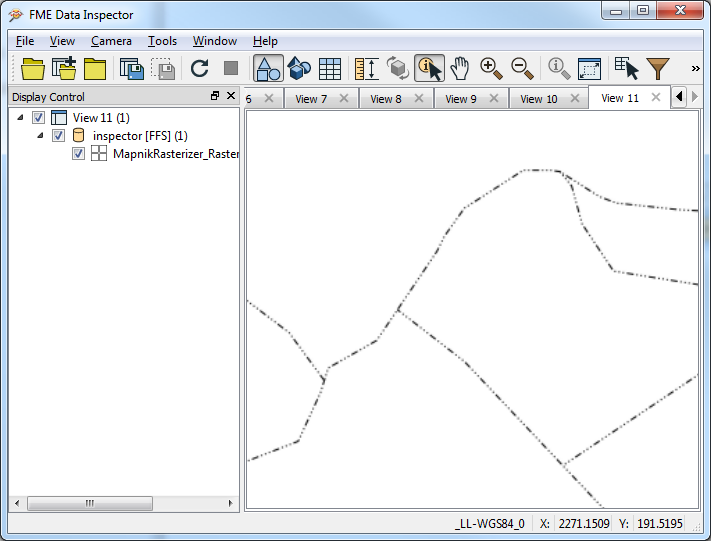
I have administrative boundaries as lines that I want to rasterize. One boundary pattern looks like this:

However, according to the type of boundary the number of dots and lines vary.

So far I have experimented with the "line pattern" symbolizer where I reference a png-file with the above pattern. The result, well, horrible:
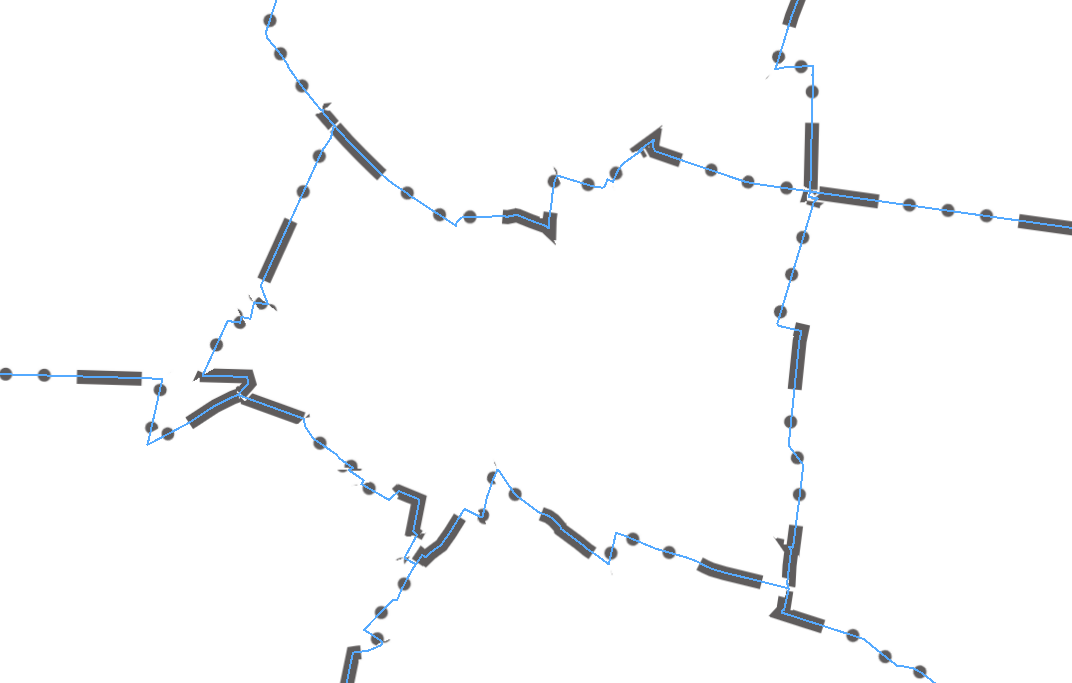
The blue line illustrates the original vector line. I would like the line pattern to be more dense and less blurred! Well, tommorow I will try the symbolizer "line", maybe I need to "stack" different styles? No clue yet.

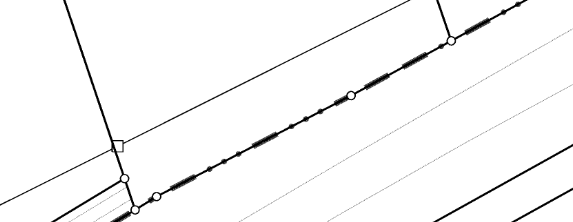
The following sceenshots shows what it should look like:
This post is closed to further activity.
It may be an old question, an answered question, an implemented idea, or a notification-only post.
Please check post dates before relying on any information in a question or answer.
For follow-up or related questions, please post a new question or idea.
If there is a genuine update to be made, please contact us and request that the post is reopened.

2 replies

jdh
Contributor
Forum|alt.badge.img+40
  • Contributor
  • January 25, 2017

Have you considered using a regular line with a dash array?

Something like 5,2,1,2,1,2 should give you the pattern you want. The actual values will depend on the pixel resolution.


femo
Contributor
Forum|alt.badge.img+6
  • Author
  • Contributor
  • February 1, 2017

Hi @jdh, th was the hint I needed! Thank you a lot.