

Question

Spatial Relator not include Boundary

  • January 15, 2018
  • 5 replies
  • 15 views

Forum|alt.badge.img

Hi,

I would like to know how to get the result from Spatial Relator without touching boundary between Parcel and Zones. Below attached image is my Workspace with Takashi's helping.
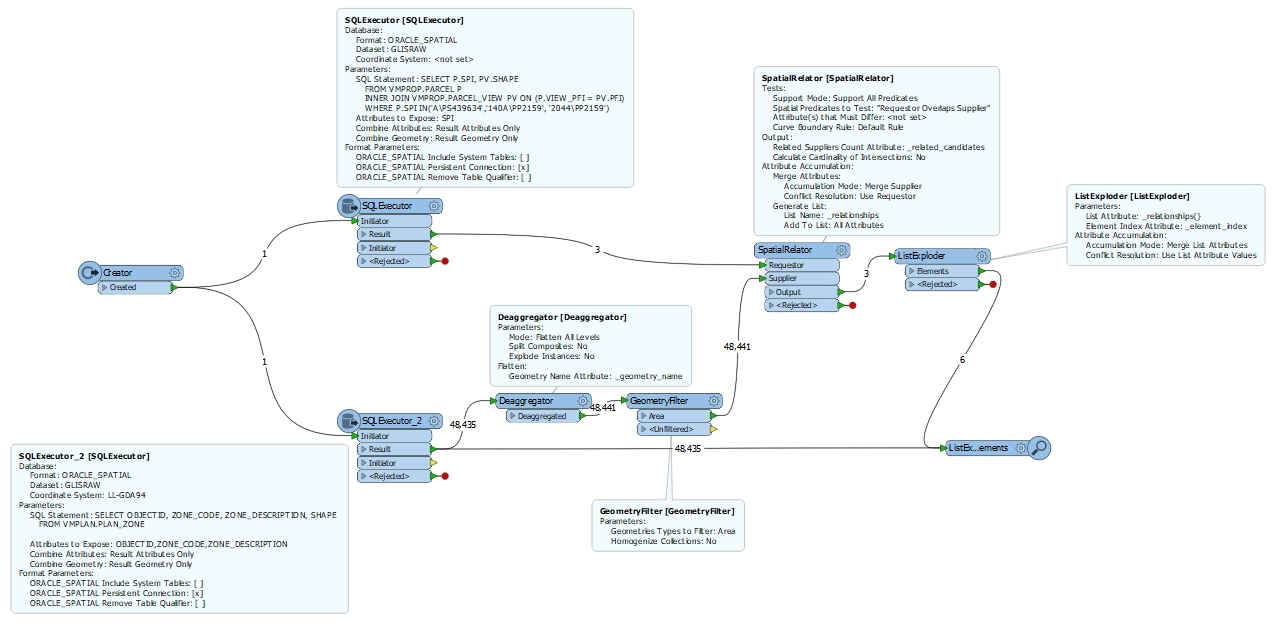
I want to find Planning Zone which is overlapping Parcel. But the result includes Planning Zone which is overlapping boundary between two as attached.

==============================================================================

Result for Parcel(SPI) 140A\\PP2159
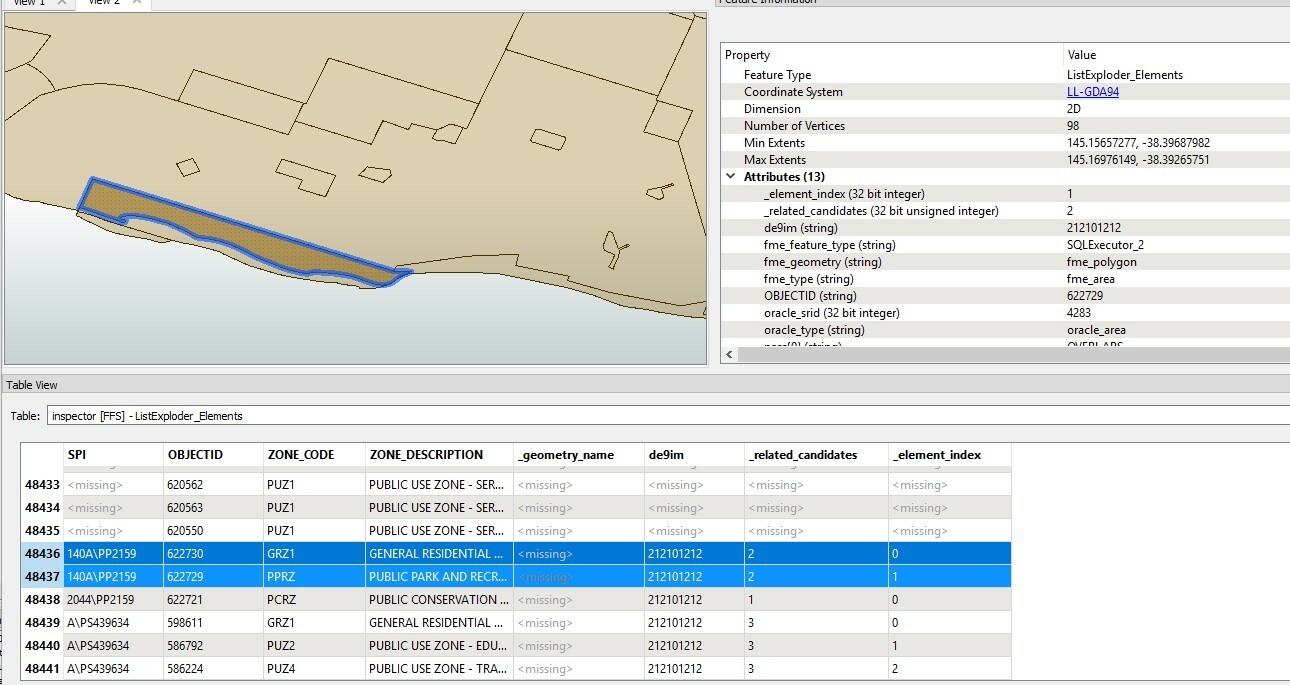
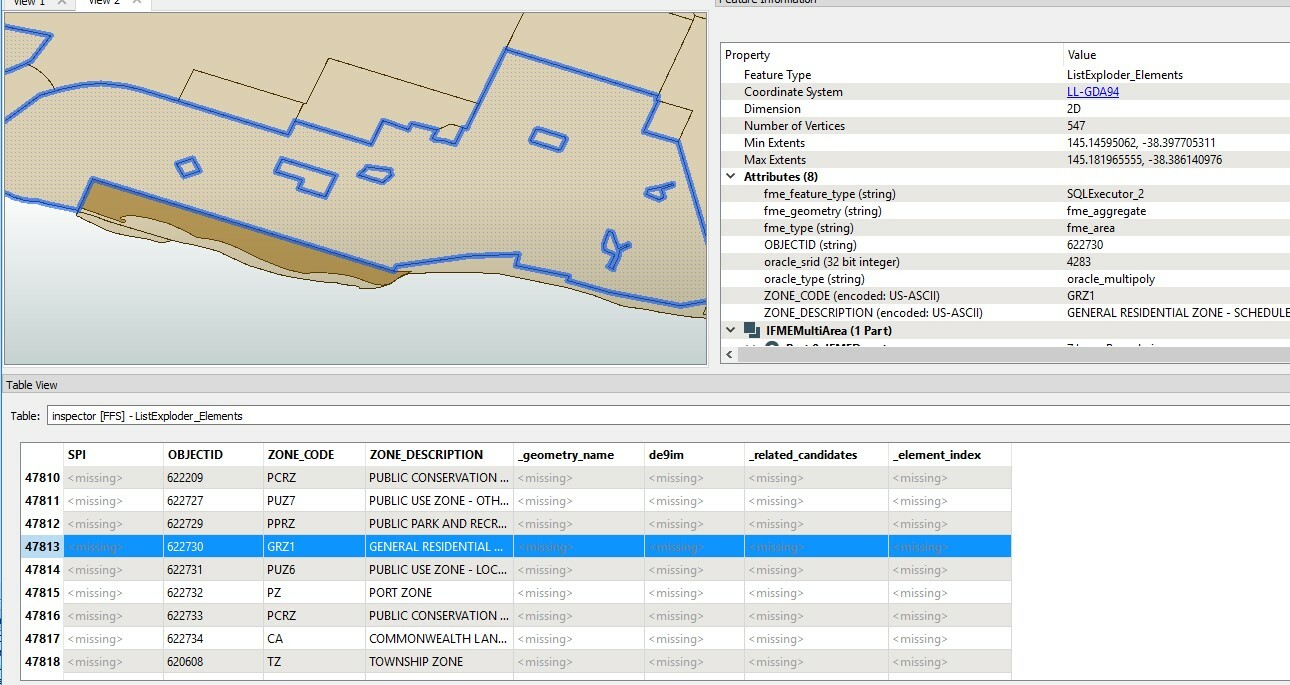
  • Found Planning Zone : 622730 (It is not expected)
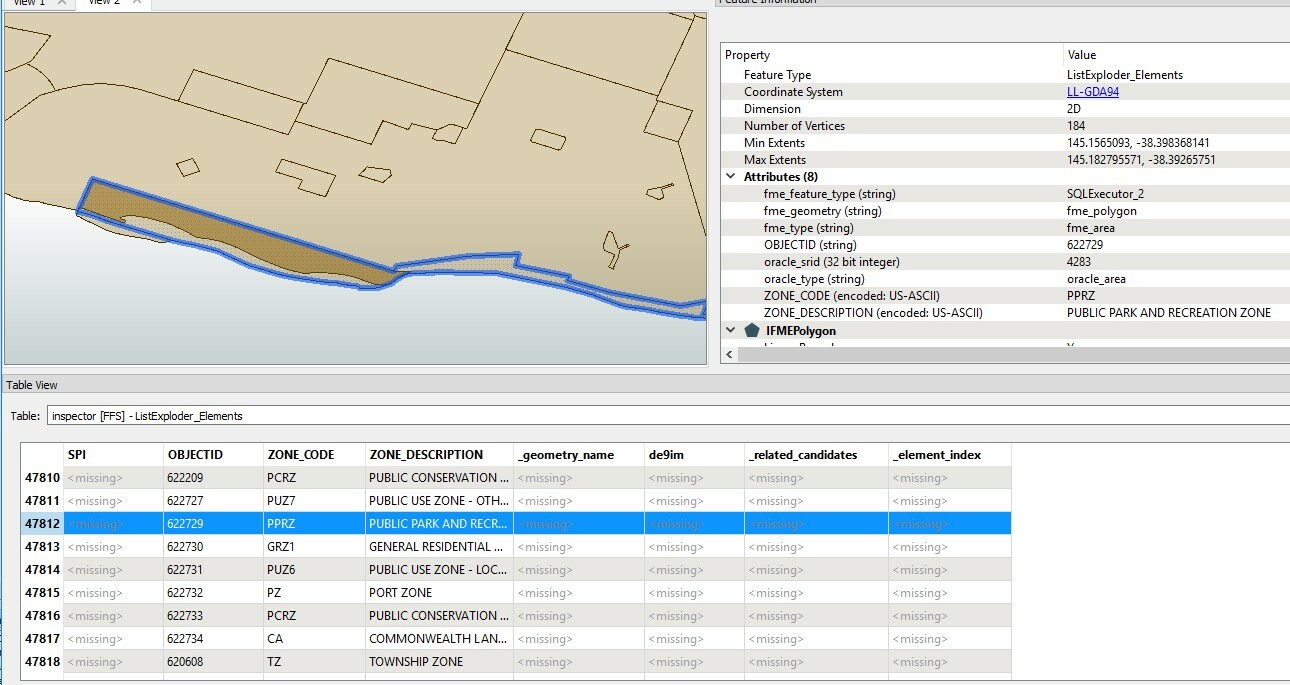
  • Found Planning Zone : 622729 (It is expected)
 

==============================================================================

Result for Parcel(SPI) A\\PS439634
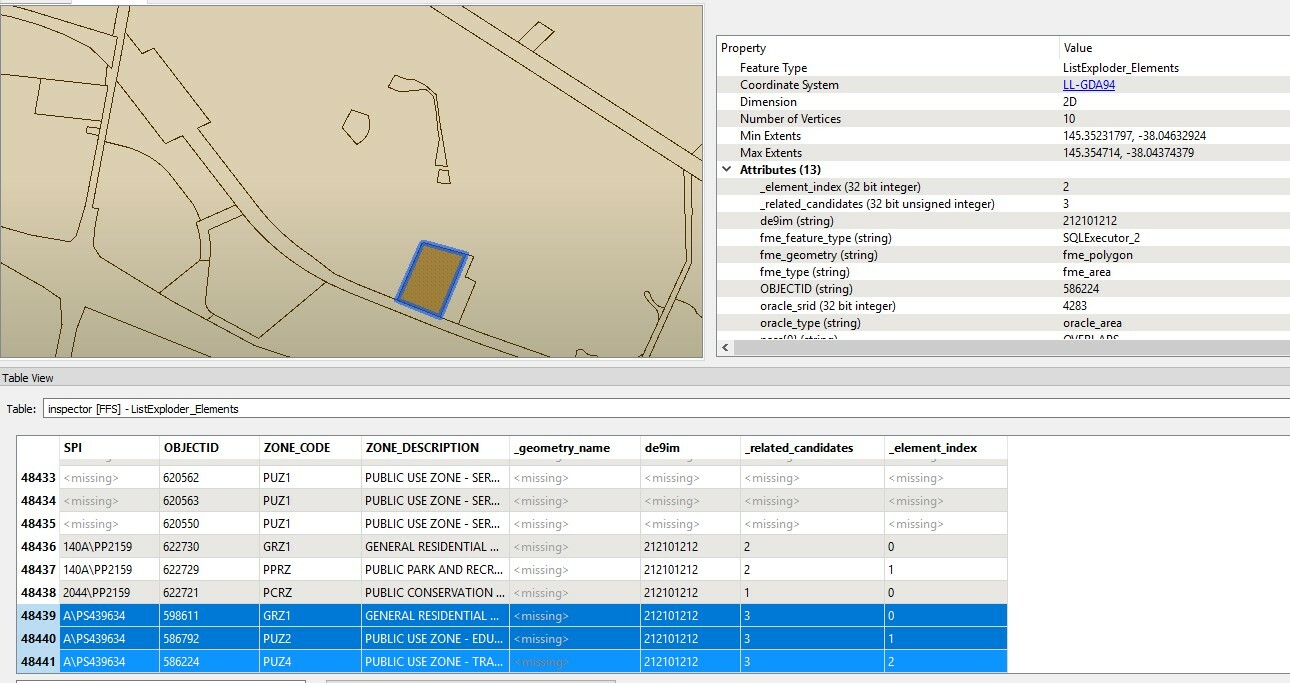
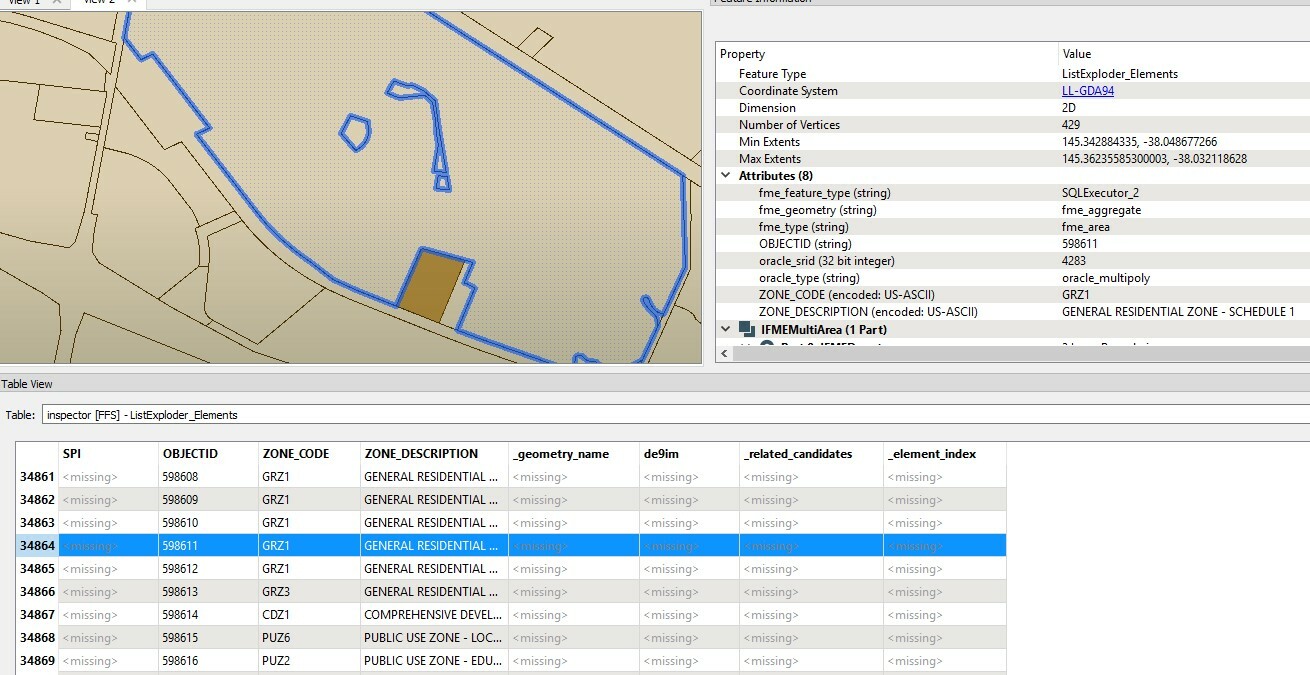
  • Found Planning Zone : 598611 (It is not expected)
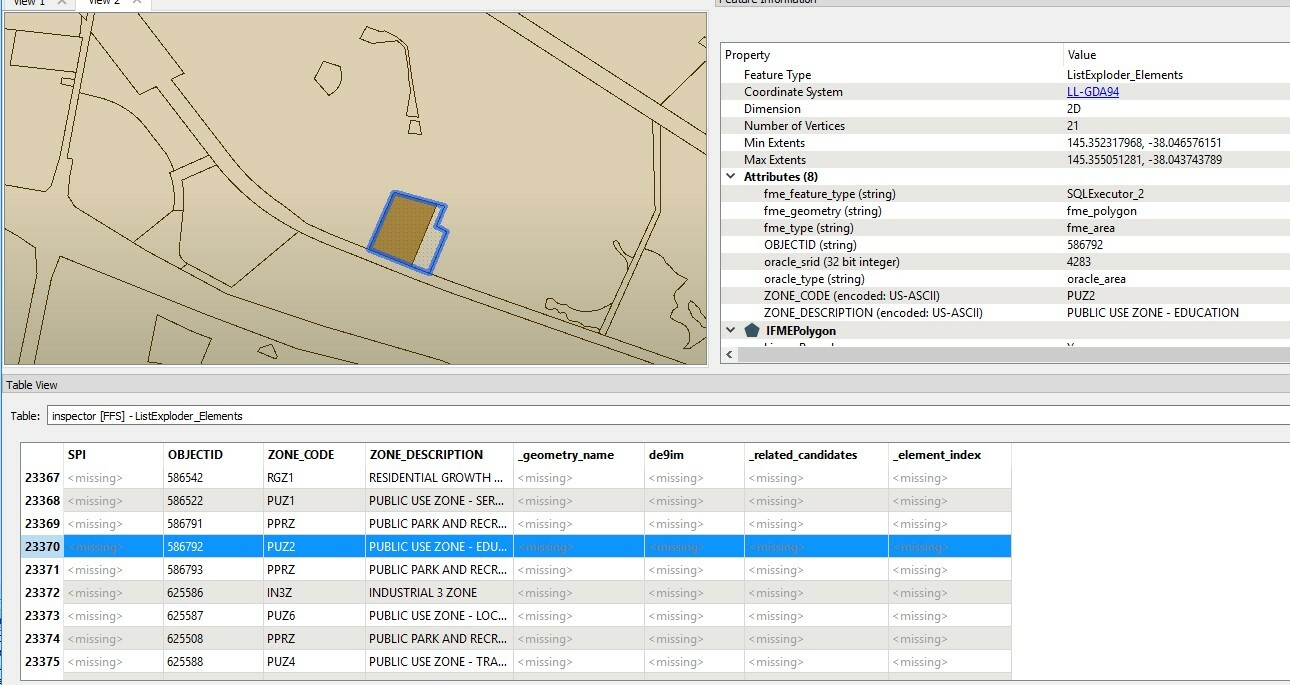
  • Found Planning Zone : 586792 (It is expected)
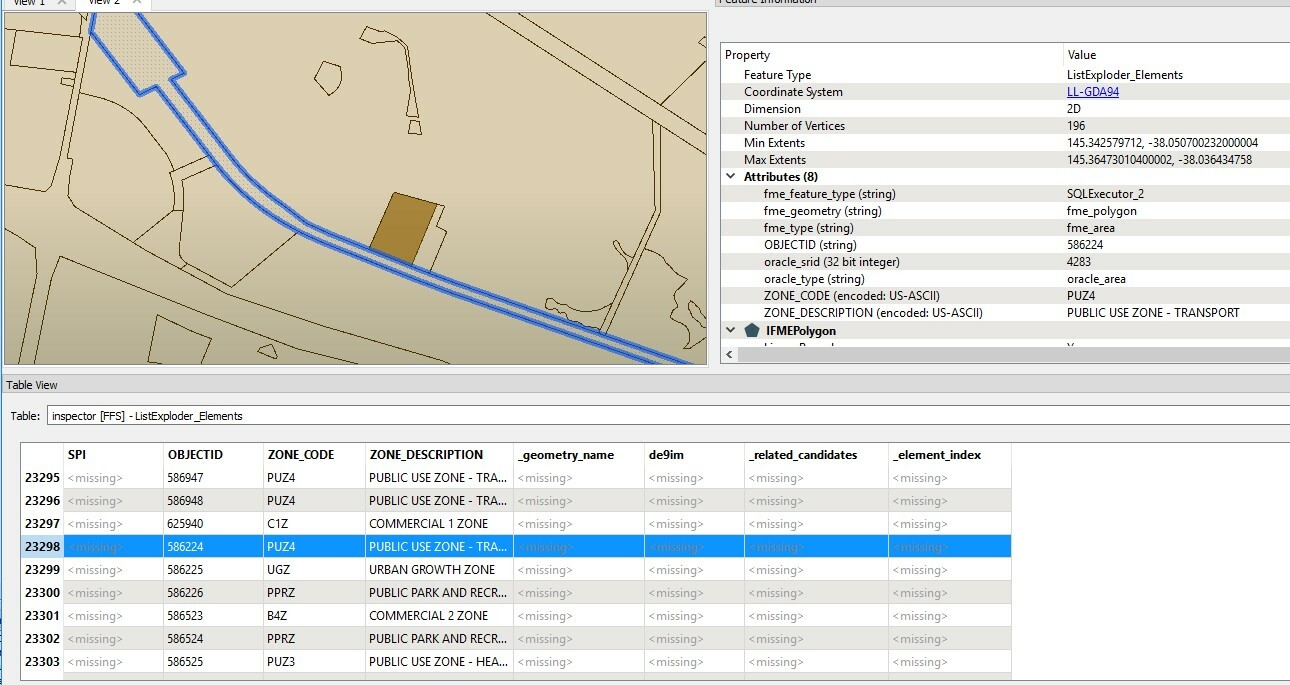
  • Found Planning Zone : 586224 (It is not expected)
I will much appreciate if I can have any idea to have the right result.

Thanks,

Jason Jung

This post is closed to further activity.
It may be an old question, an answered question, an implemented idea, or a notification-only post.
Please check post dates before relying on any information in a question or answer.
For follow-up or related questions, please post a new question or idea.
If there is a genuine update to be made, please contact us and request that the post is reopened.

5 replies

takashi
Celebrity
  • January 15, 2018

Firstly make sure which spatial relation(s) you need to detect. Does the test "Requestor Overlaps Supplier" match your intention correctly? As far as I see your screenshots, I'm wondering that "Requestor is Within Supplier" is needed. Am I wrong?

See here to learn more: Spatial Relations Defined


Forum|alt.badge.img

Firstly make sure which spatial relation(s) you need to detect. Does the test "Requestor Overlaps Supplier" match your intention correctly? As far as I see your screenshots, I'm wondering that "Requestor is Within Supplier" is needed. Am I wrong?

See here to learn more: Spatial Relations Defined

Thanks your quick replaying. And let you know a parcel might overlap multiple zones. That reason is why I need to use "Overlaps" not "Within".


takashi
Celebrity
  • January 15, 2018

Firstly make sure which spatial relation(s) you need to detect. Does the test "Requestor Overlaps Supplier" match your intention correctly? As far as I see your screenshots, I'm wondering that "Requestor is Within Supplier" is needed. Am I wrong?

See here to learn more: Spatial Relations Defined

OK. You can choose both "Requestor Overlaps Supplier" and "Requestor is Within Supplier" (and also "Requestor Contains Supplier" if it's a possible situation) to detect your desired spatial relations. i.e. "Intersect" except "Touch".


However, I think you still need to make sure that there aren't small (invisible) overlaps on the adjacent boundaries.


Forum|alt.badge.img

Firstly make sure which spatial relation(s) you need to detect. Does the test "Requestor Overlaps Supplier" match your intention correctly? As far as I see your screenshots, I'm wondering that "Requestor is Within Supplier" is needed. Am I wrong?

See here to learn more: Spatial Relations Defined

Thanks Takashi, I would like to know how to shrink size of polygon because I am thinking for excluding small overlaps on the adjacent boundaries.


takashi
Celebrity
  • January 16, 2018

Firstly make sure which spatial relation(s) you need to detect. Does the test "Requestor Overlaps Supplier" match your intention correctly? As far as I see your screenshots, I'm wondering that "Requestor is Within Supplier" is needed. Am I wrong?

See here to learn more: Spatial Relations Defined

HI @jasonjungict, just set a negative value to the Buffer Amount parameter.

