


Solved

Merging surfaces into one

  • December 11, 2025
  • 4 replies
  • 32 views

texxk
Contributor
Forum|alt.badge.img+2

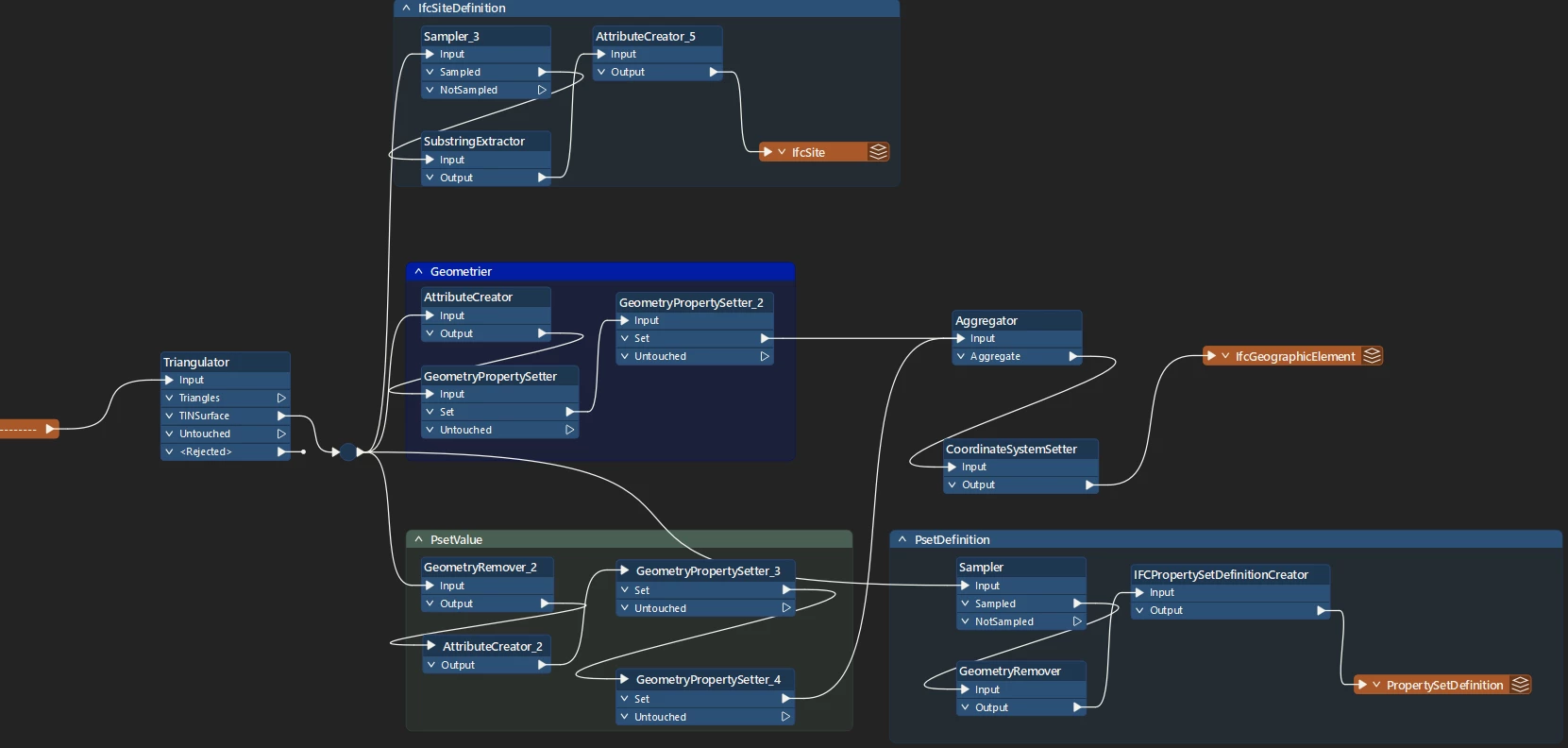
I need to take hundreds of thousands of connected 3D faces in DWG files and write them to separate IFC files, where each IFC file contains a single surface made up of the multiple 3D faces in each DWG.

I have a working solution to accomplish this without merging the surfaces but it is very resource heavy and creates large IFC files, about 10x as large as the DWGs. Using SurfaceModeller accomplishes what I want, however the resulting TINsurface is extrapolated along the entire circumference of the combined features which creates geometry that doesn’t exist in my source data. 

How can I merge the surfaces without changing them?

My workspace:
 

Best answer by daveatsafe

Hi ​@texxk,

  • Send all the surfaces to a Triangulator transformer to convert them to (small) meshes
  • Route the TINSurface output of the Triangulator to a MeshMerger to merge all the small meshes into a single large one.

This will convert your faces into a single mesh, which is far more efficient.

However, the IFC writer in FME 2025.2 does not currently write meshes - instead it will convert the mesh into a IfcFacetedBRep containing all the individual faces. We are working on having the IFC writer write meshes to IfcTriangulatedFaceSets instead, which are more efficient.

4 replies

j.botterill
Influencer
Forum|alt.badge.img+55
  • Influencer
  • December 11, 2025

When bringing connections together, ensure both are the same fme data type. Place GeometryFilters done to check. Consider using a group by on the Aggregator, using an attribute that has unique values-identifiers for each surface you want to retain.


texxk
Contributor
Forum|alt.badge.img+2
  • Author
  • Contributor
  • December 11, 2025

When bringing connections together, ensure both are the same fme data type. Place GeometryFilters done to check. Consider using a group by on the Aggregator, using an attribute that has unique values-identifiers for each surface you want to retain.

Thank you for your suggestions. 100% of the geometries are surfaces (I have 1,6 million of them across 11 files).

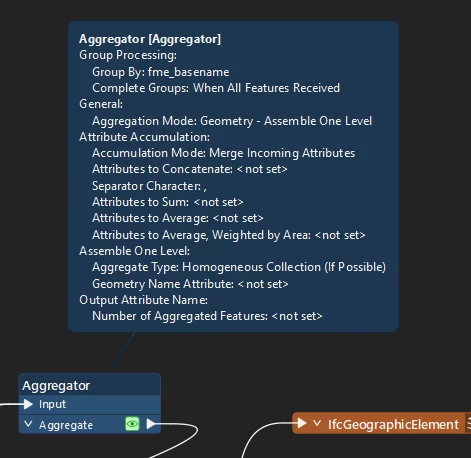
I already use group by in the aggregator to group them by original filename which creates 1 object per file. However each object contains the underlying surfaces still, the largest IFC file created is 176 MB. 


daveatsafe
Safer
Forum|alt.badge.img+20
  • Safer
  • Best Answer
  • December 11, 2025

Hi ​@texxk,

  • Send all the surfaces to a Triangulator transformer to convert them to (small) meshes
  • Route the TINSurface output of the Triangulator to a MeshMerger to merge all the small meshes into a single large one.

This will convert your faces into a single mesh, which is far more efficient.

However, the IFC writer in FME 2025.2 does not currently write meshes - instead it will convert the mesh into a IfcFacetedBRep containing all the individual faces. We are working on having the IFC writer write meshes to IfcTriangulatedFaceSets instead, which are more efficient.


texxk
Contributor
Forum|alt.badge.img+2
  • Author
  • Contributor
  • December 12, 2025

Hi ​@texxk,

  • Send all the surfaces to a Triangulator transformer to convert them to (small) meshes
  • Route the TINSurface output of the Triangulator to a MeshMerger to merge all the small meshes into a single large one.

This will convert your faces into a single mesh, which is far more efficient.

However, the IFC writer in FME 2025.2 does not currently write meshes - instead it will convert the mesh into a IfcFacetedBRep containing all the individual faces. We are working on having the IFC writer write meshes to IfcTriangulatedFaceSets instead, which are more efficient.

That did the trick, simplified the geometry and reduced file sizes to less than the source files. Thank you!