Question

How to replace parenthesis in my data

  • May 15, 2016
  • 7 replies
  • 222 views

Forum|alt.badge.img

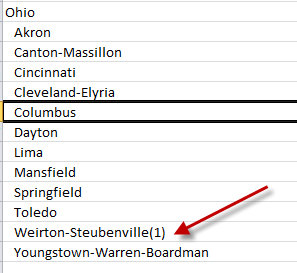
How do I automatically delete both the parenthesis and the content in them from my reader file? Is String Replacer the transformer to use? If so, can you help me with the code needed to find and replace any () and the numbers inside them with a blank. in other words, I want to delete them. This will probably be easy to a lot of you so I really appreciate your help.

This post is closed to further activity.
It may be an old question, an answered question, an implemented idea, or a notification-only post.
Please check post dates before relying on any information in a question or answer.
For follow-up or related questions, please post a new question or idea.
If there is a genuine update to be made, please contact us and request that the post is reopened.

7 replies

takashi
Celebrity
  • May 15, 2016

Hi @dshaw, yes the StringReplacer should do that. Try this setting.

  • Text to Match: \\(\\d+\\)
  • Replacement Text: <blank>
  • Use Regular Expressions: yes

Forum|alt.badge.img
  • Author
  • May 15, 2016

Hi @dshaw, yes the StringReplacer should do that. Try this setting.

  • Text to Match: \\(\\d+\\)
  • Replacement Text: <blank>
  • Use Regular Expressions: yes

Thank you so much! It worked. I need to learn the RGEX code!


takashi
Celebrity
  • May 16, 2016

Thank you so much! It worked. I need to learn the RGEX code!

See also the help on the StringSearcher to learn more about regex.


klingdom
Contributor
Forum|alt.badge.img+5
  • Contributor
  • August 22, 2023

I have something similar. We need to remove the "POLYGON((" at the begging and the ending "))" I keep getting a red mark on the first parentheses. FME is seeing it as part of the formula. POLYGON((-75.9233547904934 40.2630624281009,-75.9235459763934 40.2625868196687


klingdom
Contributor
Forum|alt.badge.img+5
  • Contributor
  • August 22, 2023

Thank you so much! It worked. I need to learn the RGEX code!

I have something similar. We need to remove the "POLYGON((" at the begging and the ending "))" I keep getting a red mark on the first parentheses. FME is seeing it as part of the formula. POLYGON((-75.9233547904934 40.2630624281009,-75.9235459763934 40.2625868196687


geomancer
Evangelist
Forum|alt.badge.img+60
  • Evangelist
  • August 23, 2023

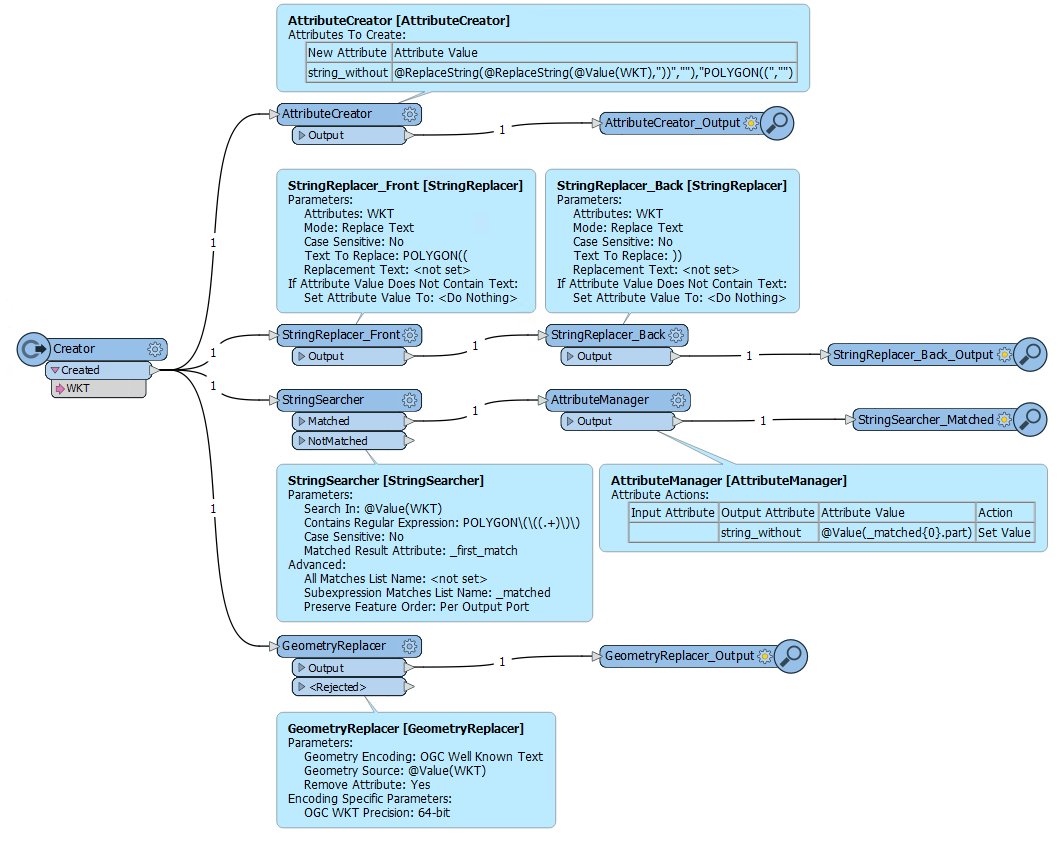
If you have parentheses as characters in your data, you may have to escape them with a preceding \ (in a StringSearcher), or enclose the search string in double quotes (in an AttributeManager and the like). You may see red parentheses in the Text Editor, but the string replacement will still work correctly.

Parentheses 

Used in the AttributeCreator:
@ReplaceString(@ReplaceString(@Value(WKT),"))",""),"POLYGON((","")
 
Used in the StringSearcher:
POLYGON\(\((.+)\)\)
combined with the option Subextression Matches List Name to get the string defined by (.+)

For completeness: POLYGON((x y, x y, ...)) is the OGC Well Known Text format. You can convert it to geometry using the GeometryReplacer.


klingdom
Contributor
Forum|alt.badge.img+5
  • Contributor
  • August 23, 2023

If you have parentheses as characters in your data, you may have to escape them with a preceding \ (in a StringSearcher), or enclose the search string in double quotes (in an AttributeManager and the like). You may see red parentheses in the Text Editor, but the string replacement will still work correctly.

Parentheses 

Used in the AttributeCreator:
@ReplaceString(@ReplaceString(@Value(WKT),"))",""),"POLYGON((","")
 
Used in the StringSearcher:
POLYGON\(\((.+)\)\)
combined with the option Subextression Matches List Name to get the string defined by (.+)

For completeness: POLYGON((x y, x y, ...)) is the OGC Well Known Text format. You can convert it to geometry using the GeometryReplacer.

Thx for all the info!  Fortunately or unfortunately for time sack the GeometryReplacer bypassed all of this.  the fix that remove everything the POLYGON(( )) was @ReplaceString(@ReplaceString(@Value(geometry),"POLYGON((",""),"))","").  Thx again.