Question

how do I cut one polygon to another

  • April 14, 2016
  • 9 replies
  • 646 views

Forum|alt.badge.img

I have 2 polygons, example 1 circle and 1 square..they overlap, what transformer do I use to cut the overlap and leave the unoverlapped part? I tried using CLIPPER but it did not work.

This post is closed to further activity.
It may be an old question, an answered question, an implemented idea, or a notification-only post.
Please check post dates before relying on any information in a question or answer.
For follow-up or related questions, please post a new question or idea.
If there is a genuine update to be made, please contact us and request that the post is reopened.

9 replies

stalknecht
Contributor
Forum|alt.badge.img+22
  • Contributor
  • April 14, 2016

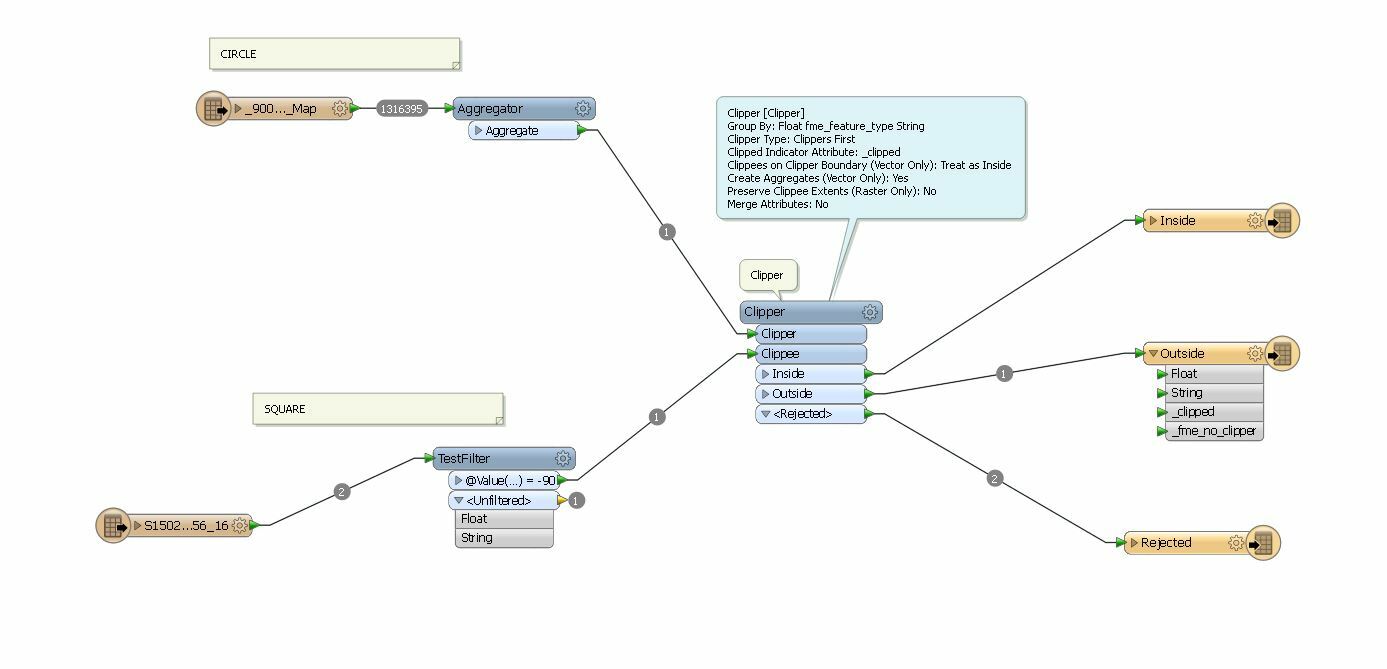
the clipper should work. If I look at the screen-shot you probably have to swap the clipper and clippee port connections. Are both datasets in the same projection?


Forum|alt.badge.img
  • Author
  • April 14, 2016

I tried swapping them around but it doesn't clip...the output tends to be just the square.


pratap
Contributor
Forum|alt.badge.img+12
  • Contributor
  • April 14, 2016

Hi,

Have you placed the inspector at each step and checked where the data is overlapping?

If yes and still not identified the reason then its better if you can post sample data or screenshot for better understanding of your question


david_r
Celebrity
  • April 14, 2016

I see you have set Clippers First, are you sure this is really the case in your workspace? Try turning it off and see if it helps.

David


david_r
Celebrity
  • April 14, 2016

I see you have set Clippers First, are you sure this is really the case in your workspace? Try turning it off and see if it helps.

David

Also, what is the purpose of the Aggregator here? Are you sure you need it?


gio
Contributor
Forum|alt.badge.img+15
  • Contributor
  • April 14, 2016

remove aggregator.

..is that 1 circle? With a huge amount of vertices/linesegments?

Then either extract center, begin and endpoint and then use a 2dArcReplacer to turn it in to a more manageable resolution.

Or a linejoiner, if they are lines and then generaliser. (i would do first suggestion tho).


Forum|alt.badge.img
  • Author
  • April 15, 2016

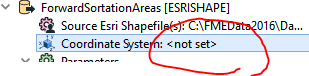
I am getting this warning in relation to the coordinate system.. how do i define the coordinate systems so they align in this case?

2016-04-15 15:01:34| 0.4| 0.0|WARN |FME does not support MapInfo datum `9999,0,0,0,0,-0,-0,-0,0,0' -- assuming default of WGS84

2016-04-15 15:01:34| 0.6| 0.0|WARN |NOT changing coordinate system of reader identified by keyword `MAPINFO_1' from `EPSG:4283' to `_MI_0' -- mapping file setting of `EPSG:4283' overrides coordinate system `_MI_0' read from file

what transformer can i use to make them both EPSG:4283?


fmelizard
Safer
Forum|alt.badge.img+21
  • Safer
  • April 16, 2016

There may be several problems in play here, but another is that you're using a Group By . For your example I'd suggest you'd not want this. You've got it set to put all clippers and clippees into separate bins based on the value of fme_feature_type. Since the clippers have a different feature type than the clippees, they will be in different "bins" and not processed together. So nothing useful will happen. Also the clipper/clippee appear to need swapping. And I'd lose the aggregator as well, likely not needed.


stalknecht
Contributor
Forum|alt.badge.img+22
  • Contributor
  • April 16, 2016

I am getting this warning in relation to the coordinate system.. how do i define the coordinate systems so they align in this case?

2016-04-15 15:01:34| 0.4| 0.0|WARN |FME does not support MapInfo datum `9999,0,0,0,0,-0,-0,-0,0,0' -- assuming default of WGS84

2016-04-15 15:01:34| 0.6| 0.0|WARN |NOT changing coordinate system of reader identified by keyword `MAPINFO_1' from `EPSG:4283' to `_MI_0' -- mapping file setting of `EPSG:4283' overrides coordinate system `_MI_0' read from file

what transformer can i use to make them both EPSG:4283?

You can use the CsmapReprojector- or the Reprojector-Transformer.

You can set the projection of the reader and/or writer also.