


Question

How can I add an increment at each change in an attribute value.

  • February 5, 2016
  • 3 replies
  • 327 views

lferg
Contributor
Forum|alt.badge.img

I have a list of observations where the assetID may appear a number of times, so I have added an "Increment" attribute that I want to populate with 01,02,03,04 which will recurr with each change in assetid. I can do this in excel, by using the if statement looking at the row above. =IF(A2=A1,B1+1,1) how can I do this in FME?

My data looks like this - and want to add the suffix which I have added manually here as an example

Inspectionsuffix to addWW201601201784601WW201601201784602WW201601201784603WW201601201784604WW20001206523401WW20001206523402WW20001206523403WW20001206523404WW20001206523405WW20001206523406


This post is closed to further activity.
It may be an old question, an answered question, an implemented idea, or a notification-only post.
Please check post dates before relying on any information in a question or answer.
For follow-up or related questions, please post a new question or idea.
If there is a genuine update to be made, please contact us and request that the post is reopened.

3 replies

roland.martin
Contributor
Forum|alt.badge.img+11
  • Contributor
  • February 5, 2016

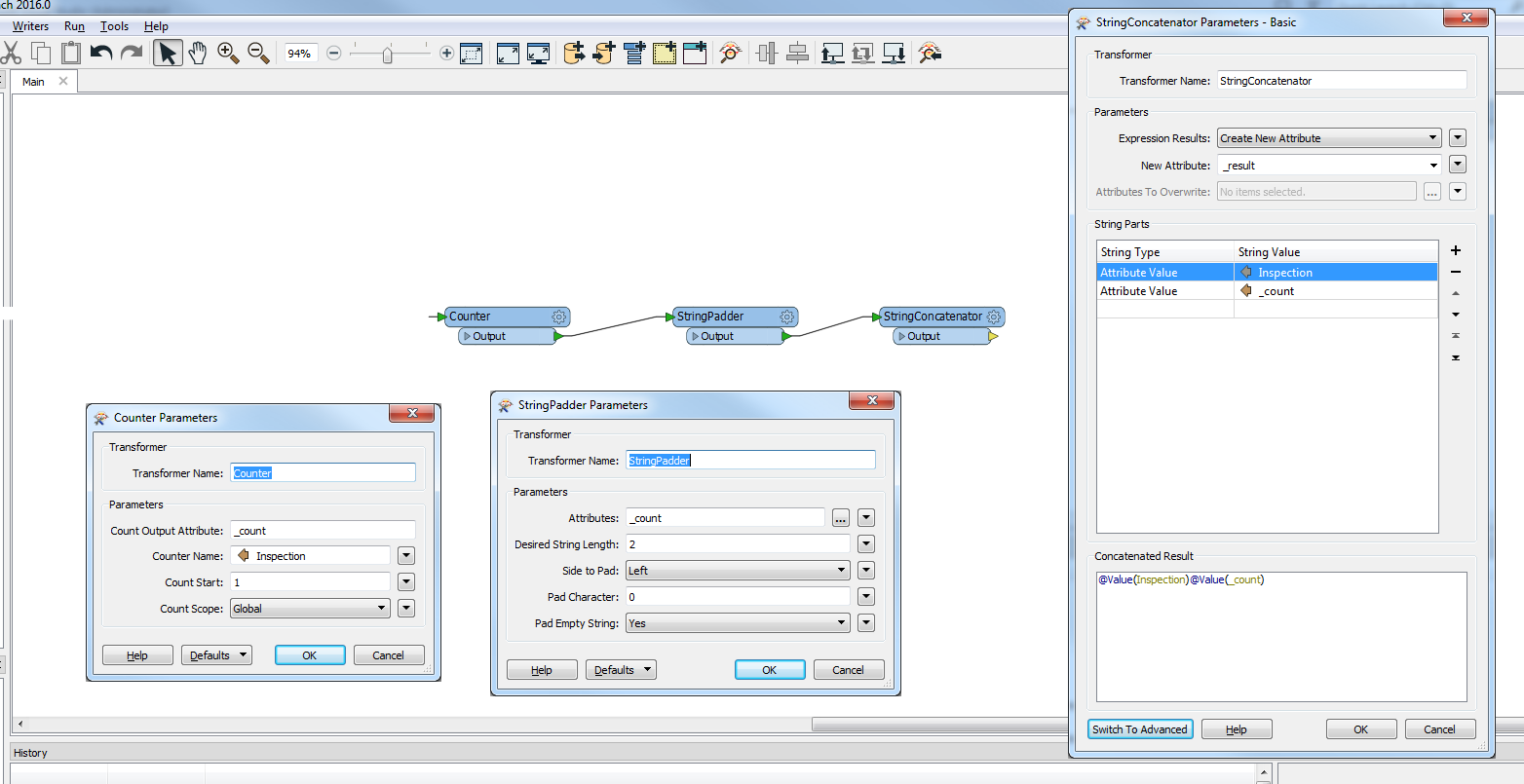
See above - you need to use a Counter, with the Counter Name set to your attribute. Then pad the string, and concatenate it, and Bob's your uncle.


takashi
Celebrity
  • February 5, 2016

Alternatively the StringFormatter can also be used instead of the StringPadder.

  • Attributes: _count
  • Format String: 02d

lferg
Contributor
Forum|alt.badge.img
  • Author
  • Contributor
  • February 8, 2016

Thanks guys. Perfect, and so easy when you know how!