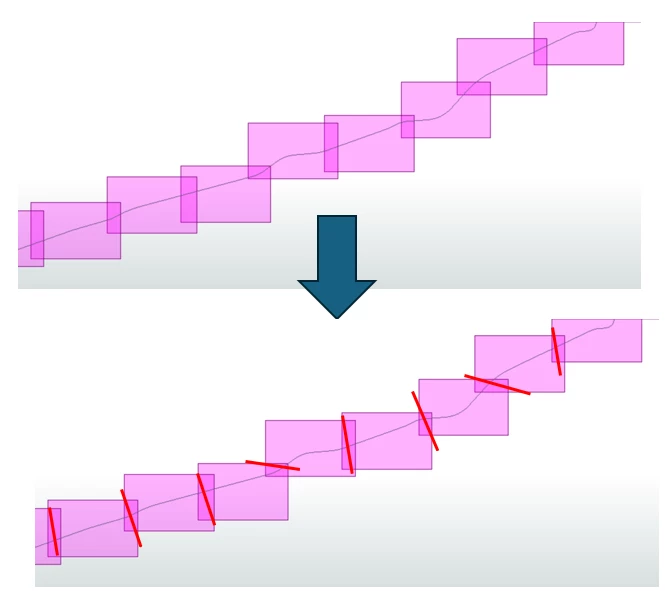
I am working on an automation process to generate cutlines for use in a map series. These cutlines must have a consistent length and be positioned within the overlapping areas of the map sheets. In addition, the cutlines need to follow the orientation of the main alignment to support accurate mapping production.
Below is an example illustrating the challenge:
I have tried several workarounds, but I have not been able to get it to work.
Any ideas?
Thanks :)
Best answer by geomancer
Not sure what you have tried already, so here is my attempt:
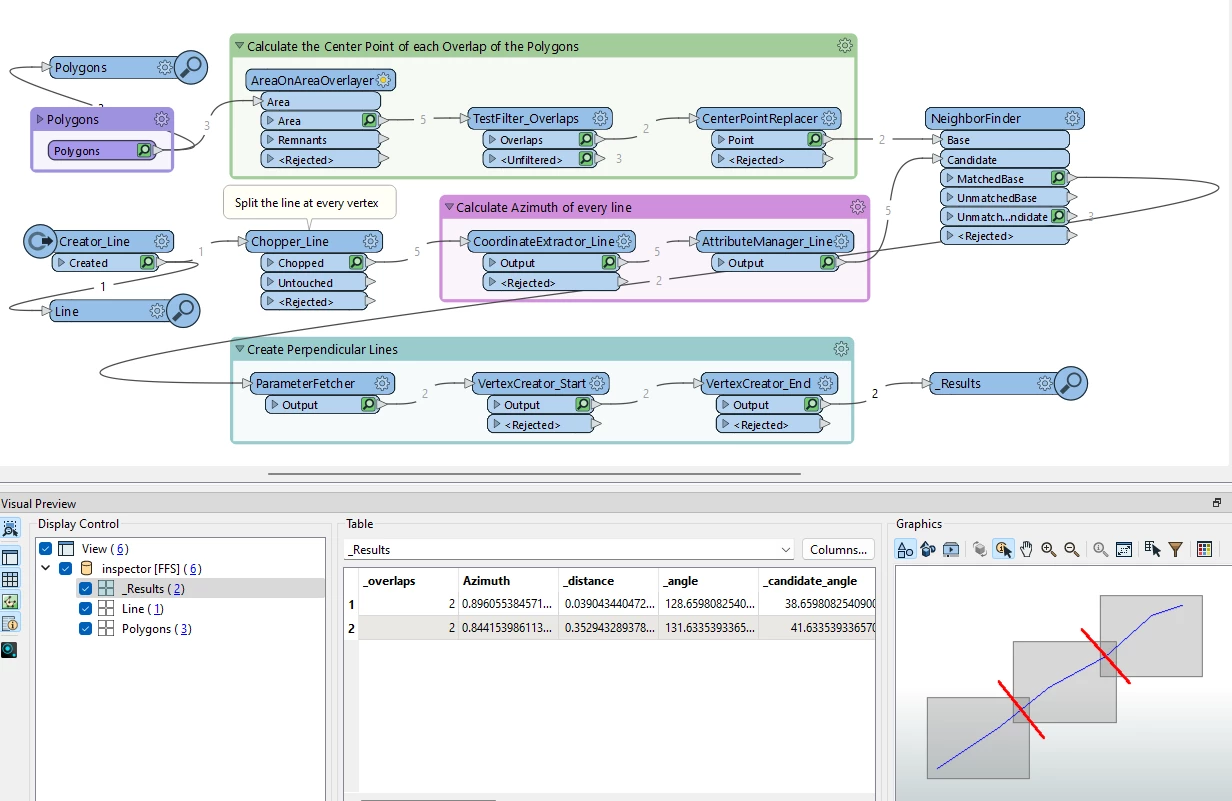
Chop the line into features of 2 vertices (Chopper)
Calculate the azimuth of each of these lines
Get the overlaps of the polygons (AreaOnAreaOverlayer)
For each overlap get the center point (CenterPointReplacer)
For each center point find the nearest line (NeighborFinder, merge the attributes)
From the results of the NeighborFinder you can create a line of your preferred length that is perpendicular to the line at that location
There is some nice math in the transformers AttributeManager_Line, VertexCreator_Start and VertexCreator_End 😉
The attached workspace was made with FME Form 2023.1.1.0
This post is closed to further activity.
It may be an old question, an answered question, an implemented idea, or a notification-only post.
Please check post dates before relying on any information in a question or answer.
For follow-up or related questions, please post a new question or idea.
If there is a genuine update to be made, please contact us and request that the post is reopened.