


Solved

Feature Joiner on number not joining?

  • January 20, 2026
  • 12 replies
  • 137 views

rjohnsoncos
Contributor
Forum|alt.badge.img+2

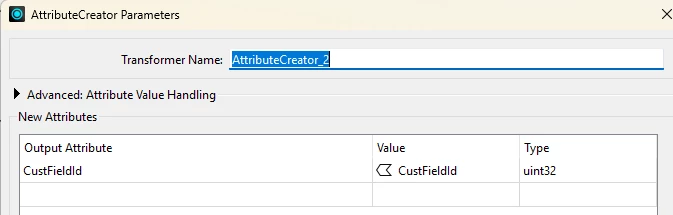
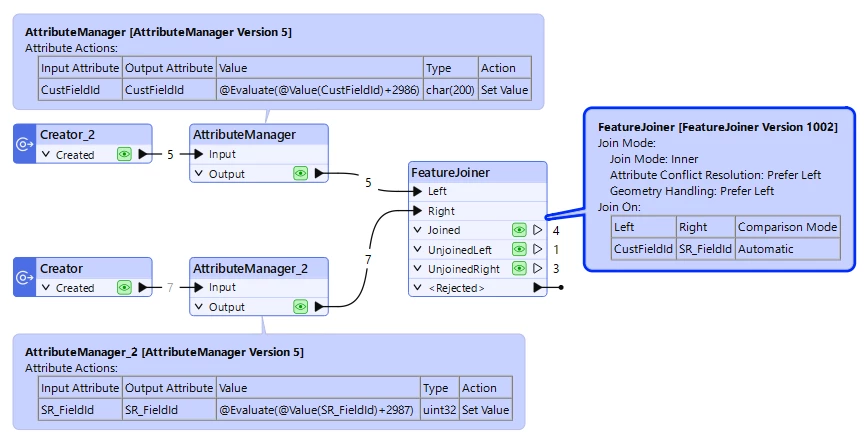
I am trying to join SQL data with csv data.  The field coming from SQL is uint32.  The field in the CSV is Char but converted to uint32.  Im joining the sets on this field and I get no matches.  here is the SQL data:
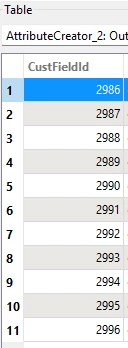
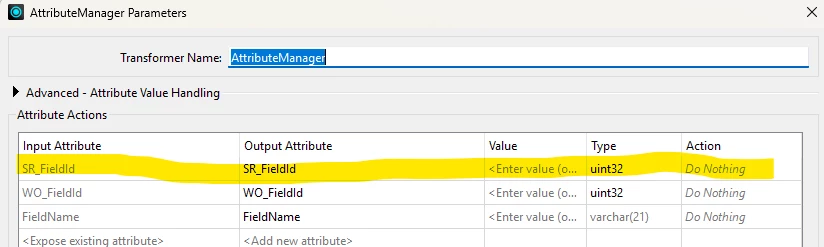
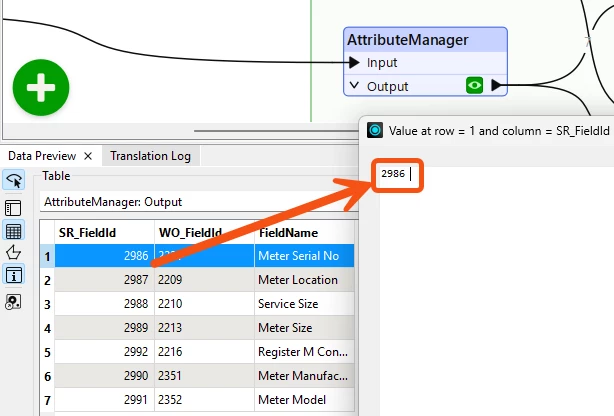
Here is the CSV date after conversion to uint32:
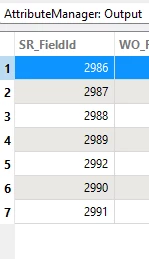
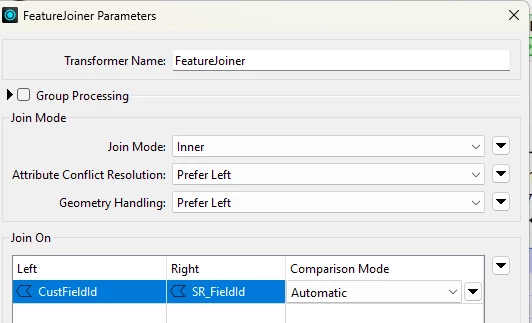
Feature Joiner information:
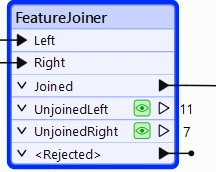
Ive tried the following:

  • Changing comparison mode between numeric and automatic - no change
  • Changing both datasets to be char(4) - no change
  • used Feature Merger - no result change.

What am I missing here?

Best answer by ebygomm

Have you tried trimming the attributes?


The number in your SRField_Id screenshot looks further away from the right hand margin than in the CustFieldID screenshot (Although I’d still expect them to match even if comparison mode was numeric)

12 replies

ebygomm
Influencer
Forum|alt.badge.img+46
  • Influencer
  • Best Answer
  • January 20, 2026

Have you tried trimming the attributes?


The number in your SRField_Id screenshot looks further away from the right hand margin than in the CustFieldID screenshot (Although I’d still expect them to match even if comparison mode was numeric)


rjohnsoncos
Contributor
Forum|alt.badge.img+2
  • Author
  • Contributor
  • January 20, 2026

I have tried the trim function with both the numeric and char versions that I have tried.  It did not seem to make a difference.


rjohnsoncos
Contributor
Forum|alt.badge.img+2
  • Author
  • Contributor
  • January 20, 2026

also, im using an attributemanager to convert that char to uint32 - so I would think it would drop spaces for the conversion?


rjohnsoncos
Contributor
Forum|alt.badge.img+2
  • Author
  • Contributor
  • January 20, 2026

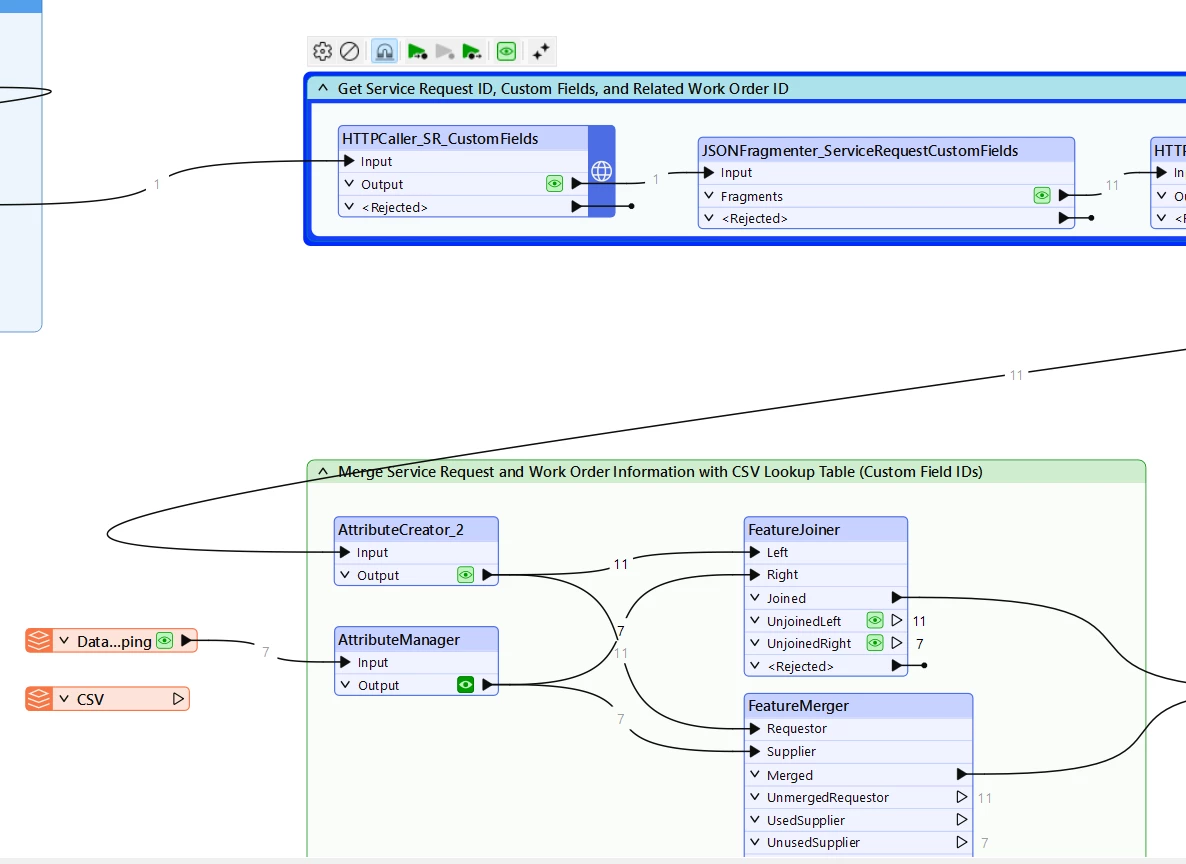
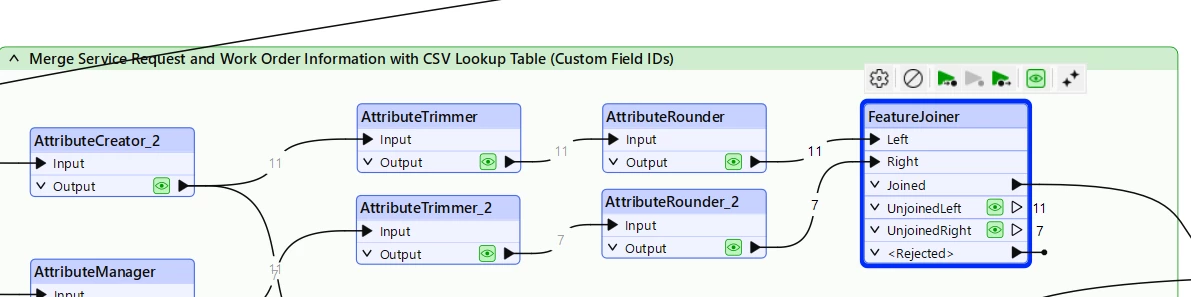
heres a bigger picture. 


desiree_at_safe
Safer
Forum|alt.badge.img+18

Hi ​@rjohnsoncos

@ebygomm is right! Your data is expected to match if comparison mode was numeric (or automatic, which tries numeric first). Conversions are handled in the FeatureJoiner itself, so changing the data type before it reaches the transformer shouldn't change the result.

As a quick note, with Automatic Comparison mode, FME will first attempt to treat values as numbers before falling back to string comparison.

I can't immediately identify a particular issue with your workspace. Which version of FME are you using? Would you also be willing to share a sample workspace as a Template FMWT here? Alternatively, you can always submit a case with us if you need an NDA or to keep your workspace private:  submit a ticket 

Happy to help you get this working!


chriswilson
Enthusiast
Forum|alt.badge.img+21
  • Enthusiast
  • January 25, 2026

@rjohnsoncos I have had some instances recently where integers seem to be stored or created mid-process as decimal numbers - if you look at the right hand record information panel when selecting a feature in the data preview window you may see for example that 2986 becomes 2986.0.  This caused me issues in writing to an ArcGIS Online integer field.

Unfortunately I can’t produce an example of this at this time and don’t fully understand where it is coming from just yet, but it may be possible that it is happening for you and causing your issue.

Perhaps try an attribute rounder to round to zero before comparing. 

Additionally if there could be spaces as already mentioned by ​@ebygomm  you could try a StringReplacer to replace spaces with nothing (either just type a space or use regex \s+) instead of AttributeTrimmer which can on occasion not actually trim leading or trailing spaces.


rjohnsoncos
Contributor
Forum|alt.badge.img+2
  • Author
  • Contributor
  • January 26, 2026

@chriswilson - Thanks for the suggestion but I tried the rounding on both values I still had the same issue. at the suggestion of ​@desiree_at_safe i have saved a fmwt template with cached data and zipped it and attached it. 


rjohnsoncos
Contributor
Forum|alt.badge.img+2
  • Author
  • Contributor
  • January 26, 2026

so I ended up ditching the CSV file and just created a SQL table with the same data types and now it is matching on the two values when using the Joiner. So I avoided the issue by taking a different route.  I wish I could have made the CSV option work but the Values in the file are just as easily managed in a SQL DB Table.


chriswilson
Enthusiast
Forum|alt.badge.img+21
  • Enthusiast
  • January 26, 2026

Interesting.  It just sometimes seems to be the case that how the numbers are visually formatted mid-process (they get converted into .ffs format by readers) is not quite the same as how they are being stored in memory.  I’m also not 100% convinced on the data type setting in the AttributeManager and how effective it really is (I think it was around the decimal issue I mentioned) but I can’t back that up with much of a case as yet.

The data type set when the attribute is read into the process as is generally strongly influential on what goes on in the process, which may be why your SQL workflow was successful.  It’s good to have a “start as you mean to go on” view of attribute types.  To that end - despite having worked around your issue - if you went to manually set the CSV reader’s attribute definition and changed that one from varchar to unit32 it would be interesting to see if that produced a change.

In any case I’m glad you have a working solution!


rjohnsoncos
Contributor
Forum|alt.badge.img+2
  • Author
  • Contributor
  • January 26, 2026

thanks ​@chriswilson .  I tried just about everything could think of including setting the CSV to numeric with no decimal points and still could not get a match… In the end i was just happy to get around the issue with a simple solution. 


desiree_at_safe
Safer
Forum|alt.badge.img+18

Hi ​@rjohnsoncos.

The workspace you shared was helpful in diagnosing this!

The community users were right. There was an "invisible" character that wasn’t obvious in the Data Preview or Record information window but interfere with the join.


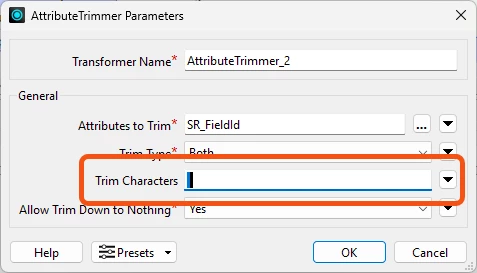
A fast fix would be copy that character and paste it into the AttributeTrimmer>Trim Characters Parameter
 

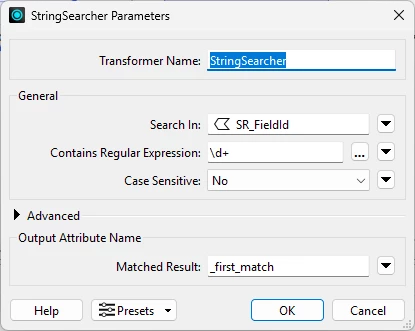
Alternatively, the StringSearcher can effectively strip away that "noise"

It’s a tricky one to spot for sure! I am curious if this could be expected behavior that could be better handled on our end.

Is this additional character expected from your source data?


rjohnsoncos
Contributor
Forum|alt.badge.img+2
  • Author
  • Contributor
  • January 27, 2026

yes… the first reply I had from ​@ebygomm mentioned that it looked like there was an extra Character in there but I assumed that converting it to an INT would have removed it. I will go ahead and mark his response as the best answer - though you were the one that actually found how to fix it. 😉