Solved

DBF Writer: DBF file exceeds maximum size of 2 GB

  • June 12, 2019
  • 7 replies
  • 408 views

terezia86
Forum|alt.badge.img

HI,


my translation is always unsuccessful due to: DBF Writer: DBF file exceeds maximum size of 2 GB.

yes, it is so big, but I need to translate it and a few files which are even bigger. Shape into shape.

Any ideas?


thanks

Best answer by david_r

The DBF file format, which is used as part of the Shape format specification, is limited to max. 2GB per file.

You may want to consider using a fanout to split the data into several output files.

This post is closed to further activity.
It may be an old question, an answered question, an implemented idea, or a notification-only post.
Please check post dates before relying on any information in a question or answer.
For follow-up or related questions, please post a new question or idea.
If there is a genuine update to be made, please contact us and request that the post is reopened.

7 replies

david_r
Celebrity
  • Best Answer
  • June 12, 2019

The DBF file format, which is used as part of the Shape format specification, is limited to max. 2GB per file.

You may want to consider using a fanout to split the data into several output files.


terezia86
Forum|alt.badge.img
  • Author
  • June 12, 2019

The DBF file format, which is used as part of the Shape format specification, is limited to max. 2GB per file.

You may want to consider using a fanout to split the data into several output files.

Hi @david_r!


thanks for your reply. It has worked.

Just a litte sad, because I need to split into many folders-which I do not need. anyway it helped... thanks


david_r
Celebrity
  • June 12, 2019

Hi @david_r!


thanks for your reply. It has worked.

Just a litte sad, because I need to split into many folders-which I do not need. anyway it helped... thanks

Yes, it's unfortunate, but also fairly common with these very old file formats.


redgeographics
Celebrity
Forum|alt.badge.img+62

Hi @david_r!


thanks for your reply. It has worked.

Just a litte sad, because I need to split into many folders-which I do not need. anyway it helped... thanks

Just a quick add-on: you don't need to have the output in different folders, you can also have one folder with separate shapefiles. In that case you need to set the name of the output shapefile featuretype to something that depends on an attribute. It's a bit confusing as it is technically a fanout (what @david_r referred to) but it's not called a fanout anymore.


terezia86
Forum|alt.badge.img
  • Author
  • June 12, 2019

Just a quick add-on: you don't need to have the output in different folders, you can also have one folder with separate shapefiles. In that case you need to set the name of the output shapefile featuretype to something that depends on an attribute. It's a bit confusing as it is technically a fanout (what @david_r referred to) but it's not called a fanout anymore.

Hi,

actualy I do not need to have a separate folders, the separated shapes are also ok. How can I set it?


redgeographics
Celebrity
Forum|alt.badge.img+62

Hi,

actualy I do not need to have a separate folders, the separated shapes are also ok. How can I set it?

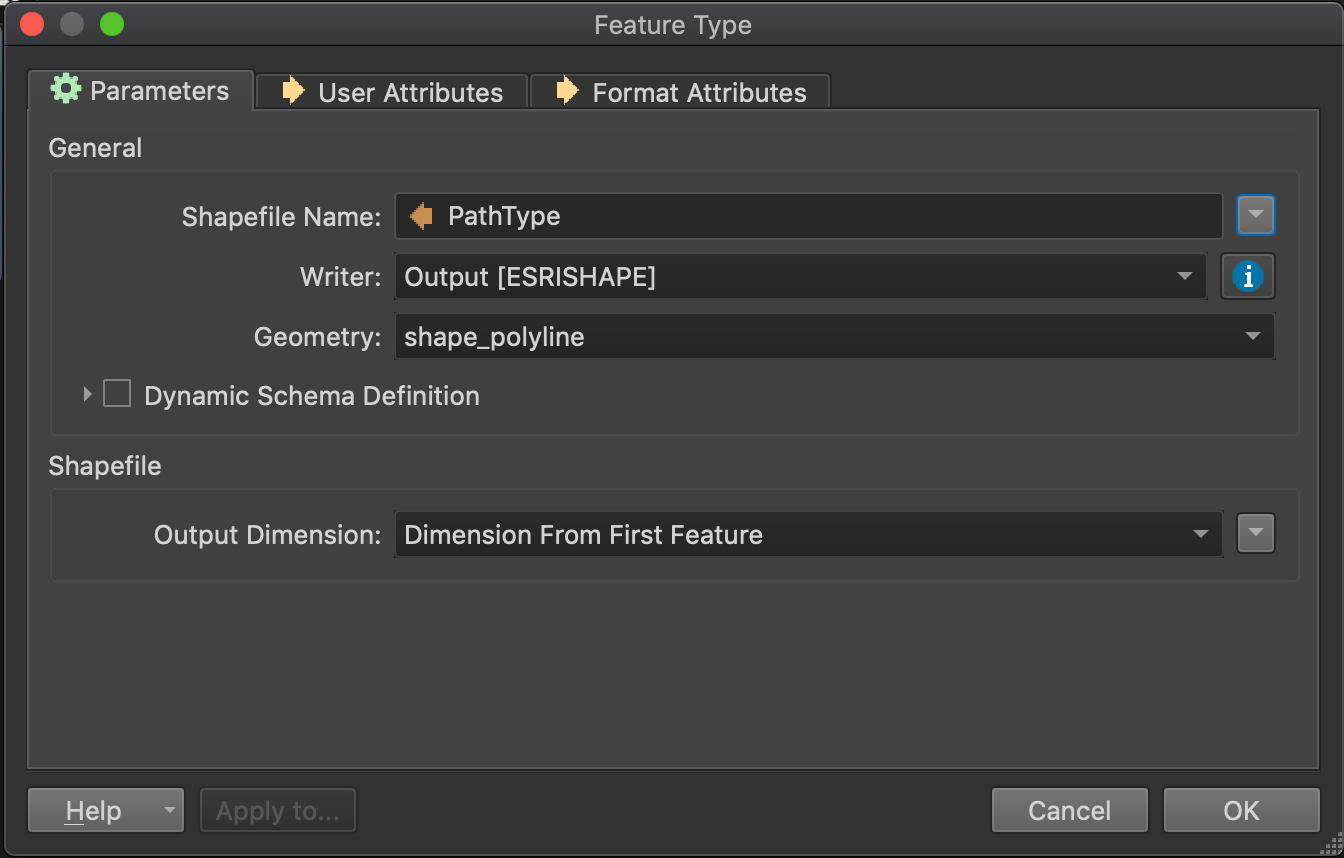
You can set the shapefile name (in the feature type properties) to an attribute value. So for every unique attribute value you'll get a new shapefile.


terezia86
Forum|alt.badge.img
  • Author
  • June 12, 2019

You can set the shapefile name (in the feature type properties) to an attribute value. So for every unique attribute value you'll get a new shapefile.

Aah, all right! Thanks a lot!