Best Answer

CSS Selcetors in HTML Extractor

  • May 24, 2018
  • 3 replies
  • 70 views

ajbaum77
Contributor
Forum|alt.badge.img+13

Hi all,

Working to parse some sections out of a webpage. I need to associate some values with their heading. I can get the h3 values I need or all the ul or li elements on the page but trying to get just the ul and li element under each h3 to keep them grouped. Seems like using a h3 ul li selector should work but it doesn't return anything. Changing the space to a comma (,) returns all the values not just those ul and li within the h3. I've also gotten the values for the h3 and can get each h3 individually using "h3:nth-of-type(@Value(part_idGEN))" but again trying to get the ul or li element under this doesn't work either.

Using FME2018.0.0.1 Build 18295

Webpage is https://www.thewindpower.net/windfarm_en_182_gent-zeehaven.php


Thanks,

Andrew
Best answer by takashi

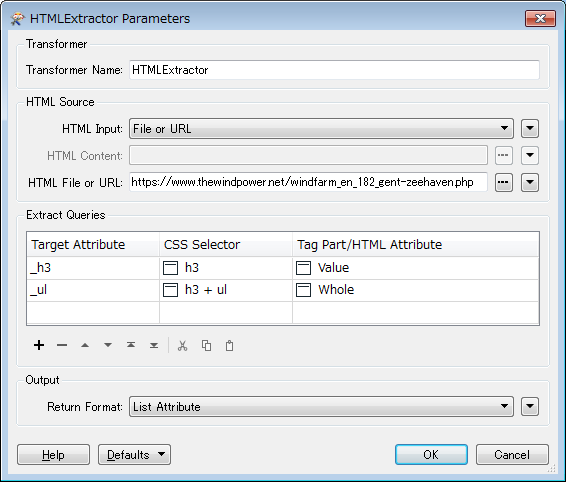
Hi @ajbaum77, I think the result you have gotten is correct since your required <ul> element is a sibling following to an <h3> element, is not inside of <h3>. If you need to extract the value of <h3> element and whole content of the following <ul> element, for example, a possible setting is:

Note that a space is required before and after the '+' in the second CSS Selector.

See here to learn more about CSS Selectors: CSS Selector Reference

This post is closed to further activity.
It may be an old question, an answered question, an implemented idea, or a notification-only post.
Please check post dates before relying on any information in a question or answer.
For follow-up or related questions, please post a new question or idea.
If there is a genuine update to be made, please contact us and request that the post is reopened.

3 replies

danilo_fme
Celebrity
Forum|alt.badge.img+52
  • Celebrity
  • May 25, 2018

Hi @ajbaum77

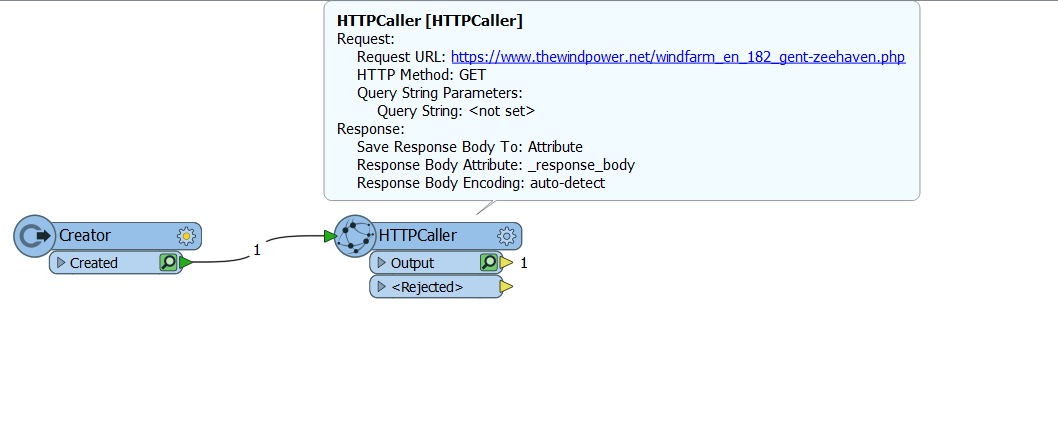
Are you using the transformer Creator and after the transformer HTTPCaller?

Thanks,

Danilo


takashi
Celebrity
  • Best Answer
  • May 25, 2018

Hi @ajbaum77, I think the result you have gotten is correct since your required <ul> element is a sibling following to an <h3> element, is not inside of <h3>. If you need to extract the value of <h3> element and whole content of the following <ul> element, for example, a possible setting is:

Note that a space is required before and after the '+' in the second CSS Selector.

See here to learn more about CSS Selectors: CSS Selector Reference


ajbaum77
Contributor
Forum|alt.badge.img+13
  • Author
  • Contributor
  • May 29, 2018

Hi @ajbaum77, I think the result you have gotten is correct since your required <ul> element is a sibling following to an <h3> element, is not inside of <h3>. If you need to extract the value of <h3> element and whole content of the following <ul> element, for example, a possible setting is:

Note that a space is required before and after the '+' in the second CSS Selector.

See here to learn more about CSS Selectors: CSS Selector Reference

Thanks this is exactly what I needed. I had tried something similar but think I missed the spaces around the '+'.